Mastering WhatsApp Chat Box Templates for Better Customer Interaction

You probably use WhatsApp daily, but did you know it’s also revolutionizing how businesses connect with customers? With a staggering 70% open rate for personalized messages, WhatsApp has become a favorite for companies to boost engagement and conversions. Businesses that sell through WhatsApp often see repeat customers 68% of the time! A well-crafted WhatsApp chat box template can make all the difference in catching attention and driving action. Tools like Sobot’s WhatsApp Business API allow you to scale communication effortlessly while personalizing every interaction. It’s time to rethink how you connect with your audience.
Understanding WhatsApp Chat Box Templates
What Are WhatsApp Chat Box Templates?
WhatsApp chat box templates are pre-designed message formats that businesses use to communicate with customers efficiently. These templates come in two main types: session messages and template messages.
-
Session Messages:
These are flexible and allow businesses to respond to customer-initiated conversations within a 24-hour window. They don’t require pre-approval and can include detailed information without character limits. Plus, they’re free to send during the session. -
Template Messages:
These are pre-approved by WhatsApp and are used to initiate conversations outside the 24-hour window. They’re ideal for sending notifications, reminders, or promotional offers. However, customers must opt-in to receive them, and fees apply for each message sent.
| Feature | Session Messages | Template Messages |
|---|---|---|
| Approval Needed | No | Yes |
| Usage Window | Within 24 hours of customer response | Outside the 24-hour window |
| Cost | Free | Fees apply |
| Flexibility | High | Limited to pre-approved content |
By using WhatsApp message templates, you can automate repetitive tasks like appointment reminders or order confirmations, saving time while maintaining a professional tone.
Strategic Role in Marketing and Customer Interaction
WhatsApp templates play a pivotal role in modern marketing and customer communication. With an average open rate of 98% and a response rate of 45%, WhatsApp messages outperform traditional email campaigns. Businesses can use these templates to send personalized product recommendations, promotional offers, or even re-engagement messages to dormant customers.
For example, Company B used WhatsApp templates to recommend products based on customer preferences. This strategy led to a 20% increase in sales and a 15% boost in customer retention. Similarly, Purplle manages over 40,000 customer interactions monthly through WhatsApp, leveraging quick replies and chat analytics to optimize performance.
How Sobot Enhances WhatsApp Templates with Its API
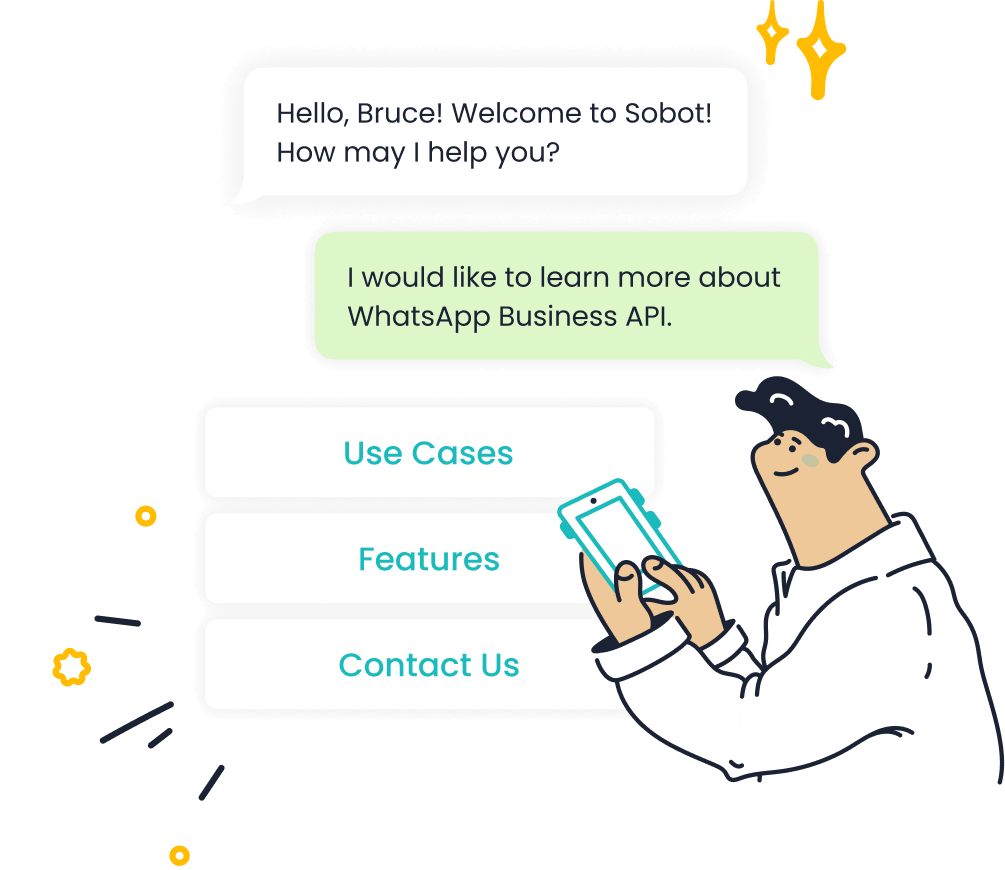
Sobot’s WhatsApp Business API takes these templates to the next level. It simplifies the creation and management of WhatsApp templates while ensuring compliance with WhatsApp’s guidelines. Here’s how Sobot adds value:
- Global Reach: With over 2 billion WhatsApp users, Sobot helps you connect with a vast audience.
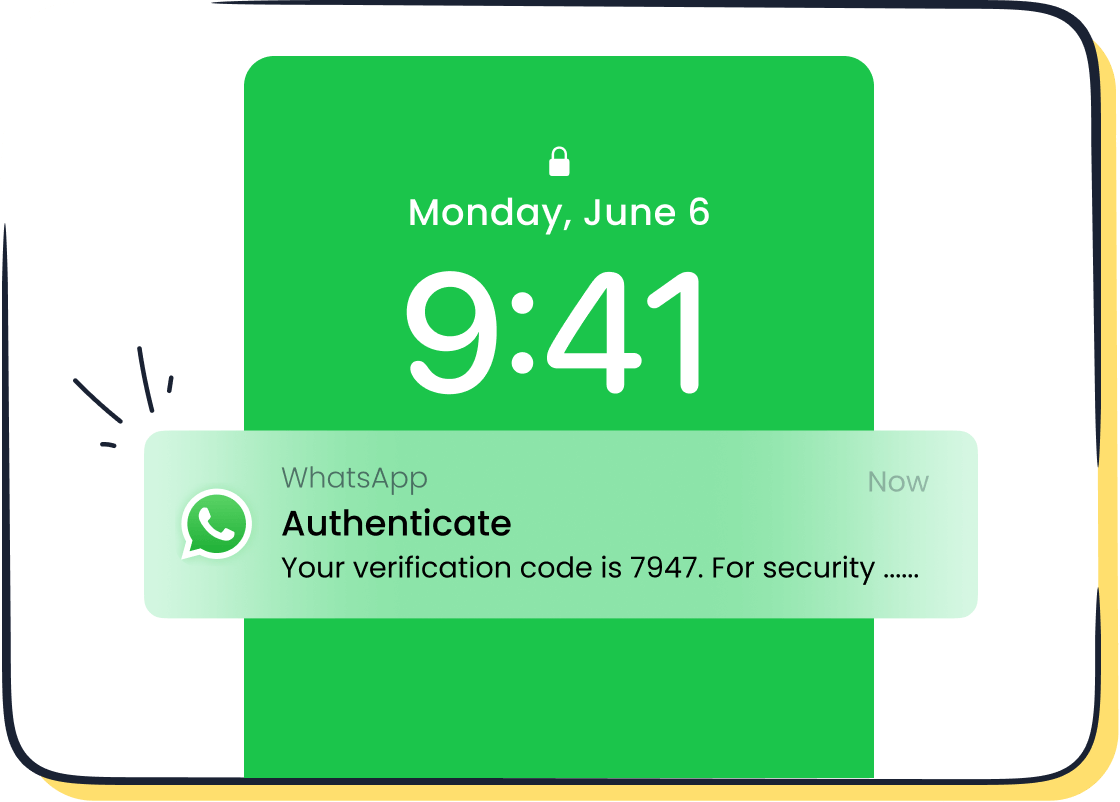
- Automation: Use Sobot’s API to automate workflows, such as sending OTPs or marketing campaigns.
- Enhanced Security: WhatsApp’s end-to-end encryption ensures secure delivery of sensitive messages like OTPs.
- Cost-Effective: Sobot’s API offers competitive pricing, making it a budget-friendly option for businesses.
- User-Friendly: The API integrates seamlessly with your existing systems, allowing you to manage templates effortlessly.
For instance, Michael Kors used Sobot’s WhatsApp API to send verified bulk messages, resulting in a 20% increase in conversion rates. By leveraging Sobot’s tools, you can create impactful WhatsApp templates that drive engagement and build customer loyalty.
Key Elements of Effective WhatsApp Templates
Clarity and Simplicity in Design
When it comes to creating a template, clarity and simplicity are your best friends. A clean design ensures your customers can quickly understand the message and take action. Overloading your WhatsApp chat box template with too much information can confuse users and reduce engagement. Instead, focus on delivering one clear idea per message.
Simple designs also make your templates more accessible. Research shows that minimalism reduces clutter, helping users focus on the core message. For example, a concise order confirmation message like, "Hi [Name], your order #[Order Number] has been shipped. Track it here: [Link]" is far more effective than a lengthy paragraph.
Sobot’s WhatsApp Business API ensures your templates meet WhatsApp’s formatting guidelines, so you don’t have to worry about rejections. By keeping your design simple and clear, you’ll create a positive user experience that drives engagement.
Personalization Through Variables and Customer Data
Personalized WhatsApp templates are a game-changer for customer engagement. Adding dynamic variables like names, order details, or appointment times makes your messages feel tailored and relevant. This small touch can significantly boost your communication strategy.
Imagine receiving a message that says, "Hi Sarah, your appointment with Dr. Smith is confirmed for tomorrow at 3 PM." Doesn’t that feel more engaging than a generic reminder? Studies show that personalization fosters a sense of value and attention, making customers more likely to respond.
Sobot’s API makes personalization effortless. You can pull customer data directly from your CRM to create dynamic templates that resonate with your audience. Whether it’s a birthday discount or a product recommendation, personalized messages show your customers that you care.
Strong Call-to-Actions (CTAs) for Engagement
A strong CTA can turn a good message template into a great one. Phrases like "Shop Now," "Track Your Order," or "Claim Your Discount" encourage immediate action. WhatsApp templates with clear CTAs often see higher engagement rates because they guide users on what to do next.
For example, a promotional message could say, "Hi [Name], enjoy 20% off your next purchase! Tap 'Redeem Offer' to claim your discount." Including quick-reply buttons or links makes it even easier for customers to act. WhatsApp allows up to 20 characters for CTA buttons, so keep them short and impactful.
Sobot’s WhatsApp API supports interactive features like quick-reply buttons, helping you create templates that drive results. By combining strong CTAs with personalized content, you can enhance customer engagement and achieve better marketing outcomes.
Compliance with WhatsApp Business Guidelines
When designing a WhatsApp chat box template, following WhatsApp Business guidelines isn’t just a suggestion—it’s a must. These rules ensure your templates meet legal standards, protect user privacy, and maintain the platform’s integrity. Ignoring them could lead to rejected templates or even account suspension. Let’s break down what compliance looks like and how you can ace it.
Why Compliance Matters
WhatsApp has strict policies to safeguard its users from spam and misuse. Approved templates must align with these policies to ensure smooth communication. For example, templates should avoid overly promotional or misleading language. Instead, focus on delivering clear, actionable, and respectful messages.
Legal regulations like GDPR (General Data Protection Regulation) and CCPA (California Consumer Privacy Act) also play a role. These laws dictate how businesses handle customer data, making it crucial to design templates that respect user privacy. For instance, if you’re sending a promotional message, ensure the recipient has opted in to receive it.
Key Guidelines for Template Approval
To get your templates approved, follow these essential rules:
- Be Transparent: Clearly state the purpose of your message. Whether it’s a shipping update or a discount offer, make sure the intent is obvious.
- Avoid Spammy Language: Phrases like “Act Now!” or “Limited Time Only!” can feel pushy and may violate WhatsApp’s policies. Keep your tone professional and engaging.
- Respect Privacy: Never include sensitive customer data in your templates unless absolutely necessary. For example, instead of sharing full account details, use placeholders like “[Account Number]” for personalization.
- Opt-In Requirement: Always ensure customers have opted in to receive your messages. WhatsApp requires explicit consent before you send template messages.
How Sobot Simplifies Compliance
Navigating these guidelines might seem overwhelming, but Sobot’s WhatsApp Business API makes it easy. With built-in compliance checks, Sobot ensures your templates meet WhatsApp’s standards before submission. You can create templates that are not only effective but also legally sound.
For example, Sobot’s API allows you to automate opt-in processes, ensuring every recipient has given consent. It also integrates with your CRM to pull customer data securely, helping you personalize messages without breaching privacy laws.
By using Sobot’s tools, you can focus on crafting impactful templates while leaving the compliance worries behind. Whether you’re sending appointment reminders or promotional offers, Sobot ensures your communication stays within WhatsApp’s guidelines.
Real-World Example
Take Michael Kors, for instance. The luxury brand used Sobot’s WhatsApp API to send verified bulk messages that adhered to WhatsApp’s policies. This approach not only boosted customer engagement but also maintained trust and transparency. Their compliance-first strategy led to a 20% increase in conversion rates, proving that following the rules pays off.
Tip: Always test your templates before submitting them for approval. A small tweak can make a big difference in meeting WhatsApp’s standards.
By prioritizing compliance, you’ll not only avoid penalties but also build stronger relationships with your customers. After all, trust is the foundation of effective communication.
Best Practices for Designing WhatsApp Chat Box Templates
Keep Templates Concise and Actionable
When creating a template, less is often more. A concise message grabs attention quickly and ensures your customers understand the purpose without feeling overwhelmed. Think about it—how often do you skim through long texts? Your customers are no different. They appreciate messages that get straight to the point.
For example, instead of saying, "Hello [Name], we are excited to inform you that your order #[Order Number] has been shipped and is on its way to your address. You can track it using the link provided below," you could say, "Hi [Name], your order #[Order Number] has shipped! Track it here: [Link]." The shorter version is not only easier to read but also more actionable.
To make your templates actionable, include clear CTAs. Phrases like "Track Now," "Shop Today," or "Confirm Appointment" guide your customers on what to do next. Sobot’s WhatsApp Business API makes it easy to add interactive buttons for actionable CTAs, ensuring your communication drives engagement and results.
Tip: Use bullet points or numbered lists when sharing multiple details. This structure improves readability and helps customers process information faster.
Use Emojis and Visuals to Enhance Engagement
Emojis aren’t just for casual chats—they’re powerful tools for boosting customer engagement. Studies show that emojis can make your messages feel warmer and more relatable. They help reduce the psychological distance between you and your audience, fostering trust and connection. For instance, a simple smiley 😊 or thumbs-up 👍 can make your message feel more human.
Visuals like images and videos also play a crucial role. Imagine receiving a product recommendation with a high-quality image versus plain text. Which one would catch your eye? Visuals not only grab attention but also enhance the emotional impact of your message. For example, a fashion retailer could send a WhatsApp template featuring a picture of a new collection, paired with a CTA like "View Collection."
Sobot’s WhatsApp API supports multimedia messages, allowing you to include emojis, images, and even videos in your templates. This feature helps you create visually appealing messages that resonate with your audience. Brands using emojis and visuals often see higher open and click-through rates, making these elements essential for effective communication.
Did You Know? Brands that use emojis in their messaging experience up to a 25% increase in open rates. So, don’t hesitate to add a little color to your templates!
Segment Audiences for Tailored Messaging
Not all customers are the same, so why send them the same message? Segmentation allows you to group your audience based on shared characteristics like purchase history, preferences, or location. This strategy ensures your templates are relevant and impactful.
For instance, a coffee shop could send a "Buy One, Get One Free" offer to frequent customers while targeting new customers with a "20% Off Your First Order" message. Advanced tools like Sobot’s WhatsApp API make segmentation seamless. By integrating with your CRM, the API helps you analyze customer data and create tailored templates for each segment.
Segmentation isn’t just about demographics. Techniques like RFM (Recency, Frequency, Monetary) analysis can identify high-value customers, while cluster analysis groups customers based on behavior. These methods help you craft messages that truly resonate. A study by the Boston Consulting Group found that personalized marketing campaigns can increase revenue by up to 10%, proving the power of tailored messaging.
Pro Tip: Regularly review and refine your segments. Customer behaviors change over time, and keeping your segmentation updated ensures your messages stay relevant.
Align Templates with Your Brand Voice and Values
Your WhatsApp templates should feel like an extension of your brand. Every message you send reflects your identity, so it’s essential to ensure consistency in tone, style, and values. Think of it this way: if your brand were a person, how would it speak? Would it be formal and professional or friendly and conversational? Aligning your templates with your brand voice ensures that your communication feels authentic and resonates with your audience.
Here’s why this matters:
- Effective WhatsApp marketing messages reflect your brand’s essence.
- Customers expect messages that are engaging and relevant.
- A consistent tone builds trust and strengthens your connection with customers.
For example, if you’re a luxury brand like Michael Kors, your templates might use elegant language and a polished tone. On the other hand, a playful brand targeting younger audiences might incorporate emojis and casual phrases. Personalization also plays a big role here. Adding dynamic variables like names or purchase details makes your messages feel tailored and thoughtful.
Sobot’s WhatsApp Business API makes it easy to align your templates with your brand. It integrates seamlessly with your CRM, allowing you to pull customer data and create personalized messages effortlessly. Whether you’re sending a promotional campaign or a transactional update, Sobot ensures your templates stay true to your brand’s identity.
Tip: Review your templates regularly to ensure they align with your evolving brand strategy. A small tweak in tone or style can make a big difference in how your audience perceives your messages.
Leverage Sobot’s WhatsApp API for Automation and Scalability
Scaling your communication strategy doesn’t have to be overwhelming. With Sobot’s WhatsApp API, you can automate repetitive tasks and manage large volumes of messages with ease. This tool is designed to help you save time while maintaining a personal touch in every interaction.
Here’s how Sobot’s API can transform your WhatsApp communication:
- Automated Workflows: Schedule and send messages like appointment reminders, order confirmations, or promotional campaigns automatically.
- Bulk Messaging: Reach thousands of customers at once without compromising on personalization.
- 24/7 Availability: Use Sobot’s chatbot feature to handle customer inquiries round the clock.
- Data-Driven Insights: Analyze metrics like open rates and click-through rates to refine your templates and improve performance.
For instance, imagine you’re running a flash sale. Instead of manually sending messages to each customer, you can use Sobot’s API to broadcast a personalized template to your entire audience. The API even supports multimedia messages, so you can include images or videos to make your campaign more engaging.
Michael Kors leveraged Sobot’s WhatsApp API to send verified bulk messages, resulting in a 20% increase in conversion rates. This success story highlights the power of automation and scalability in driving results. By using Sobot’s tools, you can focus on creating impactful templates while the API handles the heavy lifting.
Did You Know? Businesses using WhatsApp for customer communication often see a 45% response rate, significantly higher than traditional channels like email. With Sobot’s API, you can tap into this potential and elevate your marketing efforts.
Common Mistakes to Avoid
Overloading Messages with Excessive Information
Have you ever received a message so packed with details that you didn’t know where to start? Overloading your WhatsApp templates with too much information can overwhelm your customers and hurt your engagement. When faced with excessive details, people often experience decision paralysis, making it harder to take action. It’s like being handed a menu with 100 options—you just don’t know what to pick!
Too much information can also lead to reduced attention spans. Customers may skim through your message or, worse, ignore it altogether. Studies show that constant interruptions and excessive input can cause cognitive fatigue, leaving your audience mentally drained. Instead, keep your templates concise and focused on one clear action. For example, a shipping update should simply say, "Hi [Name], your order #[Order Number] has shipped! Track it here: [Link]."
Sobot’s WhatsApp API can help you streamline your templates by offering tools to create clear, actionable messages. By focusing on simplicity, you’ll ensure your customers stay engaged and informed without feeling overwhelmed.
Using Generic or Impersonal Language
Nobody likes feeling like just another number. Using generic or impersonal language in your WhatsApp templates can make your customers feel undervalued. Imagine receiving a message that says, "Dear Customer, your order has been shipped." It’s functional but lacks any personal touch. Now compare that to, "Hi Sarah, your order #[Order Number] is on its way! Track it here: [Link]." The second message feels more engaging and thoughtful, doesn’t it?
Personalization goes beyond just adding a name. You can include details like purchase history or preferences to make your messages more relevant. For instance, a coffee shop could send, "Hi Alex, your favorite latte is back in stock! Order now and get 10% off." This approach not only grabs attention but also builds a stronger connection with your audience.
With Sobot’s WhatsApp API, you can easily personalize your templates by pulling customer data directly from your CRM. This ensures every message feels tailored and meaningful, boosting both engagement and loyalty.
Ignoring WhatsApp’s Template Approval Process
Skipping WhatsApp’s template approval process is a mistake you can’t afford to make. WhatsApp has strict guidelines to prevent spam and protect user privacy. Ignoring these rules can lead to rejected templates, account restrictions, or even a poor quality rating for your business profile. And let’s face it—no one wants to deal with the hassle of regaining messaging access.
Adhering to the approval process ensures your templates meet WhatsApp’s standards. For example, your messages should clearly state their purpose and avoid spammy language like "Act Now!" or "Limited Time Only!" Additionally, always ensure your customers have opted in to receive your messages. This not only keeps you compliant but also builds trust with your audience.
Sobot simplifies this process by offering built-in compliance checks. Before submission, the API ensures your templates align with WhatsApp’s guidelines, saving you time and effort. Businesses like Michael Kors have successfully used Sobot’s tools to send approved, impactful messages that drive results. By following the rules, you’ll avoid unnecessary setbacks and maintain a strong connection with your customers.
Neglecting Opt-Out Options and Transparency
Ignoring opt-out options and transparency in your WhatsApp templates can harm your relationship with customers. People value their privacy, and when they feel forced into receiving messages without a clear way to opt out, trust erodes. Offering an easy opt-out option shows respect for your audience’s preferences and builds loyalty.
Transparency is equally important. Customers should know why they’re receiving a message and how their data is being used. For example, if you’re sending a promotional template, include a brief explanation like, “You’re receiving this because you subscribed to our updates.” This small step reassures customers and keeps your communication ethical.
Let’s look at some findings:
| Evidence Description | Findings |
|---|---|
| The opt-in frame is better at protecting people’s information privacy than the opt-out frame. | Neglecting opt-out options can lead to less protection of personal information. |
| Increased transparency does not decrease the number of users who consent to data processing. | Lack of transparency may result in uninformed consent, negatively impacting user trust. |
| Warnings mentioning security or privacy threats significantly reduced the disclosure of personal information in web forms. | Clear communication about data use is crucial to prevent negative impacts on information sharing. |
Sobot’s WhatsApp Business API simplifies compliance by automating opt-in and opt-out processes. It also ensures your templates meet WhatsApp’s transparency guidelines. For instance, you can include quick-reply buttons for opting out, making it effortless for customers to manage their preferences. By prioritizing transparency and opt-out options, you’ll create a positive experience that keeps customers engaged.
Failing to Test and Iterate Templates
Creating a WhatsApp template isn’t a one-and-done task. Failing to test and refine your templates can lead to poor engagement and missed opportunities. Testing helps you identify what works and what doesn’t, ensuring your messages resonate with your audience.
A/B testing is a great way to start. For example, you can test two versions of a promotional message—one with emojis and one without. Analyze which version gets more clicks or responses. Metrics like open rates and click-through rates provide valuable insights into your template’s performance.
Customer feedback is another goldmine for improvement. If customers mention that a message feels too generic or unclear, use that input to make adjustments. Sobot’s WhatsApp API offers analytics tools to track performance and refine templates based on real-time data. This ensures your communication stays effective and relevant.
Take Michael Kors as an example. By iterating their WhatsApp templates, they achieved a 20% increase in conversion rates. Regular testing and updates allowed them to stay aligned with customer expectations. You can achieve similar results by continuously improving your templates.
Tip: Don’t wait for a problem to arise. Schedule regular reviews of your templates to keep them fresh and engaging.
Testing and Iteration for Continuous Improvement

Importance of A/B Testing for WhatsApp Templates
A/B testing is your secret weapon for creating high-performing WhatsApp templates. By testing two versions of a template, you can identify which one resonates better with your audience. For example, you might test a promotional message with emojis against one without. The version with higher engagement—whether it’s clicks, responses, or conversions—becomes your go-to.
Metrics like response time and click-through rates are invaluable during A/B testing. They reveal how quickly customers engage with your message and whether your call-to-action drives results. Tools like Sobot’s WhatsApp API simplify this process by providing real-time analytics. You can track metrics such as open rates and conversion rates to refine your templates further.
Tip: Start small. Test one variable at a time, like tone or CTA placement, to pinpoint what works best.
Gathering Customer Feedback for Refinement
Your customers are your best critics. Their feedback can help you fine-tune your WhatsApp templates to better meet their needs. For instance, if customers mention that a message feels too generic, you can adjust it to include more personalization. This approach not only improves your templates but also strengthens customer trust.
Feedback also highlights areas for improvement. It might reveal that customers prefer shorter messages or find certain CTAs confusing. By acting on this input, you can enhance the overall customer experience. Sobot’s WhatsApp API makes gathering feedback easy by enabling quick-reply buttons or surveys directly within your messages.
Did You Know? Businesses that actively seek customer feedback often see a 15% boost in customer satisfaction.
Analyzing Metrics to Measure Template Success
Data is your best friend when it comes to evaluating template performance. Metrics like open rates, click-through rates, and conversion rates provide a clear picture of what’s working. For example, a high open rate but low click-through rate might indicate that your CTA needs improvement.
Here’s a quick breakdown of key metrics to track:
| Metric | Description |
|---|---|
| Open Rates | Percentage of recipients who opened your message, showing initial engagement. |
| Click-Through Rates | Percentage of users who clicked on links, indicating interest. |
| Conversion Rates | Percentage of users who completed a desired action, such as making a purchase. |
| Customer Engagement | Measures how actively customers interact with your campaign, offering insights into effectiveness. |
Sobot’s analytics tools make it easy to monitor these metrics. You can even track advanced data like sentiment analysis to understand how customers feel about your messages. By analyzing these insights, you can continuously improve your templates and achieve better results.
Pro Tip: Regularly review your metrics to spot trends and adjust your strategy accordingly.
Iterating Templates Using Insights from Sobot’s Analytics Tools
Refining your WhatsApp templates doesn’t have to feel like guesswork. With Sobot’s analytics tools, you can turn raw data into actionable insights that improve your message performance. These tools help you understand what works and what doesn’t, so you can tweak your templates for maximum impact.
Start by diving into metrics like open rates, click-through rates, and response times. For example, if a template has a high open rate but a low click-through rate, your call-to-action might need a stronger hook. Sobot’s dashboard makes it easy to spot these trends. You can even track customer engagement over time to see how your messages resonate.
A/B testing becomes a breeze with Sobot. Imagine testing two versions of a promotional message—one with emojis and one without. Sobot’s tools let you compare results side by side. If the emoji-filled version gets more clicks, you know what to prioritize in future templates. This iterative process ensures your messages stay fresh and effective.
Customer feedback is another goldmine. Sobot’s API allows you to collect feedback directly through WhatsApp. Quick-reply buttons or short surveys can reveal what your audience loves—or doesn’t. For instance, if customers say a message feels too generic, you can add personalization to make it more engaging.
Sobot’s analytics tools also help you identify patterns across different customer segments. Let’s say younger customers respond better to visuals, while older ones prefer text-based messages. You can use this insight to tailor templates for each group, boosting overall engagement.
By iterating your templates with Sobot’s analytics, you’re not just improving individual messages. You’re building a smarter, data-driven communication strategy that keeps your audience engaged and your business growing.
Pro Tip: Schedule regular reviews of your templates. Trends and customer preferences change, and staying updated ensures your messages remain relevant.
Designing effective WhatsApp chat box templates isn’t just a nice-to-have—it’s a game-changer for your customer interactions. With WhatsApp messages boasting five times higher open rates than emails and 80% of broadcasts seen within five minutes, the potential for engagement is unmatched. Personalized templates can even boost revenue by 40%, proving their value in modern marketing.
| Statistic Description | Value | Source |
|---|---|---|
| Open Rate Comparison | WhatsApp messages have a five times higher open rate than emails. | source |
| Message Visibility | 80% of broadcast messages are seen within five minutes. | source |
| Revenue Increase | Personalized marketing campaigns generate 40% higher revenue. | source |
Sobot’s WhatsApp Business API simplifies this process, offering tools for automation, personalization, and compliance. Whether you’re sending appointment reminders or promotional offers, Sobot ensures your templates are impactful and scalable. By implementing these tips and leveraging Sobot’s solutions, you can transform your customer engagement strategy and achieve measurable results.
FAQ
What is the WhatsApp Business API, and how does it help businesses?
The WhatsApp Business API lets you connect with customers at scale. It supports bulk messaging, automates workflows, and offers features like 24/7 chatbot responses. With tools like Sobot’s API, you can personalize messages, analyze performance, and improve customer engagement effortlessly. Learn more here.
How do I get my WhatsApp templates approved?
To get approval, follow WhatsApp’s guidelines. Keep your templates clear, professional, and free of spammy language. Always ensure customers have opted in to receive messages. Sobot’s API simplifies this process by checking compliance before submission, saving you time and effort.
Can I personalize WhatsApp templates for my customers?
Absolutely! Personalization boosts engagement. Use variables like names or order details to make messages feel tailored. For example, “Hi Alex, your order #[Order Number] is on its way!” Sobot’s API integrates with your CRM, making personalization seamless and effective.
What types of messages can I send using WhatsApp templates?
You can send notifications, reminders, promotional offers, and more. For example, use templates for appointment confirmations or flash sale alerts. Sobot’s API supports multimedia messages, so you can include images, videos, or emojis to make your communication more engaging.
Why should I choose Sobot’s WhatsApp Business API?
Sobot’s API offers automation, bulk messaging, and advanced analytics. It ensures compliance with WhatsApp’s guidelines and integrates with your existing systems. Trusted by brands like Michael Kors, Sobot helps you scale communication while maintaining a personal touch. Explore its features here.
See Also
Achieving Excellence in Customer Support Through Live Chat
The Impact of WhatsApp Chat on Website Interaction
Ten Strategies to Enhance Customer Satisfaction via Live Chat

