Steps to Add Multi-language Support to Your Website

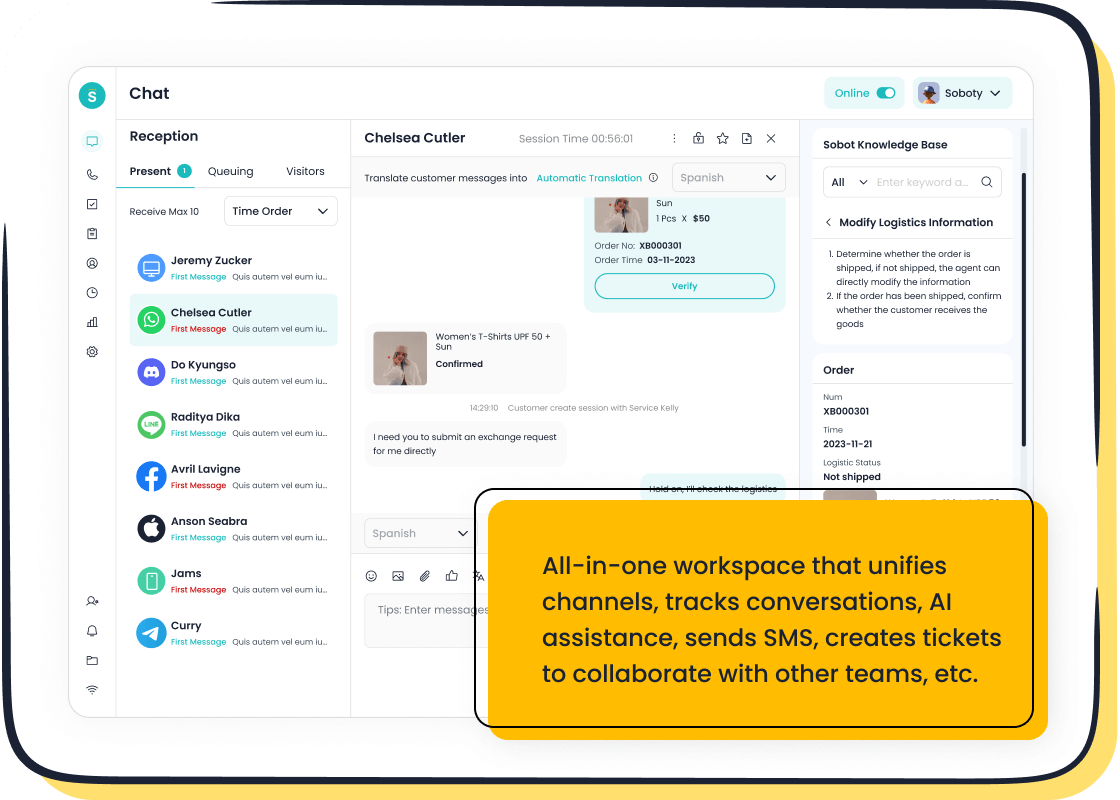
Expanding your website’s reach globally starts with breaking language barriers. Multi-language support helps you connect with users in their native language, creating a personalized and culturally relevant experience. This approach not only boosts engagement but also builds trust, leading to higher retention and conversion rates. For instance, companies that prioritize quality translations often see stronger customer relationships and improved business outcomes.
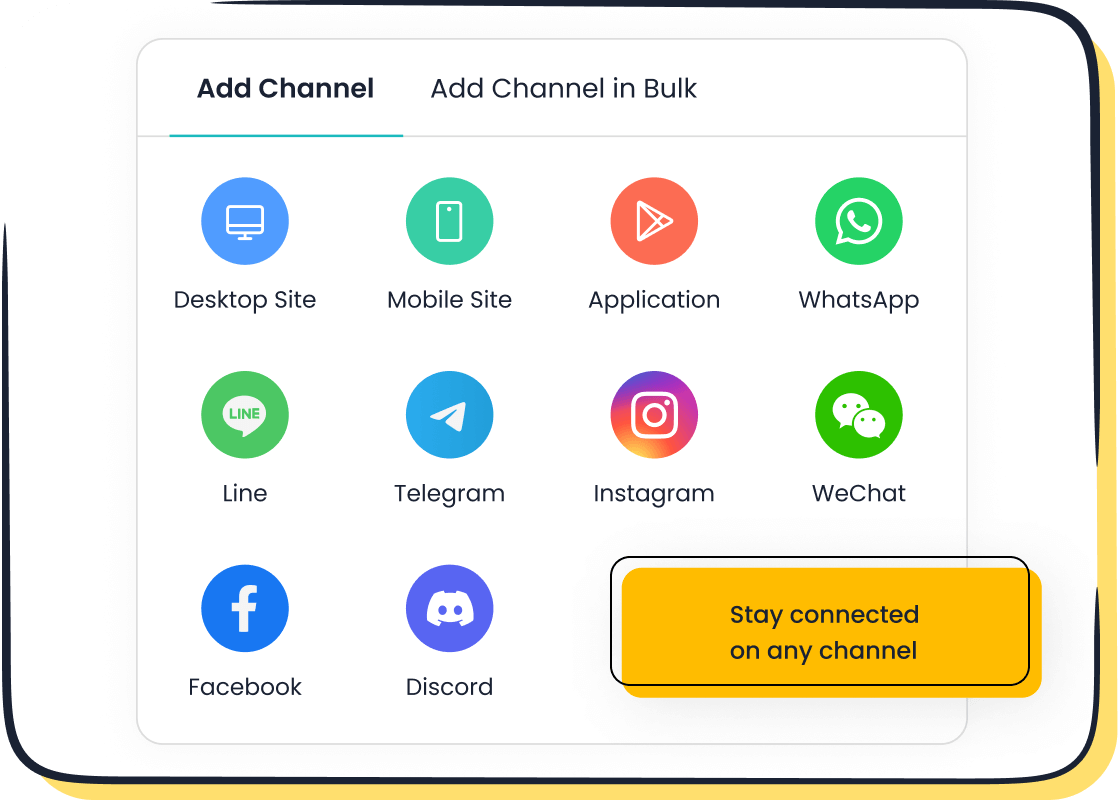
Adding multilingual options also makes your content more accessible. It ensures every visitor feels understood, regardless of their background. Tools like Sobot Live Chat simplify this process by offering auto-translation and seamless integration, making it easier to provide real-time support in multiple languages. With these features, you can deliver a user-centric experience that resonates globally.
Setting Up the Basics for Multi-language Support
Defining Language Attributes
Using the lang attribute in HTML
When building a multilingual website, defining the language of your content is crucial. The lang attribute in HTML helps browsers and assistive technologies understand the language being used. You can set a primary language for your entire page or specify different languages for individual sections. For example:
<div lang="fr-CA" xml:lang="fr-CA">Canadian French content...</div>
<div lang="en-CA" xml:lang="en-CA">Canadian English content...</div>
<div lang="nl-NL" xml:lang="nl-NL">Netherlands, Dutch content...</div>
This approach ensures that your website is accessible to users and search engines alike. It also improves the accuracy of translation tools and screen readers, enhancing the overall user experience.
Adding meta tags for language and character encoding
Meta tags play a vital role in defining your website's language and character encoding. By including a Content-Language meta tag, you can indicate the languages your page supports. For instance:
<meta http-equiv="Content-Language" content="en, hi, pa">
This tells browsers that your page caters to English, Hindi, and Punjabi speakers. Pair this with a charset meta tag, such as <meta charset="UTF-8">, to ensure proper character rendering. These small steps make your content more inclusive and user-friendly.
Ensuring Proper Encoding
Using UTF-8 for universal character support
To display content in multiple languages without errors, you need to use UTF-8 encoding. UTF-8 is a universal standard that supports nearly all written languages. It ensures that special characters, like accents or symbols, appear correctly on your website. Most modern browsers and platforms default to UTF-8, but you should explicitly declare it in your HTML:
<meta charset="UTF-8">
This simple addition prevents encoding issues and keeps your content looking professional.
Testing for special characters in different languages
Testing is essential when working with multilingual content. Special characters, such as "ñ" in Spanish or "ç" in French, can sometimes break if encoding isn’t set up correctly. Use tools like browser developer consoles or online validators to check how your website handles these characters. This ensures your audience sees polished, error-free content, no matter their language.
Creating Multilingual Language Options
Adding a Language Selector
Using dropdown menus or buttons for language selection
Adding a language selector to your website is one of the first steps in creating a user-friendly multilingual experience. Dropdown menus are a popular choice because they can neatly display multiple language options without cluttering your page. For example, you could use a dropdown that lists languages in their native names, like "Español" for Spanish or "Français" for French. This makes it easier for users to recognize their preferred language instantly.
Alternatively, you can use dedicated buttons for specific languages. These work well if your website caters to a smaller number of languages or specific markets. For instance, a website targeting English and Chinese speakers might have two prominent buttons labeled "English" and "中文" for quick switching. Whatever method you choose, prioritize usability and accessibility to ensure a seamless experience for all users.
Placing the selector in a prominent location (e.g., navigation bar)
The placement of your language selector is just as important as its design. You want it to be easy to find without disrupting the overall layout of your website. The top navigation bar is an ideal spot because it’s one of the first places users look. Alternatively, you can place it in the footer for a more subtle approach, especially if your site has limited space.
For example, many global e-commerce websites position their language selector in the top-right corner of the navigation bar. This ensures it’s visible and accessible on every page. Remember, the goal is to make switching languages as effortless as possible for your visitors.
Designing Intuitive Navigation
Using clear labels for each language
When designing your multilingual navigation, clarity is key. Always label each language option using its native name. For instance, instead of writing "German," use "Deutsch." This approach eliminates confusion and ensures users can quickly identify their preferred language. Avoid abbreviations like "EN" or "FR," as they might not be universally understood.

Clear labels also improve accessibility for screen readers, making your website more inclusive. If you’re using Sobot Live Chat, its auto-translation feature can further enhance this experience by ensuring real-time communication in the selected language.
Avoiding the use of flags as language indicators
Using flags to represent languages might seem like a good idea, but it can lead to confusion or even controversy. A single flag often doesn’t represent all speakers of a language. For example, Spanish is spoken in over 20 countries, so using Spain’s flag might alienate users from Latin America.
Instead, stick to text-based labels. This approach is not only more accurate but also culturally sensitive. It ensures your website respects the diversity of its audience while maintaining a professional appearance.
Structuring and Managing Multilingual Data
Managing multilingual data effectively is key to delivering a seamless experience on your website. By organizing translations properly and leveraging the right tools, you can ensure your content remains consistent and easy to update.
Using Translation Files
Storing translations in JSON or YAML files
Translation files are a simple yet powerful way to manage multilingual content. Formats like JSON or YAML allow you to store translations in a structured and readable manner. For example, a JSON file for English might look like this:
{
  "welcome_message": "Welcome to our website!",
  "contact_us": "Contact Us"
}
These files act as a centralized repository for all your translations, making it easier to update or add new languages. They also enhance productivity by automating the localization process, reducing manual errors. Plus, they improve data security by keeping sensitive information protected during content transfers.
Organizing files by language codes (e.g., en.json, es.json)
To keep things organized, save each language’s translations in separate files using standard language codes. For instance, English translations can go into en.json, while Spanish ones can be stored in es.json. This structure simplifies file management and ensures your website can quickly load the correct translations for each user. It also fosters better collaboration among team members, as translators can focus on specific files without worrying about overlapping tasks.
Implementing Translation Libraries
Using libraries like i18next or react-intl
Translation libraries like i18next and react-intl make it easier to implement multilingual support on your website. These tools handle complex tasks like language detection and translation file loading. For example, i18next can automatically identify a user’s preferred language and load the corresponding translations seamlessly. React-i18next, built specifically for React, even includes plugins for async loading and advanced formatting needs.
Mapping keys to translations for easy updates
Instead of hardcoding text, use keys to map your translations. For instance, a key like welcome_message can correspond to "Welcome to our website!" in English and "¡Bienvenido a nuestro sitio web!" in Spanish. This approach makes updates a breeze. If you need to tweak a phrase, you only have to edit the translation file, not the code. Libraries like i18next simplify this process, ensuring your multilingual content stays consistent and easy to maintain.
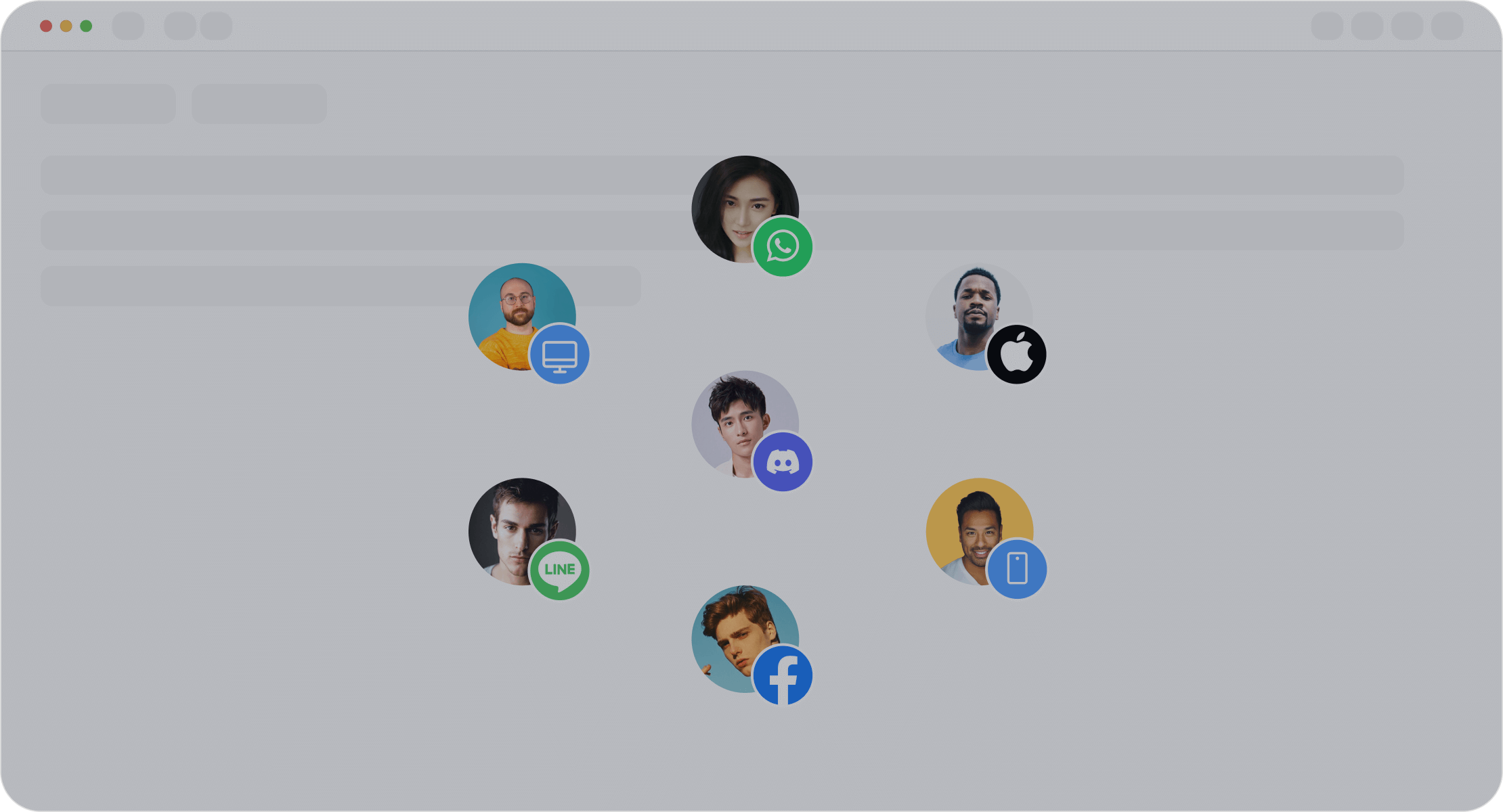
By combining translation files and libraries, you can create a robust system for managing multilingual data. Tools like Sobot Live Chat can further enhance this by integrating auto-translation features, ensuring real-time communication in any language. This not only improves user experience but also boosts engagement across diverse audiences.
Implementing Dynamic Content Updates for Multi-language Support
Using JavaScript for Language Switching
Writing functions to load translations dynamically
When you want your website to support multiple languages, JavaScript can help you load translations dynamically. Instead of reloading the entire page, you can use JavaScript functions to fetch and display the correct content based on the selected language. For example, you can store translations in JSON files and use a function to load the appropriate file when users change language preferences. Here's a simple example:
function loadLanguage(lang) {
  fetch(`${lang}.json`)
    .then(response => response.json())
    .then(data => {
      document.getElementById('welcome').textContent = data.welcome_message;
    });
}
This method keeps your website fast and responsive. It also ensures users can switch languages without losing their place on the page. Tools like Sobot Live Chat can complement this by offering auto-translation, making real-time communication in multiple languages seamless.
Updating text content without reloading the page
Dynamic updates are all about improving user experience. With JavaScript, you can update text content instantly when users select a new language. For instance, you can use event listeners to detect when a user clicks a language option and then replace the text on the page with the corresponding translations. This approach eliminates the need for page reloads, keeping the interaction smooth and uninterrupted.
Imagine a visitor browsing your website in English but wanting to switch to Spanish. Instead of reloading the page, JavaScript can instantly replace phrases like "Contact Us" with "Contáctenos." This creates a seamless experience, making your website feel more intuitive and user-friendly.
Handling Multi-language URLs
Using URL parameters or subdomains for language-specific pages
Organizing your multilingual content with proper URLs is essential for both user experience and SEO. Each language version of your website should have its own unique URL. You can achieve this by using URL parameters (e.g., ?lang=en) or subdomains (e.g., en.yourwebsite.com). This structure helps search engines crawl and index your content effectively, ensuring users find the right version of your site.
To further optimize, use hreflang annotations to indicate the language and region for each page. For example:
<link rel="alternate" hreflang="en-us" href="https://www.yourwebsite.com/en-us/" />
<link rel="alternate" hreflang="es-es" href="https://www.yourwebsite.com/es-es/" />
This tells search engines which version of your content to show based on a user’s location or preferences.
Redirecting users based on their language preference
Redirecting users to the correct language version of your website can make their experience more personalized. You can use browser settings or IP-based detection to identify a user’s preferred language. For example, if a visitor’s browser is set to French, you can automatically redirect them to the French version of your site.
However, always provide an option for users to manually change language preferences. Automatic redirection should enhance convenience, not limit choice. Sobot Live Chat, with its multilingual capabilities, can further enrich this experience by ensuring users receive support in their preferred language, no matter where they are browsing from.
Remembering User Preferences Across Languages
When users visit your website, they expect a seamless experience, including remembering their preferred language. This small detail can make a big difference in how they interact with your content. Let’s explore how you can store and sync these preferences effectively.
Storing Preferences Locally
Using localStorage or cookies to save the selected language
You can use localStorage or cookies to save a user’s language preference directly in their browser. For example, when someone selects Spanish, you can store this choice in localStorage like this:
localStorage.setItem('preferredLanguage', 'es');
Cookies work similarly but are better for short-term storage. This approach ensures that when users return to your website, it remembers their language choice without asking them again. It’s a simple way to enhance user experience and keep your content accessible.
Retrieving and applying preferences on page load
Once you’ve saved the language preference, retrieving it is just as easy. Use JavaScript to check localStorage or cookies when the page loads. For instance:
const lang = localStorage.getItem('preferredLanguage') || 'en';
loadLanguage(lang);
This ensures your website loads the correct content immediately, creating a smooth and personalized experience for your visitors.
Syncing Preferences Across Devices
Using server-side storage for logged-in users
For logged-in users, syncing preferences across devices is essential. Store their language choice in your database. When they log in from a new device, your server can fetch their preference and apply it. This ensures consistency, whether they’re browsing on a phone, tablet, or desktop.
Updating preferences in real-time
Real-time updates make the experience even better. If a user changes their language on one device, reflect this change across all devices instantly. Tools like Sobot Live Chat can help here by integrating multilingual support into your website. Its auto-translation feature ensures users receive consistent content in their preferred language, no matter where they log in.
By implementing these strategies, you’ll create a website that feels intuitive and user-friendly, keeping your audience engaged and satisfied.
Styling for Multilingual Websites
Creating a multilingual website isn’t just about translating text. You also need to ensure your design adapts to different languages and scripts. Let’s dive into how you can style your website for a seamless multilingual experience.
Adjusting Layout for Text Direction
Supporting left-to-right (LTR) and right-to-left (RTL) languages
Languages like Arabic and Hebrew read from right to left (RTL), which means your website layout needs to adjust accordingly. For example, text alignment, punctuation placement, and even the position of scrollbars must shift to the right. Dropdown menus, checkboxes, and radio buttons should also align properly to avoid confusion.
You’ll also need to consider how numbers and symbols are displayed. While the text flows right-to-left, numbers still read left-to-right. This can create challenges in forms or tables. For instance, a date field might need extra formatting to ensure clarity. Even small details, like button alignment or carousel navigation, require attention. A well-designed RTL layout ensures your content feels natural and intuitive for users.
Using CSS properties like direction and text-align
CSS makes it easy to handle text direction. Use the direction property to specify whether your content flows left-to-right (LTR) or right-to-left (RTL). For example:
body {
  direction: rtl;
  text-align: right;
}
This simple adjustment ensures your website adapts to the reading habits of your audience. Pair it with text-align to control how text is displayed within containers. For instance, you can align headings to the right for RTL languages while keeping them centered for LTR ones. These tweaks make your website more accessible and user-friendly.
Handling Font and Spacing Variations
Choosing fonts that support multiple scripts
Not all fonts work well with every language. Some may lack the characters needed for scripts like Cyrillic or Devanagari. To avoid this, choose fonts that support the scripts your website requires. Google Fonts, for example, offers a wide range of multilingual options.
Legibility is key. A font that looks great in English might not work for Chinese or Arabic. Test your font across devices and browsers to ensure it displays correctly. Adjust the size and spacing as needed to maintain readability. A good font provider will also offer details about supported languages and formats, helping you make an informed choice.
Adjusting spacing for longer or shorter text in translations
Translations often vary in length. For instance, a phrase in German might take up more space than its English counterpart. On the other hand, Chinese translations are usually shorter. This can affect your layout, especially in buttons, menus, or headers.
To handle this, use flexible design elements. Avoid fixed-width containers and opt for responsive layouts that adapt to text length. For example, a button labeled "Submit" in English might need extra padding to fit its German translation, "Einreichen." Testing your content in multiple languages ensures your website looks polished and professional, no matter the language.
Initializing the Page with the Correct Language
Detecting User Language
Using browser settings or IP-based detection
Detecting a user’s preferred language is the first step in creating a personalized experience on your website. You can achieve this through several methods:
- Client-side Detection: Use the
navigator.languagesobject in JavaScript to access the languages set in the user’s browser. This method is quick and works well across modern browsers. - Server-side Detection: Check the
Accept-LanguageHTTP header sent by the browser. This header lists the user’s preferred languages in order of priority, helping you serve the most relevant content. - Geolocation Detection: Infer the user’s language based on their IP address. While this method can be helpful, it’s less accurate since location doesn’t always match language preferences.
By combining these methods, you can ensure your website adapts to your audience’s needs. For example, if a visitor’s browser is set to French, your site can automatically display French content. Tools like Sobot Live Chat can further enhance this by offering auto-translation, ensuring seamless communication in any language.
Providing a fallback language if detection fails
Sometimes, language detection might not work perfectly. In such cases, always provide a fallback language. English is a common choice since it’s widely understood. You can also let users manually select their preferred language through a dropdown or button. This ensures your website remains accessible, even when detection methods fall short.
Loading the Default Language
Setting a default language for first-time visitors
When someone visits your website for the first time, you need to set a default language. This could be based on your primary audience. For instance, if most of your users are in Spain, Spanish might be the default. However, always allow users to switch to their preferred language easily.
Sobot Live Chat simplifies this process by integrating multilingual support directly into your website. Its auto-translation feature ensures that even first-time visitors can communicate in their chosen language without any hassle.
Ensuring smooth transitions when switching languages
Switching languages should feel effortless. Avoid page reloads by dynamically updating content using JavaScript. For example, when a user selects a new language, you can instantly replace text on the page without disrupting their browsing experience. This keeps your website fast and user-friendly.
Additionally, make sure all elements, like navigation menus and buttons, update correctly. A smooth transition shows your attention to detail and enhances user satisfaction. With tools like Sobot Live Chat, you can even ensure that customer support adapts instantly to the selected language, creating a seamless experience for your audience.
Enhancing Multilingual Customer Support with Sobot Live Chat
Leveraging Sobot Live Chat for Real-time Translation
Using auto-translation features for seamless communication
When your website supports multiple languages, real-time communication becomes essential. Sobot Live Chat’s auto-translation feature ensures that language barriers don’t disrupt conversations. Imagine a customer from Spain asking about your product in Spanish while your support team operates in English. With Sobot Live Chat, the platform instantly translates messages in both directions, allowing smooth and accurate communication.
This feature doesn’t just save time—it also builds trust. Customers feel valued when they can communicate in their native language without delays or misunderstandings. Whether your audience speaks French, Hindi, or Mandarin, Sobot Live Chat ensures they receive the same high-quality support.
Supporting bi-directional communication in multiple languages
Sobot Live Chat goes beyond simple translation. It supports bi-directional communication, meaning both customers and agents can interact in their preferred languages simultaneously. For example, a customer typing in German will see responses in German, while the agent continues in English. This seamless exchange creates a personalized experience for users, no matter where they’re located.
With its multi-language support, Sobot Live Chat empowers businesses to cater to global audiences effortlessly. It’s a game-changer for companies aiming to expand their reach and improve customer satisfaction.
Integrating Sobot Live Chat with Multilingual Websites
Unifying customer interactions across channels
Managing customer interactions across multiple platforms can get overwhelming, especially for a multilingual website. Sobot Live Chat simplifies this by unifying all conversations—whether they come from your website, social media, or apps—into one workspace. This centralized approach ensures no message gets lost, and your team can respond faster.
Here’s a quick look at how Sobot Live Chat enhances multilingual customer support:
| Feature | Description |
|---|---|
| Multi-language support | The platform supports multi-language capabilities, allowing businesses to provide customer support in various languages and cater to a global audience. |
| SDK multi-language support | The SDK enables businesses to offer customer service in various languages, ensuring a consistent experience across platforms. |
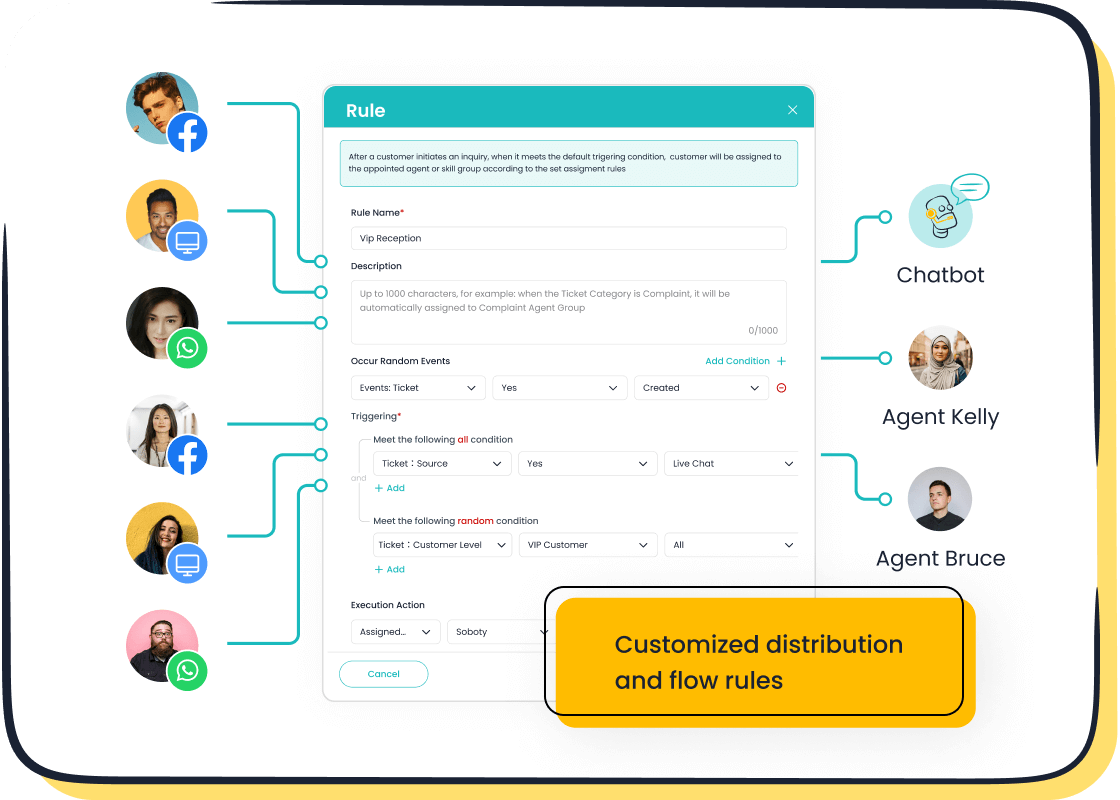
By integrating Sobot Live Chat, you can streamline your operations and focus on delivering exceptional service to your diverse audience.
Providing analytics to optimize multilingual customer service
Data is key to improving your multilingual customer support. Sobot Live Chat offers built-in analytics that evaluates over 150 indicators, helping you identify trends and optimize your service. For instance, you can track which languages are most commonly used or analyze response times for different regions.
These insights allow you to make data-driven decisions, like hiring agents fluent in high-demand languages or refining your content for specific audiences. With Sobot Live Chat, you’re not just managing multilingual interactions—you’re mastering them.
Adding multi-language support to your website isn’t just a technical upgrade—it’s a way to connect with a global audience. By implementing features like language selectors, dynamic content updates, and tools such as Sobot Live Chat, you can create a seamless user experience. This approach fosters inclusivity, builds trust, and opens doors to new markets. With 41.2% of web content in non-English languages, offering accessibility in multiple languages ensures you reach diverse user groups. Start today, and make your website a welcoming space for everyone.
FAQ
1. How can I test my website’s multi-language support?
Testing ensures your multilingual website works flawlessly. Use tools like browser developer consoles or services like BrowserStack to check language rendering. Test special characters, RTL layouts, and dynamic content updates. Sobot Live Chat’s multilingual features can also help you test real-time communication in different languages.
2. Do I need professional translators for my website?
Yes, professional translators ensure accuracy and cultural relevance. Automated tools like Google Translate are helpful but may lack nuance. For real-time support, Sobot Live Chat’s auto-translation bridges the gap, offering instant, accurate translations for customer interactions.
3. How does multi-language support improve SEO?
Search engines rank multilingual websites higher for localized searches. Use hreflang tags and language-specific URLs to optimize your site. For example, a French page with proper SEO can attract more French-speaking users. Sobot Live Chat enhances this by engaging users in their preferred language, boosting retention.
4. Can I add multi-language support to an existing website?
Absolutely! Start by defining language attributes and adding a language selector. Use tools like i18next for seamless integration. Sobot Live Chat integrates easily with existing websites, offering multilingual customer support without major redesigns.
5. How does Sobot Live Chat simplify multilingual customer support?
Sobot Live Chat offers auto-translation, unifying all conversations in one workspace. It supports over 150 languages, ensuring smooth communication. For example, a customer typing in Spanish receives responses in Spanish, while agents work in English. This feature builds trust and enhances user experience.
See Also
A Comprehensive Guide to Integrating Chat on Your Site
Simple Ways to Integrate a Chatbot on Your Website
Effortless Steps to Implement a Chatbot on Your Site

