3 simple steps to a knowledge base for customer support


You can build a powerful knowledge base for customer support in three simple steps: structure your content, choose the right platform, and create useful articles with regular updates. Sobot stands out by helping you reduce response times and focus your team on important tasks. Many teams now use Sobot’s chatbot and WhatsApp Business API to handle common questions quickly and give instant, personal help when needed. Modern tools like Sobot Live Chat and omnichannel solutions make your customer support efficient and effective. Start these steps to see fast, positive changes.
Structure Your Knowledge Base for Customer Support
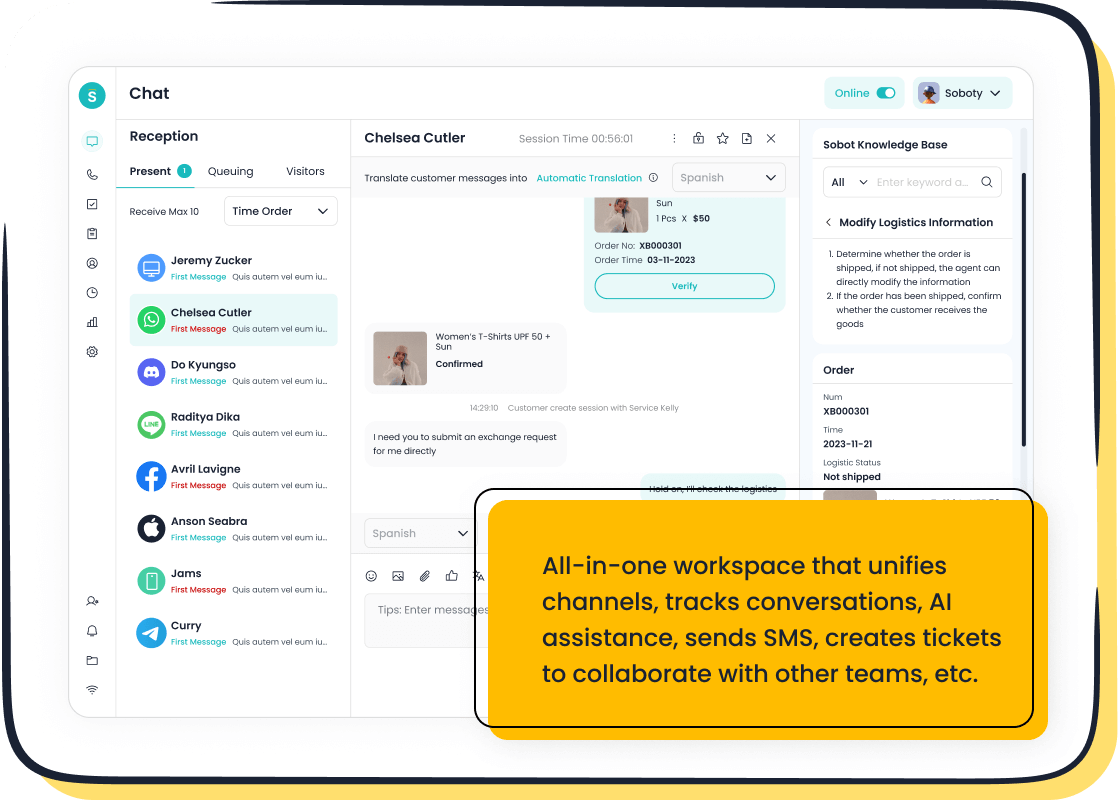
Building a knowledge base for customer support starts with a clear structure. You need to make information easy to find and use. Sobot helps companies in retail, finance, and technology organize their knowledge base for customer support, making support faster and more reliable. OPPO, a global smart device leader, reduced maintenance by 90% after optimizing its knowledge base with Sobot’s AI tools. OPPO also saw an 83% resolution rate and a 50% drop in support costs. These results show the power of a well-structured knowledge base.
Identify Key Topics and Questions
You should begin by finding the most common questions your customers ask. Audit your support conversations to spot repeated topics. Focus on customer goals instead of just product features. This approach makes your knowledge base for customer support more useful. Use a robust search engine and AI-powered enhancements to help customers find answers quickly. Intuitive navigation and rich media support, like images and videos, make your knowledge base easier to use.
- Customers find answers faster and independently.
- Support agents handle fewer repetitive inquiries.
- Response times improve when your knowledge base is well-organized.
Organize Content Categories
Divide your knowledge base into clear categories. Personalize interfaces for different skill levels, roles, or departments. This makes information more accessible. Encourage sharing through recognition programs and collaborative platforms. Set up clear processes for capturing, validating, and sharing knowledge. Centralize your knowledge base so all support channels use the same information. Establish a framework and style guide to keep navigation simple.
Tip: Regular updates and user feedback keep your knowledge base accurate and helpful.
Map Customer Journeys
Mapping customer journeys helps you understand behaviors and pain points. You can customize your knowledge base for customer support to address these needs. When you empathize with customers, you find areas for improvement. This leads to better support solutions. Sobot’s approach uses journey mapping to create a knowledge base that fits each industry. Agilent improved support efficiency sixfold and reached a 95% satisfaction rate by structuring their knowledge base around customer journeys.
A knowledge base for customer support works best when you identify key topics, organize content, and map customer journeys. These steps help you build a knowledge base that reduces costs, improves satisfaction, and speeds up resolutions.
Choose the Right Platform: Sobot Live Chat & Omnichannel

Choosing the right platform is essential for building a successful knowledge base for customer support. Sobot offers a complete suite of tools, including chatbot, AI Agent, live chat, call center/voice, voicebot, ticketing system, and customer contact center. These tools help you deliver fast, reliable answers and streamline your support operations.
Evaluate Knowledge Base Tools for Customer Support
When you select a platform for your knowledge base, you need to consider several criteria. The best tools make updates easy, find information quickly, and provide clear answers. You can use the following table to compare options:
| Criteria | Description |
|---|---|
| Ease of use | Update the knowledge base directly without needing a developer. |
| Retrieval accuracy | Find relevant information using semantic search and rank results by context. |
| Response quality | Synthesize information from multiple sources for clear answers. |
| Testing and evaluation | Test with synthetic data to check performance before customer interaction. |
Look for features like self-service knowledge base, omnichannel support, video chat, and interactive tutorials. Sobot’s platform includes all these features, supporting multilingual content and rich media.
Integrate Sobot Live Chat for Unified Support
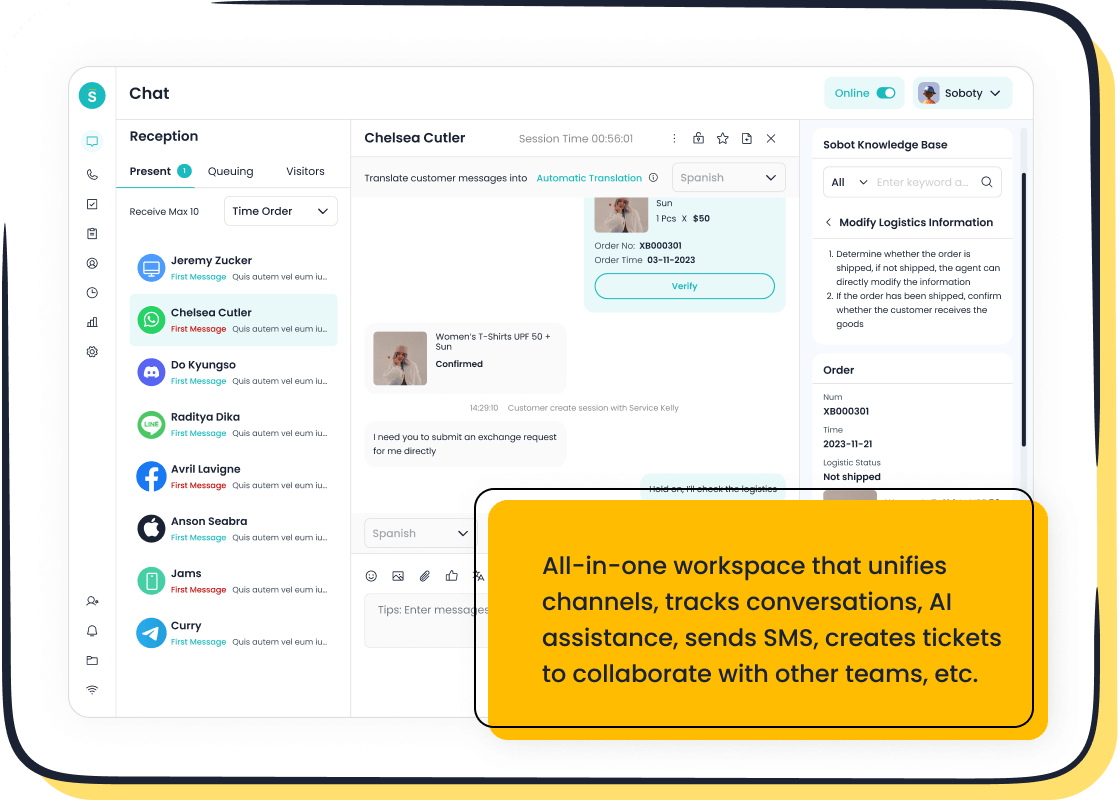
Sobot Live Chat brings all your communication channels together. You manage website chats, social media messages, and app conversations in one workspace. This unified dashboard gives your agents a complete view of each customer journey. You do not need to switch between tools. Sobot Live Chat ensures consistent support and helps you personalize every interaction. Renogy improved its resolution rate by 45% after using Sobot’s omnichannel solution. OPPO achieved a 93% customer satisfaction score with Sobot Live Chat.
- Sobot Live Chat consolidates communication methods.
- You provide consistent support across channels.
- Agents see the full customer journey in one place.
Set Up Omnichannel Solutions
Omnichannel solutions make your knowledge base for customer support more powerful. Sobot’s platform connects voice, chat, email, and social media. You give customers a smooth experience without repeating information. Your team resolves issues faster and gains deeper insights into customer behavior.
- Improved customer experience leads to higher satisfaction.
- Increased retention builds loyalty and repeat business.
- Enhanced efficiency boosts productivity.
- Richer insights help you target improvements.
- Competitive advantage sets you apart.
Companies with strong omnichannel setups see a 67% boost in customer happiness and an 89% retention rate. Income grows by 9.5% yearly, as customers pay more for better experiences. Sobot’s analytics help you track performance and optimize your knowledge base for customer support. Sobot has helped over 10,000 brands improve their Net Promoter Score, reduce costs, and increase efficiency.
Tip: Choose a platform that supports all your channels and offers analytics to improve your knowledge base for customer support.
Create a Knowledge Base: Content & Maintenance
Write Clear, Searchable Articles
You need to create a knowledge base that helps customers find answers quickly. Start by writing articles that address real customer needs. Organize your customer-facing knowledge base so information is easy to locate. Use simple language and active voice. Tailor your articles for different roles and keep terminology consistent. Bullet points and lists make content easier to read. Highlight frequently asked questions and use broad categories for navigation. Add a search function that works like Google. Optimize your knowledge base articles for SEO so customers can find them outside your website. Begin with 15-25 high-quality articles. This gives your support team a strong foundation and helps customers solve problems on their own.
Tip: Concise, clear articles reduce confusion and improve satisfaction.
Use AI and Automation for Updates
AI and automation tools help you maintain an effective knowledge base. Sobot’s AI-powered tools suggest new content and automate Q&A input. These tools resolve 70% of customer inquiries and increase conversions by three times. Automation centralizes troubleshooting knowledge, making updates fast and easy. You can monitor user interactions to spot gaps in your customer-facing knowledge base. Regular refinement keeps your knowledge base current and accurate. Investing in knowledge base software ensures your articles stay relevant and useful. Teams benefit from instant access to trusted information, which reduces operational friction.
Collect Feedback and Improve
Feedback is essential to optimize your knowledge base. Use article rating systems, comment sections, and suggestion boxes. Track usage analytics to see which articles are popular. Test different versions of content with A/B testing. The table below shows common feedback methods:
| Feedback Method | Description |
|---|---|
| Article Rating Systems | Quick feedback on usefulness |
| Comment Functionality | Detailed experiences and examples |
| Suggestion Capabilities | Propose new topics or improvements |
| Usage Analytics | Track views and search queries |
| A/B Testing | Compare content effectiveness |
Treat your customer-facing knowledge base as a living document. Update it often and listen to user suggestions. Investing in knowledge base software with feedback loops helps you deliver better support. The knowledge base benefits include reduced support tickets and higher customer satisfaction.
Enhance Usability and Customer Experience
Test Navigation and Search
You need to make your knowledge base easy to use. Test navigation and search features to help customers find answers fast. Use tree testing to see if users can locate information in your knowledge base. Contextual inquiry lets you watch how customers use search in real situations. Session recordings show you where users struggle with navigation. A/B testing helps you compare different layouts or search tools. These methods help you build a knowledge base that supports self-service and reduces confusion. Sobot’s unified workspace keeps all customer interactions in one place, making self-service options more accessible. When you improve navigation, you boost customer satisfaction and help agents focus on complex issues.
Monitor Analytics for Improvement
You should track analytics to see how your knowledge base performs. Use metrics to find areas that need improvement. The table below shows important metrics:
| Metric | Description |
|---|---|
| Compute Search Terms | Find popular topics and questions in your knowledge base. |
| Review The Top Viewed Articles | Focus on articles that matter most to users. |
| Evaluate Search Success Rate | Measure how often users find what they need. |
| Look At Average Time on Page | See if articles keep users engaged. |
| Measure The Bounce Rate | Spot articles that need better links or updates. |
| Check Out The Conversion Rate | Track how well your knowledge base drives engagement. |
| Calculate Feedback and Ratings | Use comments and ratings to improve self-service. |
| Assess The User Feedback Response Time | Make sure you respond quickly to customer feedback. |
| Analyze Deflection Rate | See how many issues your knowledge base solves without agent help. |
Clustering and topic modeling help you group similar complaints. You can track theme frequency and sentiment to spot trends. Sobot’s satisfaction surveys give you direct feedback from customers. OPPO improved its chatbot resolution rate to 83% and saw a 57% increase in repurchase rate after optimizing its knowledge base with Sobot.
Foster Customer Engagement
You need to keep your knowledge base active and engaging. Customers want self-service that feels personal. If you use generic content, 66% of customers will not buy from you. Over 90% of users prefer a knowledge base tailored to their needs instead of calling an agent. Brands like Shopify and Canva update their knowledge base based on user searches. Sobot’s self-service options help you collect feedback and update content quickly. Satisfaction surveys and a unified workspace make customer interactions seamless. When you foster engagement, you build loyalty and improve your knowledge base. OPPO’s high user feedback shows the impact of a well-maintained knowledge base.
Tip: Keep your knowledge base fresh and relevant. Listen to customer feedback and update self-service options often.
You can transform your customer support by following three steps: structure your knowledge base, choose the right platform, and create and maintain helpful content. The table below shows how a knowledge base brings real benefits:
| Benefit | Result |
|---|---|
| Enhance customer satisfaction | 83% of teams see higher expectations and focus on quick support. |
| Save support reps time | 75% of leaders plan to use technology to manage more conversations. |
| Improve team morale | 81% believe technology boosts engagement and lowers attrition rates. |
Sobot gives you a knowledge base that connects every channel, uses advanced AI, and serves over 10,000 brands. You get a scalable knowledge base that reduces costs and improves satisfaction. Sobot Live Chat and omnichannel tools help you keep your knowledge base up to date. You can use AI automation, centralized support, and self-service to make your knowledge base stronger. Companies that adapt their knowledge base to changing needs stay ahead. You should always update your knowledge base to meet new customer demands. A flexible knowledge base lets you deliver better support every day.
FAQ
How do you start building a knowledge base for customer support?
You begin by identifying common questions and topics. You organize information into clear categories. You map customer journeys to understand needs. This approach helps you create a knowledge base that improves support and reduces repetitive inquiries.
What makes a knowledge base effective for customers?
An effective knowledge base uses simple language and clear navigation. You include search functions and multimedia like images or videos. You update articles regularly. Customers find answers quickly and solve problems on their own.
How does Sobot help maintain your knowledge base?
Sobot uses AI and automation to suggest new content and update articles. You monitor analytics to spot gaps. You collect feedback from customers. This process keeps your knowledge base accurate and relevant.
Why should you use an omnichannel platform with your knowledge base?
An omnichannel platform connects your knowledge base to all support channels. You provide consistent answers across chat, email, and social media. Agents see the full customer journey. This setup improves satisfaction and speeds up resolutions.
How do you measure the success of your knowledge base?
You track metrics like search success rate, article views, and feedback scores. You monitor deflection rates to see how many issues customers solve without agent help. You use satisfaction surveys to gather direct feedback. These steps show how well your knowledge base performs.
See Also
10 Strategies for Selecting Social Media Support Tools
10 Ways to Enhance Customer Satisfaction with Live Chat
Excelling in Live Chat for Effective Customer Assistance

