How to Use WhatsApp Business Messenger on My Website 2025

In 2025, real-time communication has become essential for businesses aiming to stay competitive. AI-driven platforms now enable companies to respond instantly to customer needs, enhancing satisfaction and productivity. Businesses increasingly rely on real-time data to refine their offerings and maintain a competitive edge.
WhatsApp Business Messenger stands out as a tool for boosting customer engagement. Its widespread use allows you to connect with a global audience effortlessly. Customers feel a personal connection, as if chatting with a friend, which fosters trust. With users checking WhatsApp over 23 times daily, your messages achieve higher open rates and conversions. Additionally, its end-to-end encryption ensures privacy, addressing security concerns better than many alternatives.
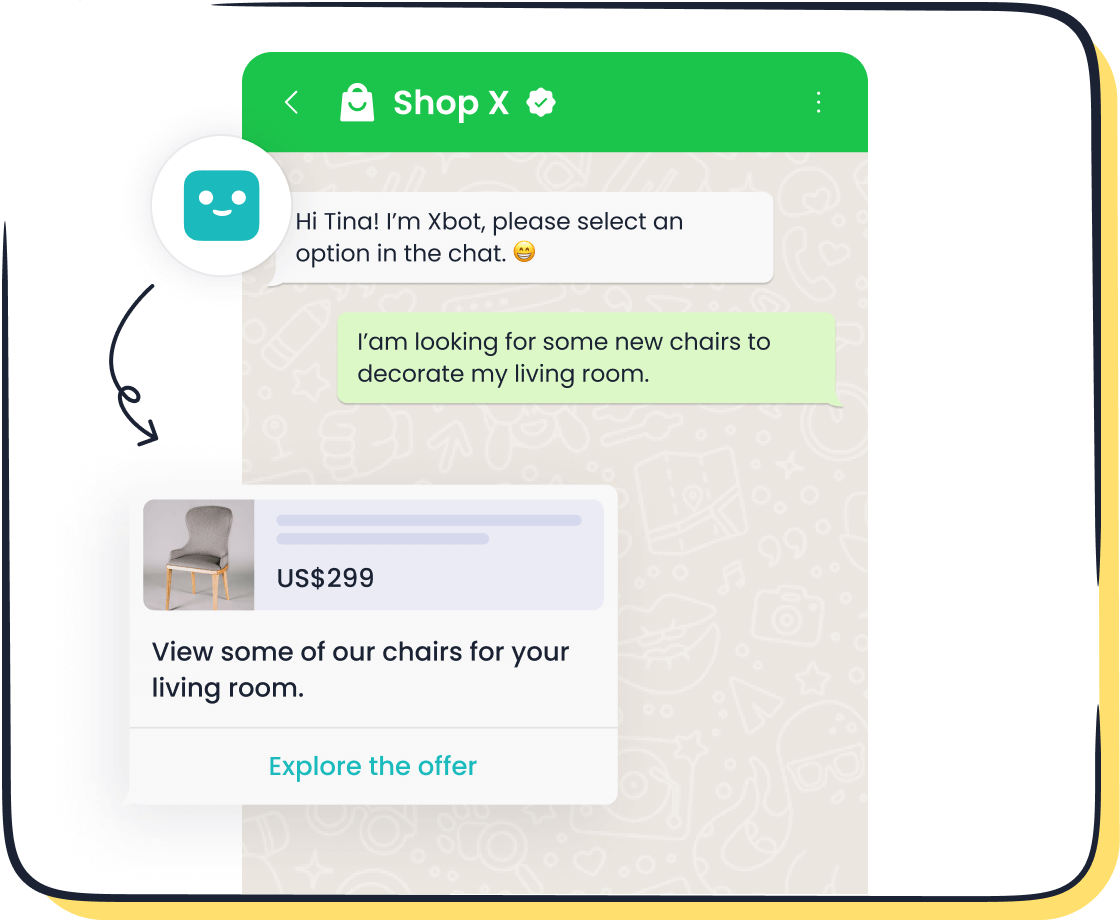
If you're wondering how to use WhatsApp Business Messenger on my website, Sobot, a trusted WhatsApp Business Solution Provider, simplifies integrating this powerful tool into your website. By leveraging Sobot’s expertise, you can enhance communication, build trust, and drive growth effectively.
Why Use WhatsApp Business Messenger on Your Website?
Benefits of Real-Time Communication
Instant customer support and query resolution
Real-time communication transforms how you address customer needs. With WhatsApp chat, you can provide instant communication, ensuring customers receive answers without delay. This immediacy reduces frustration and builds trust. AI-driven platforms, like Sobot’s WhatsApp Business API, enhance this experience by automating responses to common queries. This allows your team to focus on complex issues while maintaining high service standards.
- Key Benefits of Real-Time Communication:
- Enhanced customer experiences through personalized interactions.
- Data-driven decision-making to refine services.
- Increased efficiency by automating routine tasks.
Improved customer satisfaction and loyalty
Customers value businesses that prioritize their time. Real-time updates, such as shipping notifications, alleviate anxiety and foster trust. For example, 69% of customers are less likely to shop with a retailer if delivery is late. By using WhatsApp chat, you can proactively communicate, ensuring customers feel valued. This approach not only improves satisfaction but also encourages repeat business, strengthening loyalty.
Increased Trust and Credibility
Familiarity of WhatsApp as a trusted platform
WhatsApp is a household name, used by over 2 billion people globally. Its familiarity makes it a trusted platform for communication. Customers feel secure interacting with businesses through WhatsApp chat, as it mirrors personal conversations. Sobot’s WhatsApp chat feature ensures end-to-end encryption, further enhancing security and trustworthiness.
Transparency in communication
Transparency builds trust. WhatsApp chat allows you to communicate openly, showing customers you have nothing to hide. Consistently delivering on promises, such as timely responses or accurate information, reinforces your credibility. Transparent interactions also encourage repeat business, which is vital for long-term success.
Boosting Lead Generation and Sales
Direct interaction with potential customers
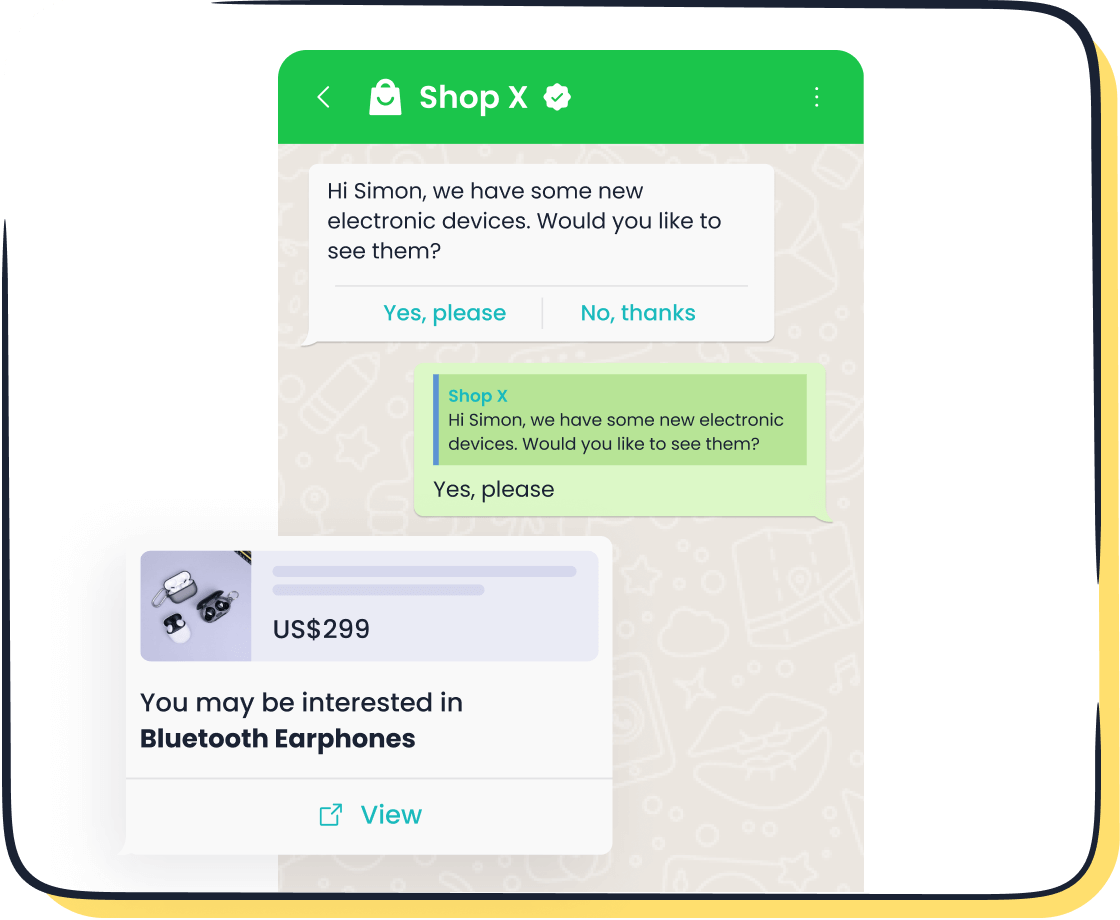
WhatsApp chat bridges the gap between businesses and potential customers. Its 98% open rate far surpasses email marketing, making it a powerful tool for engagement. Businesses using WhatsApp chatbots have seen a 500% increase in lead generation. Sobot’s WhatsApp Business API enables you to send personalized messages, ensuring your communication resonates with your audience.
Higher conversion rates through personalized communication
Personalized communication drives conversions. WhatsApp chat allows you to tailor messages based on customer preferences or history. For instance, Mercedez Benz Turkey achieved a 63% lead-to-conversion rate using WhatsApp campaigns. With Sobot’s WhatsApp chat feature, you can replicate such success, turning leads into loyal customers.
Step-by-Step Guide to WhatsApp Chat Integration
Step 1: Set Up a WhatsApp Business Account
Download and configure the WhatsApp Business app
To begin, download the WhatsApp Business app from your device's app store. Once installed, create a Facebook Business Manager account and verify your business. This step ensures your account is recognized as an official business entity. Next, set up your WhatsApp Business account and configure the API settings with the help of a Business Solution Provider like Sobot. Testing your setup before launching ensures everything works seamlessly.
Add business details like name, logo, and description
When setting up your profile, include essential details such as your business name, logo, and a concise description. A clear and professional profile builds trust with your customers. Use WhatsApp Business features to personalize your messages and maintain responsiveness. For example, adding a welcome message or quick replies can enhance customer interactions.
Step 2: Generate a WhatsApp Chat Button
Use Sobot’s WhatsApp integration tool to create a button
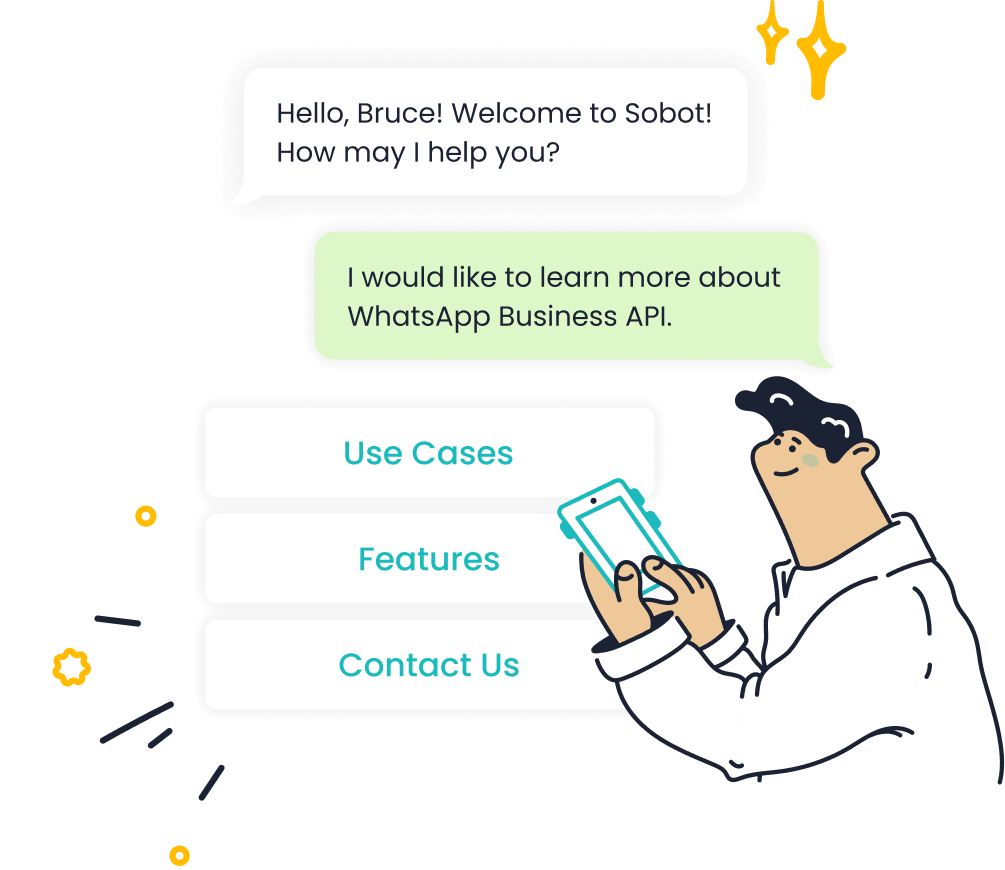
Sobot simplifies the process of creating a WhatsApp chat button. Use its WhatsApp integration tool to generate a button tailored to your needs. This tool allows you to add a WhatsApp chat widget to your website effortlessly.
Customize the button’s appearance and functionality
Personalize your WhatsApp chat button to align with your brand. Options include button style, color, text color, and even adding a custom image. You can also adjust the chat bubble text, position, and welcome message. For instance, placing the button at the bottom right corner ensures visibility without disrupting the user experience.
| Customization Option | Description |
|---|---|
| Button Style | Customize the appearance of the WhatsApp button. |
| Button Color | Choose the color of the button. |
| Button Text Color | Select the color for the text on the button. |
| Chat Button Type | Different types of buttons available. |
| Chat Button Image URL | Option to override with a custom image. |
Step 3: Embed the WhatsApp Button to Website
Copy the generated code from Sobot
Once you’ve customized your WhatsApp chat widget, copy the HTML code generated by Sobot’s WhatsApp button generator tool. This code includes all the settings you’ve configured, such as your WhatsApp number and pre-filled welcome message.
Paste the code into your website’s HTML or CMS
Add the code to your website’s HTML files or CMS. For example, if you use WordPress, paste the code into the appropriate widget or plugin section. This step ensures the WhatsApp chat button integrates seamlessly into your website. Testing the button ensures it functions correctly across devices.
By following these steps, you can add a WhatsApp chat button to your website, enhancing customer communication and engagement. Sobot’s tools make the process straightforward, allowing you to focus on building meaningful connections with your audience.
Step 4: Test and Optimize
Ensure the button works across devices
Testing the WhatsApp chat button ensures it functions seamlessly for all users. You need to verify its performance across various devices, including smartphones, tablets, and desktops. This step guarantees a consistent user experience, regardless of the platform.
To test effectively, consider the following methods:
- Simulate messaging scenarios like sending texts, sharing files, and initiating calls.
- Use standardized test cases to ensure consistency in evaluating features like login and message encryption.
- Leverage AI-powered tools for intelligent test optimization, reducing manual effort.
- Customize test fields to address WhatsApp-specific requirements, such as privacy checks.
- Manage extensive test suites with advanced search and filtering options.
By covering these scenarios, you can identify and resolve potential issues before they affect your customers. Sobot’s WhatsApp integration tool simplifies this process, ensuring your WhatsApp button to website works flawlessly across all platforms.
Monitor performance and make adjustments as needed
After adding the WhatsApp chat button, monitoring its performance helps you optimize its effectiveness. Track key metrics to understand how well the button supports your business goals.
| Metric | Description |
|---|---|
| Total Number of Chats | Tracks the volume of customer interactions over a specific period. |
| First Response Time | Measures how quickly you respond to initial customer inquiries. |
| Average Response Time | Indicates the average time taken to reply to messages. |
| Average Resolution Time | Shows how long it takes to resolve customer issues. |
| Chat to Conversion Rate | Reflects the percentage of chats that lead to desired actions, such as purchases. |
| WhatsApp Business Statistics | Provides insights into message delivery, read rates, and engagement. |
For example, if the average response time is high, you can implement Sobot’s 24/7 chatbot feature to handle queries instantly. Regularly reviewing these metrics allows you to refine your approach, ensuring the WhatsApp chat button delivers maximum value.
Testing and optimizing the WhatsApp button to website is an ongoing process. By staying proactive, you can maintain a high-quality user experience and drive better results for your business.
Best Practices for Using WhatsApp Business Messenger
Use Pre-Set Messages and Quick Replies
Create templates for common queries
Pre-set messages and quick replies simplify communication with your customers. By creating templates for frequently asked questions, you can respond faster and more consistently. For example, you can prepare responses for inquiries about shipping, returns, or product availability. This approach ensures your team delivers accurate information while maintaining a unified brand voice.
Quick replies also improve efficiency. They allow your agents to handle multiple conversations simultaneously without compromising quality. With Sobot’s WhatsApp Business API, you can easily set up these templates, saving time and enhancing customer satisfaction.
Save time while maintaining a personal touch
Pre-set messages don’t have to feel robotic. You can personalize them by including the customer’s name or referencing their previous interactions. This balance between automation and personalization ensures your customers feel valued. For instance, you can automate greetings while tailoring follow-up messages based on customer data. This strategy improves response times and strengthens relationships.
Maintain Availability and Responsiveness
Set business hours and automated responses
Setting clear business hours helps manage customer expectations. Use WhatsApp’s automated responses to inform customers when your team is unavailable. For example, you can send a message like, “Thank you for reaching out! Our team will respond during business hours: 9 AM - 6 PM.”
Sobot’s 24/7 chatbot feature ensures your customers receive immediate assistance, even outside business hours. This tool can handle basic queries, allowing your team to focus on more complex issues during working hours.
Avoid delays in responding to customer messages
Customers expect prompt replies. Delayed responses can lead to frustration and lost opportunities. By using tools like Sobot’s smart chat routing, you can ensure messages reach the right agent quickly. This feature reduces response times and enhances the overall customer experience.
Leverage Analytics and Insights
Use Sobot’s analytics tools to track performance
Analytics tools provide valuable insights into your WhatsApp chat performance. For example, you can track metrics like response times, resolution rates, and customer satisfaction levels. These insights help you identify areas for improvement and optimize your communication strategy.
Sobot’s analytics tools offer detailed reports, allowing you to monitor team performance and customer engagement. For instance, if you notice a high volume of unresolved queries, you can adjust your approach to address this issue effectively.
Identify trends and improve customer interactions
Analyzing data from your WhatsApp chat button can reveal trends in customer behavior. For example, you might discover that most inquiries occur during specific hours. With this information, you can adjust staffing levels to meet demand.
Sobot’s tools also help you understand common customer concerns, enabling you to refine your services. By leveraging these insights, you can enhance customer satisfaction and drive business growth.
Real-Life Example: Success with WhatsApp Chat Button
Case Study: Opay
Overview of Opay’s challenges and goals
Opay, a prominent financial service platform, faced difficulties managing customer interactions across multiple channels. With millions of users relying on its services, the company struggled to provide consistent support and maintain high levels of customer engagement. Opay needed a unified solution to streamline communication, reduce operational costs, and improve service delivery. Additionally, the company aimed to enhance its marketing efforts by reaching customers through a trusted platform like WhatsApp chat.
How Sobot’s WhatsApp Business API improved customer engagement
Sobot’s WhatsApp Business API provided Opay with a robust solution to address these challenges. By integrating WhatsApp chat into its operations, Opay could manage customer inquiries efficiently and deliver personalized responses. The API’s features, such as 24/7 chatbot support and smart chat routing, ensured quick and accurate resolutions. For marketing, Opay used WhatsApp chat to send targeted promotional messages, achieving an impressive 85% message read rate. This integration not only streamlined communication but also strengthened customer engagement by fostering trust and reliability.
Results Achieved
Increased customer satisfaction and retention
With Sobot’s WhatsApp Business API, Opay saw a dramatic improvement in customer satisfaction. The satisfaction rate rose from 60% to 90%, reflecting the effectiveness of real-time communication through WhatsApp chat. Customers appreciated the instant support and proactive updates, which enhanced their overall experience. This improvement also contributed to higher retention rates, as satisfied customers were more likely to continue using Opay’s services.
Boosted sales and lead conversion rates
The integration of WhatsApp chat significantly impacted Opay’s sales and conversions. By leveraging personalized communication, the company achieved a 17% increase in conversion rates. The ability to engage directly with potential customers through WhatsApp chat proved invaluable. Additionally, the streamlined communication reduced operational costs by 20%, allowing Opay to allocate resources more effectively. These results highlight the transformative power of Sobot’s WhatsApp Business API in driving business growth.
Using WhatsApp Business Messenger on your website offers numerous advantages. It provides a real-time communication channel with high open rates, secure end-to-end encryption, and GDPR-compliant messaging. Features like automated messages, quick replies, and analytical tools enhance customer engagement and streamline operations. These benefits make it an essential tool for modern businesses.
Take the first step by setting up your WhatsApp Business account today. Sobot simplifies how to use WhatsApp Business Messenger on my website with its seamless integration tools. As a trusted WhatsApp Business Solution Provider, Sobot ensures you can connect with customers efficiently and securely, driving growth and building trust.
FAQ
What is the WhatsApp Business API, and how does it differ from the app?
The WhatsApp Business API allows you to manage customer communication at scale. Unlike the app, it supports automation, bulk messaging, and integration with tools like Sobot’s platform. This makes it ideal for businesses handling high volumes of interactions.
How can I ensure my WhatsApp chat button works on all devices?
Test the button across smartphones, tablets, and desktops. Use tools like Sobot’s WhatsApp integration to optimize performance. Simulate messaging scenarios and verify features like file sharing and encryption. Regular testing ensures a seamless experience for all users.
Can I automate responses using WhatsApp Business Messenger?
Yes, you can automate responses with tools like Sobot’s 24/7 chatbot. This feature handles common queries instantly, reducing response times. For example, you can set up automated greetings or FAQs, ensuring customers receive immediate assistance even outside business hours.
Is WhatsApp Business Messenger secure for customer communication?
WhatsApp Business Messenger uses end-to-end encryption, ensuring secure communication. Sobot’s WhatsApp Business API enhances this with GDPR-compliant messaging and data analytics. This combination protects customer data while providing valuable insights for your business.
How does Sobot simplify WhatsApp chat integration?
Sobot offers a user-friendly WhatsApp integration tool. It generates a customizable chat button and provides analytics to track performance. With features like smart chat routing and workflow automation, Sobot ensures seamless integration and efficient communication.
See Also
Top Strategies for Integrating WhatsApp Into Your Website
Steps to Seamlessly Integrate WhatsApp on Your Website
The Impact of WhatsApp Chat on Website Interaction

