How to Set Up Your Unified Customer Inbox

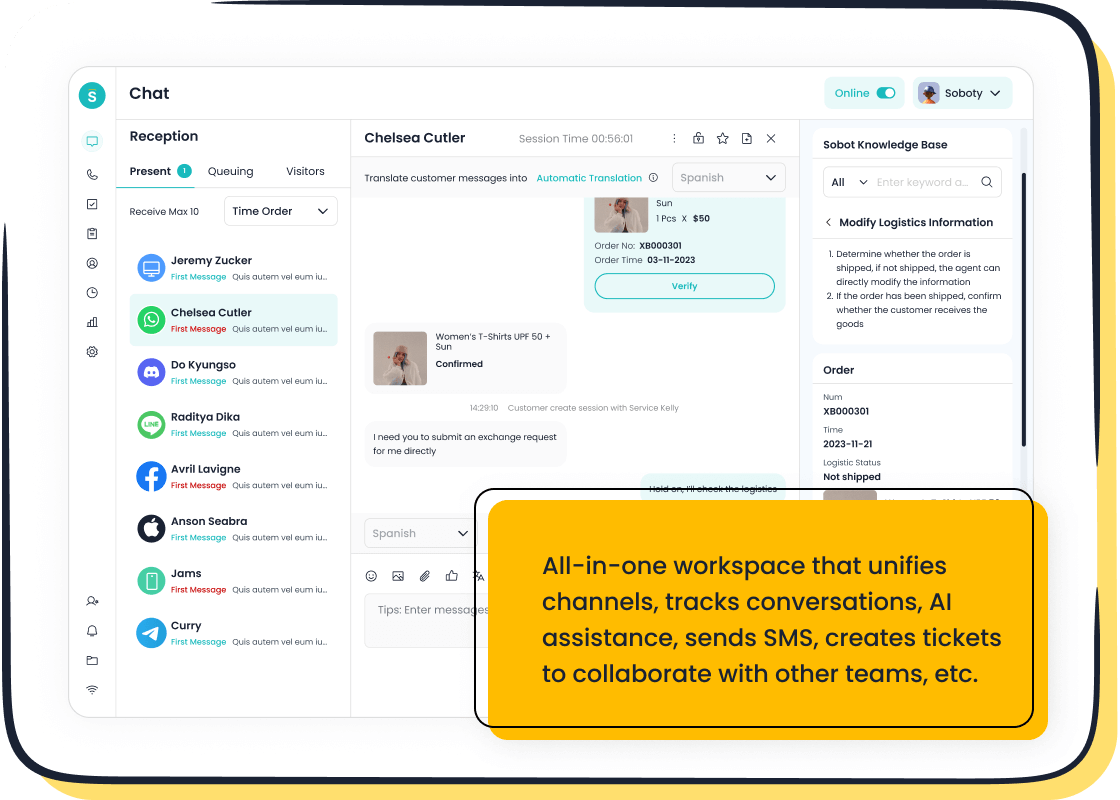
Your customers are talking everywhere, but are you listening? Shockingly, 49% of social media complaints go unaddressed by businesses. To truly unify all messages in one platform, you need a dedicated software tool. This is the most effective way to create a true unified inbox. While manual email tricks exist, they cannot match the power of a specialized centralized platform like Sobot. This guide helps you centralize every conversation, boost efficiency, and improve customer satisfaction.
Why You Need a Unified Inbox
A unified inbox is essential for modern business communication. It helps you manage customer conversations effectively. You can improve team performance and understand your customers better. Let's explore why you need to unify all messages in one platform.
Unify All Messages in One Platform
Your customers contact you through many channels. Small businesses often use 3-4 contact points, while larger companies manage 5 or more. Juggling these channels creates chaos. A unified inbox solves this problem. It allows you to unify all messages in one platform, from email to social media. This central hub ensures you never miss an important query. You can easily unify all messages in one platform for a clear overview. This approach helps you unify all messages in one platform, creating a single source of truth for all customer interactions. You can finally unify all messages in one platform and stop the channel-switching madness.
Boost Team Efficiency and Response Times
Your team wastes valuable time switching between apps. McKinsey reports that workers spend 28% of their week just managing emails. A unified inbox streamlines this process. It consolidates all messages, which reduces the need to jump between different systems. This focus helps your agents respond faster.
Team collaboration tools make problem-solving as smooth as a relay race. A shared inbox accelerates internal responses and reduces the time it takes to hand off tickets between team members.
This improved teamwork directly boosts productivity. Your agents can handle more conversations with less stress. The unified inbox provides a single view, which helps your team deliver quick and consistent support.
Gain a Complete View of the Customer Journey
When you lack a full customer history, you create a frustrating experience. Customers must repeat their issues to different agents. A unified inbox gives your team a complete view of every interaction. This has several key benefits:
- Agents instantly see past conversations and customer preferences.
- You eliminate the need for customers to repeat information.
- Your team can provide more personalized and efficient service.
- Agents focus on solving problems instead of gathering basic data.
This complete picture empowers your team to resolve issues on the first contact. You build stronger relationships and increase customer loyalty.
How to Set Up a Unified Inbox with Software
Setting up a unified inbox with software transforms your customer service from chaotic to controlled. You can centralize conversations and empower your team with the right tools. This process involves three key stages: choosing your platform, connecting your channels, and configuring your rules.
Step 1: Choose the Right Software
The first step is selecting a platform that fits your business needs. A powerful solution like Sobot Live Chat, part of Sobot's comprehensive Omnichannel Solution, serves as an excellent example. It provides a central workspace for agents and integrates with a full suite of tools, including an AI-powered Chatbot, a robust Ticketing System, and a complete Voice Call Center.
When you evaluate software, look for these essential features:
- True Unification: The tool should truly merge all conversations, not just place them in side-by-side tabs.
- Collaboration Tools: Features like internal notes and @mentions help your team solve problems together without confusion.
- Automation Capabilities: Look for smart routing that automatically sends messages to the right person or team.
- Key Integrations: Your software must connect with the tools you already use, like your CRM or e-commerce platform.
- Analytics and Reporting: You need data on response times and resolution rates to measure performance and improve service.
- Scalability: The platform should grow with you. Ensure it can handle more users and higher message volumes as your business expands.
Consider the success of Opay, a leading financial services platform. By implementing Sobot's omnichannel solution, Opay transformed its customer service. They increased customer satisfaction from 60% to an incredible 90%. They also reduced overall costs by 20% and boosted conversion rates by 17%. This shows the immense value of choosing the right software.
Step 2: Connect Your Communication Channels
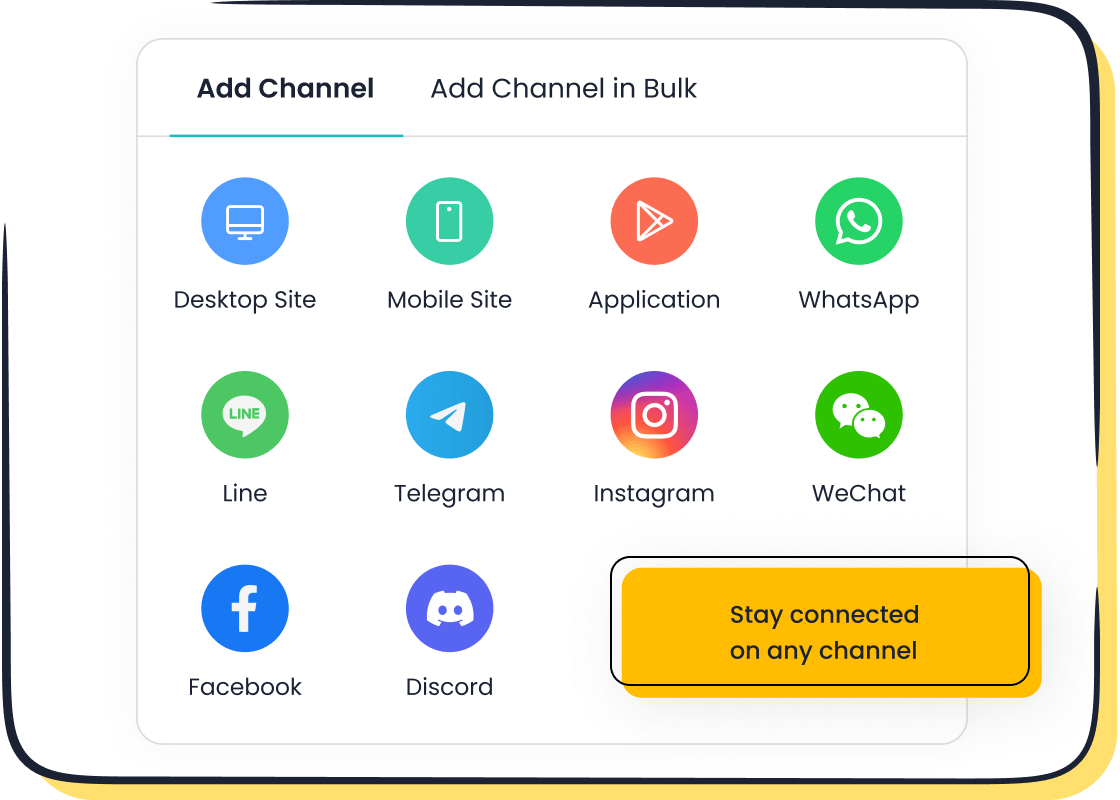
After you choose your software, the next step is to connect all your communication channels. This is where you bring every customer conversation into your new unified inbox. A good platform makes this process simple. You can link everything from email and live chat to social media.
The setup process generally looks like this:
- Navigate to the "Settings" or "Channels" section of your new software.
- Select the channel you want to add, such as email, WhatsApp, or Facebook.
- Follow the on-screen instructions to authorize access. This usually involves logging into your account and granting permissions.
- Repeat this process for all your communication channels.
Platforms like Sobot simplify this, especially for complex channels. As an official WhatsApp Business Solution Provider (BSP), Sobot removes the technical hurdles of integrating WhatsApp. This allows you to manage WhatsApp conversations alongside other channels without any issues. Centralizing your communication channels gives your team a single place to manage every customer interaction.
Step 3: Configure Your Inbox and Rules
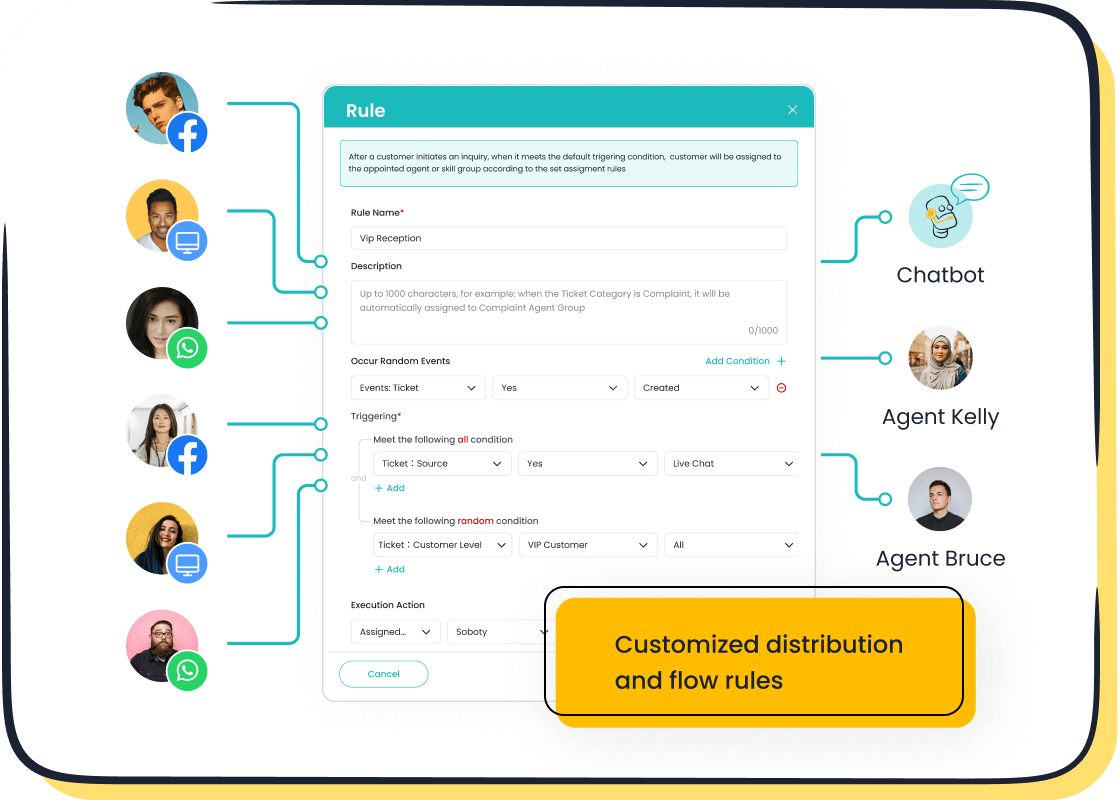
With your channels connected, you can now configure your unified inbox to match your team's workflow. This step is crucial for maximizing efficiency. You can set up automation rules to sort, prioritize, and assign conversations automatically.
Here are some effective rules you can create:
- Keyword Routing: Automatically assign messages containing specific words like "billing" or "refund" to the finance team.
- Skill-based Routing: Send technical questions to agents with specialized product knowledge.
- Round-robin Routing: Distribute new conversations evenly among available agents to balance the workload.
- Prioritization: Use labels or tags like "Urgent" for messages that need an immediate response. You can set rules to flag emails from key clients or those containing words like "complaint."
You can also create automated workflows. For example, you can set up a rule that automatically sends a follow-up email if a customer ticket remains unresolved for 24 hours. These configurations turn your unified inbox into an intelligent system that works for you, freeing up your team to focus on delivering exceptional support.
Manual Workarounds vs. Dedicated Tools
You might try to build a makeshift unified inbox using your existing tools. These manual workarounds can seem like a quick fix. However, they create new problems and cannot match the power of a dedicated platform. Let's look at some common manual methods and see why a specialized tool is the better choice.
Option A: Rule-Based Forwarding in Email
You can create rules in your email client to forward messages from different accounts to a central address. For example, you can have all emails sent to support@yourcompany.com and sales@yourcompany.com land in one inbox. This approach gathers your emails, but it quickly becomes messy. You lose the original context, and it’s hard to tell which address the customer initially contacted. This method does not work for social media or live chat, leaving major gaps in your customer view.
Option B: Using 'Favorites' for Quick Access
Another manual trick is to use browser bookmarks or a "favorites" bar to link to all your communication platforms. You can create a folder with links to your email, Facebook page, and WhatsApp account. This gives you one-click access to each channel. While it saves a few seconds, it doesn't unify anything. Your team still has to switch between different tabs and interfaces. This constant context-switching leads to delayed responses and lost opportunities as hot leads get buried in cluttered inboxes.
Why a Dedicated Tool like Sobot Excels
Manual methods are temporary patches, not long-term solutions. A dedicated tool like Sobot’s Live Chat builds a true unified customer inbox that drives real results. Fragmented systems undermine your return on investment, but a unified platform generates value. Businesses using automation see an average 20% increase in sales opportunities.
A dedicated tool excels because it offers features that manual workarounds simply cannot provide:
- True Omnichannel Integration: Sobot brings every channel—social media, email, chat, and more—into one seamless workspace.
- Powerful AI Capabilities: Sobot’s AI can resolve 70% of inquiries automatically, providing 24/7 service and freeing up your team.
- Detailed Analytics: You get access to over 300 reports to monitor performance and make data-driven decisions.
- Seamless Collaboration: Your team can use internal notes and smart assignments to solve customer problems together, faster.
With a manual approach, sorting 50 emails can take 20 minutes. With a tool like Sobot, AI can do it in about 5 seconds. This efficiency is why a dedicated unified customer inbox is not just a nice-to-have; it's a value-generating asset for your business.
Pro Tips for Managing Your Unified Inbox
Once your unified inbox is active, you can use pro tips to maximize its power. These strategies help you organize conversations, respond faster, and improve your service. You will turn your inbox into a hub for excellent customer interaction management.
Use Tags to Organize Conversations
Tags bring order to your conversations. A good tagging strategy helps you analyze feedback and spot trends. You can catch rising complaints about issues like long wait times before they harm your reputation. For effective tagging:
- Create a consistent structure. Use clear, uniform tags like 'Billing Question' across your team.
- Keep tags simple. Use descriptive terms that everyone understands.
- Automate where you can. Set up rules to apply tags based on keywords to save time.
- Train your team. Make sure everyone knows how and when to use each tag.
Create Saved Replies for Common Questions
Your team likely answers the same questions every day. Saved replies can save your agents hours each month. Platforms like Sobot have this feature built-in to boost agent productivity. You can create templates for frequently asked questions.
"Yes! We are running our Black Friday sale starting at 9 pm on Thanksgiving Day. You can get early access to our specials if you sign up for our email updates here: [add your link]"
This simple reply answers the customer's question and includes a call-to-action. It ensures fast, consistent, and helpful responses.
Leverage AI and Omnichannel Support
AI tools transform your unified inbox into an intelligent system. AI-powered sentiment analysis automatically flags messages with negative emotions or urgent requests. This helps your team prioritize conversations in real-time. Combining AI with an omnichannel support strategy is powerful. For example, AI chatbots can automate and resolve up to 58% of common support questions, freeing your agents to handle more complex issues.
Monitor Performance with Analytics
Your unified inbox provides valuable data. You should use analytics to track performance and find areas for improvement. This data helps you with your customer interaction management. You can:
- Analyze agent response and resolution times.
- Identify specific training needs for your team.
- Monitor customer satisfaction trends.
- Optimize workflows to increase efficiency.
By tracking these metrics, you can make data-driven decisions that enhance your support quality.
A dedicated tool like Sobot is the superior solution for a scalable unified customer inbox. Manual methods simply cannot match its power. You gain control over conversations, improve team efficiency, and boost customer satisfaction. Opay’s journey to a 90% satisfaction rate proves the incredible impact of the right platform. Ready to see these results for yourself? 🚀
Embark on Your Contact Journey. Explore Sobot's Live Chat or start your free trial on sobot.io today.
FAQ
What is a unified customer inbox?
A unified customer inbox gathers all your customer messages into one place. You can manage emails, social media DMs, and live chats from a single dashboard. This helps your team stay organized and respond faster without switching between different apps.
What channels can I connect with Sobot?
You can connect many popular channels to Sobot. This includes your website chat, mobile app, email, and social media platforms. You can easily manage conversations from WhatsApp, Facebook, Instagram, and more, all in one central workspace.
How does a unified inbox help my team?
It boosts your team's efficiency. Agents see the full customer history, which helps them provide faster, more personal support. Automation rules handle simple tasks, so your team can focus on solving complex problems and improving customer satisfaction.
Can I try Sobot before buying?
Yes, you can. Sobot offers a free trial for its Live Chat platform. This allows you to explore the features and see how a unified inbox can benefit your business. You can sign up for the trial on the Sobot website.
See Also
Implementing Omnichannel Contact Center Solutions: A Comprehensive 10-Step Guide
Achieving Excellence in Customer Support Through Live Chat Mastery
Setting Up Interactive Voice Response (IVR) Software: A Complete Guide
Your Essential Guide to Understanding Omnichannel Call Center Software
How AI Customer Service Agents Are Revolutionizing Modern Support

