Scale Your Support Team With 10 AI Tools

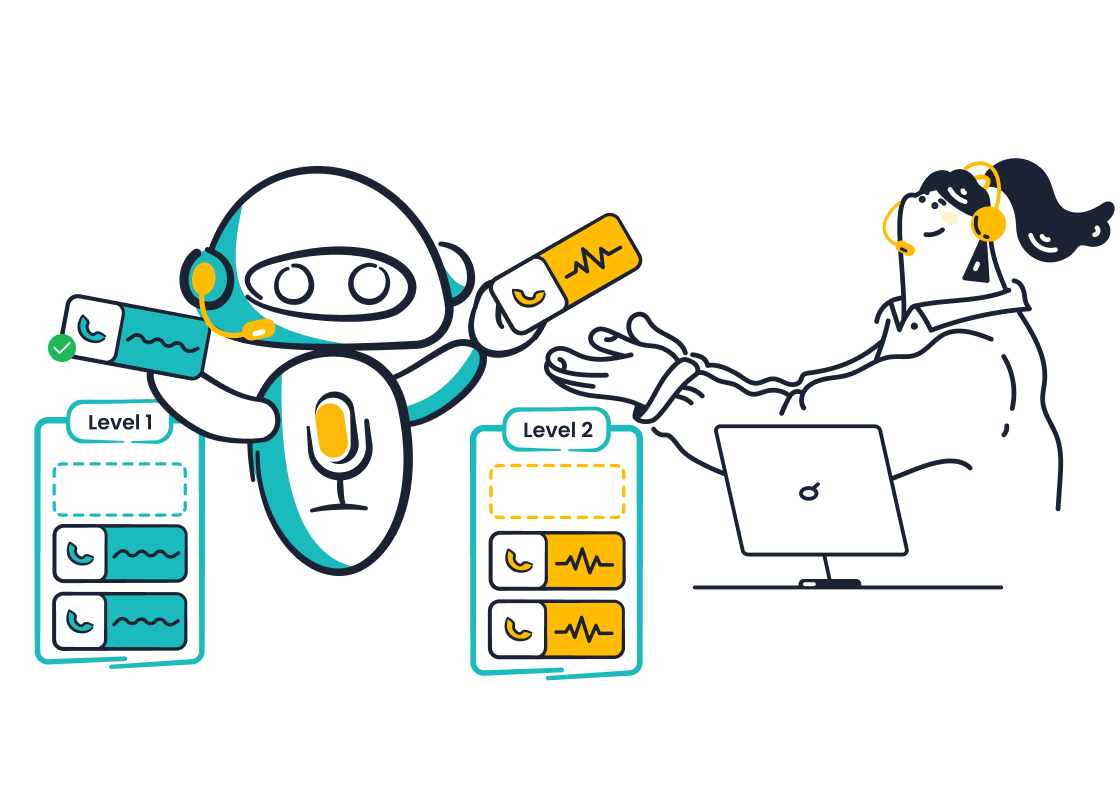
You face a tough challenge. Customers demand an amazing customer experience, with 86% ready to leave after just two bad interactions. Hiring more support agents is expensive, often costing over $60,000 per agent annually. So, how to scale customer service without hiring more agents? The answer is AI.
Note: Effective scaling is possible. You can empower your current team through smart automation. This guide introduces powerful AI customer support tools, from all-in-one platforms like Sobot to specialized solutions. These AI tools for customer service improve your AI customer support, making excellent customer service achievable. This is your first step toward better AI customer support.
Why Use AI for Customer Support?
You are not alone in exploring AI. A recent McKinsey survey shows that 78% of organizations already use AI, with customer service being a top application. Adopting AI for customer support is no longer a futuristic idea; it's a practical strategy for growth. AI-powered customer support helps you meet modern demands without overwhelming your team.
Provide 24/7 Instant Responses
Your customers operate on their own schedules, not just from 9 to 5. Nearly half of all customers believe 24/7 support is essential for good customer service. AI makes this possible without staffing around the clock.
Did you know? A HubSpot report found that 90% of customers expect an instant response to their questions. AI-powered chatbots and self-service portals deliver these immediate answers, improving customer satisfaction.
Use AI Tools for Automating Customer Support
Many customer questions are repetitive. You can use AI tools for automating customer support to handle these common issues. This customer support automation frees your agents to focus on complex problems that require a human touch. This approach allows you to automate common queries, leading to significant gains in efficiency. For example, AI can reduce First Response Time from 15 minutes to just 23 seconds. This is a key part of automating customer support.
Route Tickets Intelligently
AI does more than just answer questions; it organizes your entire support workflow. When a new ticket arrives, AI analyzes its content and automatically sends it to the right agent or department. This intelligent routing ensures that:
- Urgent issues are prioritized.
- Tickets are matched to agents with the right skills.
- Problems are solved faster without being passed around.
This level of organization is a core benefit of customer service automation.
Empower Agents With Real-Time Assistance
AI customer support tools also act as a powerful assistant for your human agents. While an agent is on a call or in a chat, AI can provide real-time suggestions, pull up customer history, and find answers in your knowledge base. This support helps agents feel more confident and capable, leading to a 10-20% increase in agent satisfaction. Better-equipped agents provide faster, more accurate automated customer service, which boosts your team's performance.
10 AI Tools for Customer Service
Choosing the right AI customer support tools can feel overwhelming. To help you, we have compiled a list of the 10 best AI tools available today. Each tool offers unique features to help you scale your support operations.
Sobot: All-in-One AI Customer Support Platform
Sobot provides a complete AI customer support platform designed to unify your entire customer service operation. You can manage voice, chat, and ticketing from a single, integrated workspace. This all-in-one approach eliminates the need for multiple disconnected systems, giving your team a full view of every customer interaction.
Key Features for Scaling:
- Voicebot and Chatbot: Sobot's AI handles a large portion of inbound queries across voice and chat. The Voicebot uses advanced speech recognition to provide human-like conversations, while the AI chatbot offers 24/7 self-service.
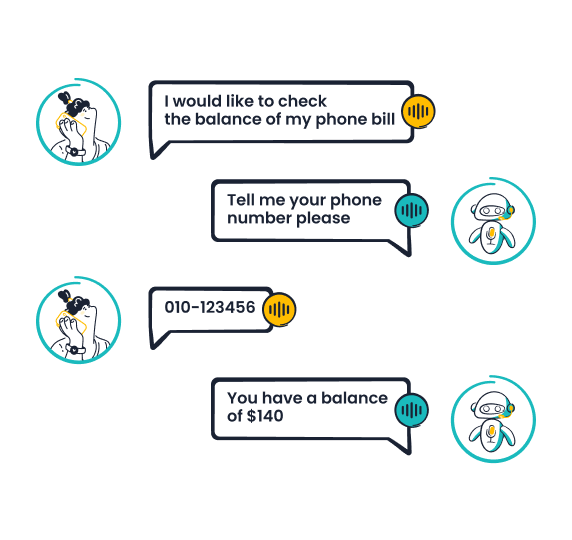
- Intelligent Ticketing: The system automates ticket workflows, manages service level agreements (SLAs), and routes issues to the right agent, ensuring fast and organized resolutions.
- Omnichannel AI: You can deploy AI across all your channels, including voice, email, chat, and social media. This ensures your customers receive a consistent experience everywhere.
- Agent Copilot: The AI assists your human agents in real time. It provides tips, pulls up customer history, and suggests answers, making your team more efficient.
Proven Results: Global tech leader OPPO used Sobot to transform its customer service. By implementing Sobot's chatbot and ticketing system, OPPO achieved an 83% chatbot resolution rate and saw a 57% increase in customer repurchase rates. You can read more about their success here.
Best For: Businesses of all sizes, especially those in retail, e-commerce, and enterprise services, that need a unified and powerful platform for omnichannel support.
Pricing: Sobot offers custom pricing based on your specific needs. You can request a demo to get a tailored quote.
Intercom: Conversational AI for Engagement
Intercom is a popular customer experience platform that excels at proactive engagement. It uses AI to help you connect with customers at the right moment, turning website visitors into loyal users. Its AI chatbot, Fin, is designed to give accurate, conversational answers.
Key Features for Scaling:
- Proactive Support: You can set up automated messages that trigger based on user behavior, offering help before customers even have to ask.
- AI Chatbot (Fin): Fin can resolve a high volume of common questions instantly, learning directly from your existing support content.
- Shared Inbox: It brings all your customer conversations from different channels into one place, making it easy for your team to collaborate.
Best For: SaaS companies and online businesses focused on customer engagement, onboarding, and proactive support.
Pricing: Starts at $39 per seat/month for the "Essential" plan. Custom pricing is available for more advanced plans.
Zendesk: AI-Powered Help Desk
Zendesk is a giant in the customer support software space, and its AI capabilities make it even more powerful. It offers a suite of AI tools for automating customer support that integrate directly into its well-known help desk, making it a robust choice for managing large volumes of tickets.
Key Features for Scaling:
- Autonomous AI Agents: These advanced agents can resolve complex issues on their own. They understand customer intent and sentiment to provide personalized responses.
- AI Copilot: This feature assists your human agents by automating tasks, suggesting replies, and providing real-time insights during conversations.
- Intelligent Triage: Zendesk AI automatically categorizes, prioritizes, and routes incoming tickets to the right agent or department.
- AI-Powered Knowledge Bases: The AI helps you create, organize, and update your help center articles, ensuring your self-service options are always accurate.
Best For: Mid-sized to enterprise-level companies that need a scalable and comprehensive help desk solution with powerful automation.
Pricing: Zendesk offers various plans, with the "Suite Team" plan starting at $55 per agent/month.
Gorgias: AI Support for E-commerce
Gorgias is a customer service platform built specifically for e-commerce stores. Its AI is trained on millions of e-commerce interactions, making it incredibly effective at handling questions related to orders, shipping, and returns.
Key Features for Scaling:
- Deep E-commerce Integration: Gorgias connects directly with platforms like Shopify, Magento, and BigCommerce. This allows the AI to pull real-time data to answer questions about order status, shipping details, and more.
- Automated Responses: You can set up rules to automate replies to common questions, such as "Where is my order?". This automation frees up your agents significantly.
- Sentiment Analysis: The AI detects customer sentiment (e.g., happy, frustrated) and prioritizes tickets from unhappy customers to prevent churn.
- Omnichannel View: It centralizes conversations from email, live chat, social media, and SMS into a single view.
Best For: E-commerce businesses of any size that use platforms like Shopify, BigCommerce, or Magento.
Pricing: Starts at $50/month for the "Basic" plan, which includes 300 monthly tickets.
Freshdesk: Omnichannel AI Assistant
Freshdesk offers a powerful omnichannel AI assistant named Freddy AI. This tool is designed to work across all your communication channels, providing both automated customer service and real-time assistance for your agents. It is one of the most versatile ai tools for customer service.
Key Features for Scaling: Freddy AI offers a wide range of capabilities to help you scale your support team.
| Feature Category | Specific Capability | Description |
|---|---|---|
| AI Copilot | Writing Assistant | Helps agents rephrase, expand, or change the tone of their replies. |
| AI Agents | Build & Deploy AI Agents | Create and deploy AI agents that respond instantly across all channels. |
| Self-Service | Email AI Agent | Automatically deflects incoming email tickets by providing instant answers. |
| AI Insights | Proactive Insights | Detects trends and flags potential issues before they become widespread problems. |
Best For: Businesses looking for a flexible, omnichannel solution with strong AI features for both agent assistance and self-service automation.
Pricing: Offers a free plan for up to 10 agents. Paid plans start at $15 per agent/month.
Ada: No-Code Chatbot for Self-Service
Ada is a platform that focuses on making powerful AI accessible to everyone. Its main strength is its no-code chatbot builder, which allows you to create and deploy a sophisticated AI chatbot without writing a single line of code. This makes it a great option for automating customer support.
Key Features for Scaling:
- No-Code Builder: You can use a simple drag-and-drop interface to design conversation flows, making it easy for non-technical team members to manage the chatbot.
- Personalized Interactions: Ada can integrate with your existing systems to pull customer data and provide personalized answers.
- Proactive Campaigns: You can use the chatbot to launch proactive campaigns, engaging customers with targeted messages to drive sales or improve onboarding.
Best For: Companies that want to build a powerful self-service experience through an AI chatbot but do not have dedicated developers.
Pricing: Ada provides custom pricing based on your business needs.
Cresta: Real-Time Agent Assist for Voice
Cresta is an AI tool that specializes in empowering voice support teams. It acts as a real-time coach for your agents while they are on calls with customers, helping them improve performance and deliver better outcomes.
Key Features for Scaling:
- Real-Time Guidance: Cresta listens to conversations and provides agents with on-screen suggestions, checklists, and reminders to guide them through complex calls.
- Automated Note-Taking: The AI automatically transcribes and summarizes calls, saving agents valuable time on post-call administrative work.
- Performance Insights: It provides managers with detailed analytics on agent performance, highlighting areas for coaching and improvement.
Best For: Contact centers and businesses with large voice support teams that want to improve agent performance and consistency.
Pricing: Cresta offers custom pricing tailored to the needs of each enterprise.
Ultimate: Ticket and Chat Automation
Ultimate is a customer support automation platform that focuses on integrating with your existing CRM or help desk. It uses AI to automate responses in chat and tickets, allowing your team to focus on high-value conversations.
Key Features for Scaling:
- AI-Assisted Replies: The AI suggests replies and generates summaries for agents, helping them resolve issues faster.
- Automated Ticket Routing: It uses AI to direct tickets to the right agent based on language, channel, or issue type, ensuring efficient handling.
- One-Click Automation: Ultimate can learn from your historical support data to build an AI chatbot that can handle your most common questions from day one.
Best For: Businesses that are already using a help desk like Zendesk or Salesforce and want to add a powerful layer of automation on top.
Pricing: Pricing is customized based on your support volume and specific use case.
Forethought: AI to Deflect and Triage
Forethought offers an AI platform designed to reduce ticket volume through deflection and intelligent triage. Its AI, named Triage, automatically reads, categorizes, and prioritizes every incoming support ticket.
Key Features for Scaling:
- Ticket Deflection: Its conversational AI can provide accurate answers to customer questions before they even create a ticket, deflecting a significant portion of your support volume.
- AI-Powered Tagging: The AI automatically applies the correct tags to every ticket, eliminating manual work and improving organization.
- Spam Filtering: It accurately identifies and filters out spam, so your team can focus only on genuine customer issues.
- Urgency and Sentiment Detection: Forethought analyzes the tone of each ticket to prioritize urgent or negative issues.
Best For: Support teams that are overwhelmed with high ticket volumes and need a solution to reduce noise and prioritize effectively.
Pricing: Forethought provides custom pricing upon request.
Lindy: AI Agent Team Automation
Lindy introduces a unique concept: a team of AI agents that you can create to automate various business tasks. While not exclusively a customer support tool, you can build "Lindy" agents to handle specific support workflows, such as monitoring inboxes or answering questions.
Key Features for Scaling:
- Prompt-Based Creation: You can create an AI agent simply by describing the task you want it to perform, no coding required.
- Customer Support Automation: You can build a Lindy to monitor a support inbox, answer common questions using a knowledge base, and escalate complex issues to a human.
- CRM Updates: Lindy can automatically update your CRM with information from customer interactions, saving your team from manual data entry.
Best For: Tech-savvy teams that want a highly customizable tool to automate a wide range of repetitive tasks, including customer support workflows.
Pricing: Offers a free trial. Paid plans start at $99/month.
How to Choose the Right AI Customer Support Tools
With so many options, finding the right AI customer support tools can seem difficult. The best AI tools for your business depend entirely on your specific needs. This simple guide will help you make the right choice for your team.
Assess Your Primary Use Case
First, you need to identify your biggest support challenge. What do you want AI to do for you? Your answer will guide your search for the right customer support solutions. Common use cases for AI include:
- Providing 24/7 support with AI-powered chatbots.
- Assisting human agents with real-time information and response suggestions.
- Automatically routing support tickets to the correct department.
- Analyzing customer sentiment to prioritize urgent issues.
Defining your main goal helps you narrow down the options. If you need round-the-clock answers, a chatbot is a great start. If your agents are overwhelmed, an agent-assist tool might be better.
Check for Seamless Integrations
Your new AI tool must work well with your existing customer support software. A disconnected system creates more problems than it solves. Check if the AI customer support tools you consider can integrate with your:
- Customer Relationship Management (CRM) system, like Salesforce or HubSpot.
- E-commerce platform, such as Shopify or Magento.
- Help desk and communication channels, like email and social media.
A smooth integration ensures all your customer data is in one place. This gives your team a complete view of every customer interaction and improves your customer service.
Evaluate Scalability and Pricing
Your business will grow, and your support needs will change. Choose a scalable solution that can grow with you. You should also understand the pricing model. AI platforms use different models:
- Per-Agent: You pay a monthly fee for each support agent using the tool.
- Per-Resolution: You pay a small fee, like $0.99, for each issue the AI resolves on its own.
- Session-Based: You pay for a bundle of AI interactions, such as 1,000 chatbot sessions.
Think about your budget and which model offers the best value for your AI customer support needs.
Consider Ease of Setup and Use
How quickly can you start using the new tool? The setup time for AI can vary.
A platform-based solution with pre-built templates can be ready in a few weeks. A custom-built AI, on the other hand, might take several months to develop.
Consider your team's technical skills. A no-code platform is great for teams without developers. An easy-to-use interface ensures your team will adopt the new AI tool and use it effectively to improve your support operations.
How to Scale Customer Service Without Hiring More Agents
Adopting AI customer support tools is a journey, not a single event. A strategic approach ensures you get the most value from your investment. Here is how to scale customer service without hiring more agents by implementing AI effectively.
Start Small With a Pilot Project
You should not overhaul your entire support system overnight. Instead, start with a pilot project. This allows you to test your chosen AI customer support tools in a controlled environment.
Actionable Tip: Define clear objectives for your pilot. For example, aim to reduce response times for a specific type of query. This focused approach helps you measure success and prove the value of automation before a full-scale rollout. This is a smart way for how to scale customer service without hiring more agents.
Train Your AI With Quality Data
Your AI is only as smart as the data you give it. For the AI to provide accurate answers, it needs high-quality information. You must ensure your knowledge base and CRM data are clean, consistent, and up-to-date. This creates a "single source of truth" for your AI to learn from. Poor data leads to poor customer experiences and undermines your efforts in automating customer support.
Keep a Human in the Loop
The goal of AI is to augment your team, not replace it. You need a clear process for escalating complex issues from the AI to a human agent. The best AI tools for automating customer support make this handoff seamless. The AI should transfer the full conversation history to the agent. This way, the customer does not have to repeat themselves, and your agent has the context needed to solve the problem quickly. This human-AI collaboration is essential for excellent customer service.
Monitor Performance and Gather Feedback
Once your AI is live, you must track its performance. Focus on impact metrics that show real value, not vanity metrics.
- Resolution Rate: What percentage of issues does the AI solve on its own?
- Escalation Rate: How often does the AI need human help?
- Customer Satisfaction (CSAT): Are customers happy with the AI support?
You should also actively gather feedback from your customers. Use automated surveys after an AI interaction to understand their experience. This feedback is vital for improving your AI and learning how to scale customer service without hiring more agents successfully.
AI tools augment your support team, not replace it. This powerful AI frees your agents for high-value customer interactions. You can scale your customer service capacity without hiring more staff. The right AI makes this goal achievable and improves your entire support operation.
Choose one AI tool from the list that best fits your needs. Start a free trial today to see how AI can transform your customer support. 🚀
FAQ
Will AI replace my human support agents?
No, AI does not replace your team. The goal of AI is to augment your agents. It handles repetitive questions, which frees your human support staff to focus on complex customer problems. This collaboration makes your entire support operation more effective.
How much does AI customer support software cost?
The cost of AI customer support software varies. Some platforms charge a monthly fee per agent. Others might charge you based on the number of issues the AI resolves. You can find a plan that fits your budget and support needs.
Can a small business use AI for customer support?
Absolutely. Many AI tools are perfect for small businesses. You can start with simple automation, like a chatbot for your website. This is a great way to provide instant support to your customers without a large team.
What is the first step to get started with AI support?
You should start with a small, specific goal. First, identify your biggest support challenge. Then, choose one of the many customer support solutions that offers a feature, like a self-service portal, to fix that single issue. This focused approach makes implementing AI manageable.
See Also
Leading AI Innovations for Enhanced Enterprise Contact Center Operations
Maximizing Efficiency: AI Customer Service Software Transforms Business Operations
Essential Speech Analytics: Top 10 Tools for Call Centers in 2024
Comprehensive Review: AI-Powered Solutions for Enterprise Call Centers
Transforming Support: AI Customer Service Agents Revolutionize Customer Interactions

