Merge Support Channels with These 10 Platforms

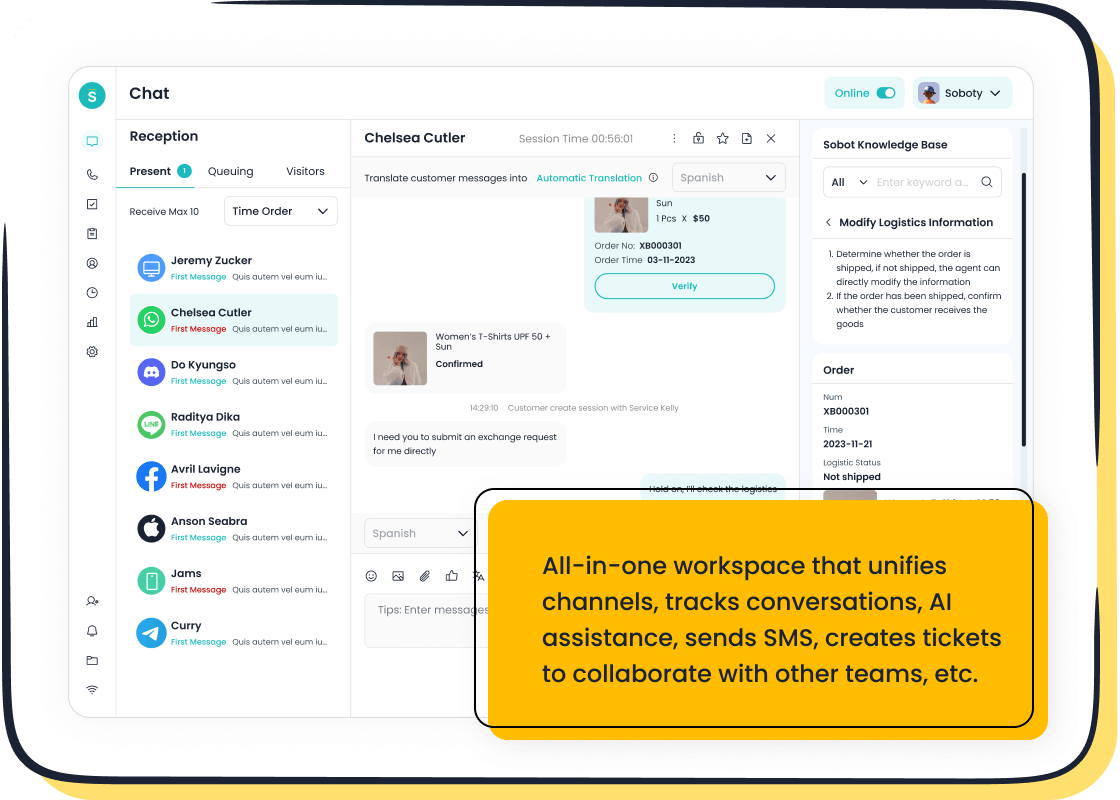
Are you tired of juggling customer messages across email, social media, and your website? This fragmented approach often leads to frustration, with 56% of customers reporting the need to repeat themselves to different support agents. Disorganized communication can also cost you business, as 30% of marketers lose deals due to scattered data. The solution lies in an omnichannel platform that shows you how to merge multiple support channels into one system. This integration streamlines your customer interactions, ensuring a consistent and efficient experience. Here's a look at some of the top omnichannel platforms available, including Sobot, which stands out for its AI-driven efficiency and comprehensive all-in-one contact center capabilities.
| Platform Name | Best For | Key Highlight | Starting Price |
|---|---|---|---|
| Freshdesk | Startups & SMBs | Excellent free plan | $0/month |
| Zendesk | Scaling Teams | Powerful analytics | $19/agent/month |
| HubSpot Service Hub | HubSpot Ecosystem | Integrated CRM & support | $0/month |
| Sobot | AI-Driven Efficiency | All-in-one contact center | Custom Quote |
| Gorgias | E-commerce Stores | Deep Shopify integration | $50/month |
| Intercom | Proactive Engagement | Sales-focused live chat | $74/month |
| Help Scout | Valuing Simplicity | Human-centric design | $20/user/month |
| Front | Shared Inboxes | Collaborative email hub | $19/user/month |
| Tidio | Micro-Businesses | Simple chatbot & live chat | $0/month |
| Nextiva | Unified Communications | Integrates phone, video, chat | $18.95/user/month |
What Is Omnichannel Support?
You might hear the terms "multichannel" and "omnichannel" used interchangeably, but they represent two very different approaches to customer service. An omnichannel platform does more than just offer support on different channels; it connects them. This creates a single, continuous conversation with your customer, no matter how they choose to reach out. A modern omnichannel solution ensures that your team has the full context of all customer interactions.
The key difference is integration. Multichannel support gives customers multiple ways to contact you, but these channels operate independently. Omnichannel customer support unites them into one seamless experience.
| Feature | Omnichannel Support | Multichannel Support |
|---|---|---|
| Integration | All channels are interconnected, allowing seamless transitions. | Channels operate independently. |
| Customer Experience | Provides a unified, cohesive experience with a full view of engagement history. | Can create a disjointed journey where customers must repeat information. |
| Data Accessibility | Customer data and context are shared across all channels. | Data is often siloed, making it hard for agents to get a full picture. |
An omnichannel solution means a customer can start a chat on your website, send a follow-up email, and later call your support line without ever having to repeat their issue. Your agent sees the entire history in one place.
Adopting an omnichannel strategy offers powerful benefits for your business. It directly impacts your bottom line and brand reputation. An omnichannel platform provides the tools for better customer engagement and service. These customer support solutions help you build stronger relationships and improve efficiency. The goal is a unified customer experience that boosts loyalty and growth.
Here’s how omnichannel customer support helps you succeed:
- Boost Customer Retention: Businesses with strong omnichannel strategies retain an average of 89% of their customers.
- Increase Agent Productivity: A unified platform gives your team complete customer context. This allows them to resolve issues faster and handle more inquiries, improving service quality.
- Gain Valuable Insights: Centralized data from all channels gives you a 360-degree view of the customer journey. You can use these insights to improve your products, marketing, and overall experience.
- Enhance Customer Satisfaction: Companies using omnichannel platforms see much higher customer satisfaction rates. This improved experience strengthens your brand image.
Ultimately, these platforms provide the solutions needed to manage customer support effectively.
Freshdesk: All-in-One Omnichannel Platform
Freshdesk offers a powerful yet user-friendly platform designed to bring all your customer conversations into one place. It is a great choice if you want to provide excellent support without needing a large IT team. The platform is built to grow with your business.
Best For: Startups & SMBs
Freshdesk is an ideal starting point for startups and small to medium-sized businesses. Its cloud-based system means you avoid expensive hardware costs. The platform offers a generous free plan and affordable pricing tiers. This makes it a cost-effective solution when your budget is a top priority. Its intuitive design allows your team to get started quickly, helping you deliver professional customer service even with limited resources.
Key Features
This platform packs many features to enhance your support operations. You can manage all customer interactions efficiently with its smart ticketing system.
- Unified Inbox: Consolidates messages from email, chat, phone, and social media into a single view.
- Automation: Optimizes your workflow with automated ticket routing and canned responses for common questions.
- Freddy AI: Uses AI to provide self-service options for customers and assists your agents with ticket prioritization.
- Self-Service Portal: Empowers customers to find answers on their own through a knowledge base and community forums, reducing your ticket volume.
Pros
- ✅ User-Friendly: The interface is clean and easy to navigate, which simplifies agent onboarding.
- ✅ Robust Features: You get access to powerful ticketing and automation capabilities.
- ✅ Multi-channel Support: It effectively brings together various communication channels for a true omnichannel experience.
Cons
- ❌ Limited Customization: Some users find that the customization options on lower-tier plans are restrictive.
- ❌ Inconsistent Support: Feedback on Freshdesk's own customer support is mixed. Some users report slow response times and a challenging setup process.
- ❌ Complex Reporting: While analytics are available, creating tailored reports can be difficult without technical expertise or upgrading to a more expensive plan.
Pricing
Freshdesk provides a free-forever plan that supports up to 10 agents, which is perfect for new businesses. Paid plans with more advanced features start at $15 per agent/month.
Zendesk: For Scaling Teams
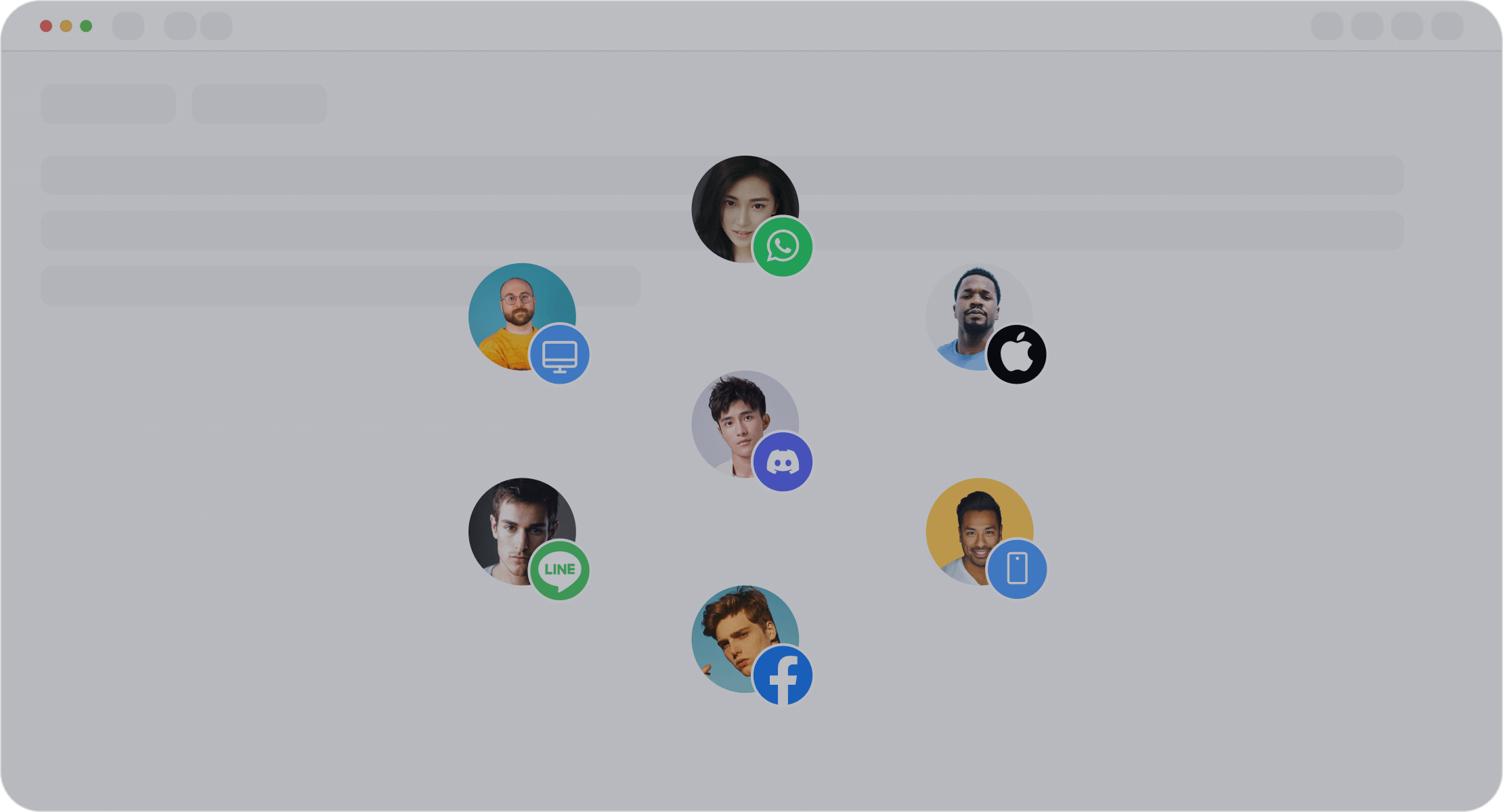
Zendesk is a well-known name in the customer service world. It offers a powerful and comprehensive platform designed to handle the demands of a growing business. If your company is expanding, you need a support solution that can grow with you. Zendesk provides the tools and infrastructure to manage increasing customer interactions without sacrificing service quality.
Best For: Growing Businesses
Zendesk is built for scalability. This makes it an excellent choice for businesses moving from the startup phase to a larger, more complex operation. The platform is engineered to support a high volume of tickets and agents across the globe. It helps you maintain excellent customer support as your user base expands.
Key Features
Zendesk’s architecture is designed for high performance and reliability. This ensures your support operations run smoothly as you scale.
- Pod Architecture: The platform uses a flexible pod design. Each pod is a self-sufficient unit with all necessary resources. This allows for faster provisioning and better scalability.
- Sharded Database: Zendesk splits its database into smaller, logical parts called shards. This design helps balance loads and can even dedicate resources to a single large customer if needed.
- Global Data Centers: Its redundant environment across multiple data centers ensures high availability and reduces latency for your global customer base.
Pros
- ✅ Proven Scalability: The platform is praised for its ability to scale from a small team to a large enterprise.
- ✅ Powerful Ticketing: Users consistently rate its ticketing system as a top feature for managing support requests.
- ✅ Strong Integrations: It connects well with other business tools, though some complex integrations may require effort.
Cons
- ❌ Complex Pricing: The pricing model can be difficult to understand. A Gartner survey found that 22% of users found it challenging.
- ❌ Poor Customer Support: Many users report issues with Zendesk's own customer service, citing slow responses and unhelpful automation.
We've purchased their top tier plan and their services teams could care less. It takes days/weeks to get a reply and the answer is typically no helpful.
- ❌ Steep Learning Curve: Mastering the platform's many features can be difficult for new teams and requires significant training.
Pricing
Zendesk’s paid plans start at $19 per agent/month for basic support features. Access to more advanced omnichannel tools and analytics requires upgrading to higher-priced tiers.
HubSpot Service Hub: Integrated CRM & Support
If your business already operates within the HubSpot ecosystem, the Service Hub is a natural and powerful extension. This platform is designed to work seamlessly with the HubSpot CRM. It provides your support team with a complete view of every customer interaction. This deep integration is its greatest strength.
Best For: Businesses in the HubSpot Ecosystem
You will find the most value in HubSpot Service Hub if you already use HubSpot's Marketing or Sales Hubs. The platform unifies your customer data across sales, marketing, and service. This creates a single source of truth for every customer relationship.
Key Features
HubSpot Service Hub offers a comprehensive set of tools to manage your customer service operations. The platform helps you deliver excellent support.
- Conversations Inbox: Unifies messages from email, chat, and other channels into one shared inbox.
- Help Desk & Ticketing: Automates ticket creation and routing to help your team stay organized.
- Knowledge Base: Allows you to build a self-service library of help articles to reduce common support questions.
- Customer Feedback Surveys: Helps you collect valuable feedback to measure customer satisfaction.
Pros
The tight integration with the HubSpot CRM is a major advantage. It gives your team the context they need to provide personalized service.
- ✅ Unified Customer View: Your team sees the full history of a customer's interactions, from marketing emails to sales calls.
- ✅ Seamless Collaboration: Sales, marketing, and support teams can work together from a single platform.
- ✅ Powerful Automation: You can automate routine tasks and create workflows to improve efficiency.
Cons
While powerful, the platform has some drawbacks to consider. It may not be the best fit for every business.
- ❌ Best Inside HubSpot: The platform's value decreases significantly if you do not use the HubSpot CRM.
- ❌ Costly Advanced Features: Accessing the most powerful automation and reporting tools requires upgrading to expensive higher-tier plans.
- ❌ Learning Curve: The sheer number of features can be overwhelming for new users, requiring time for training.
Note: The true power of this omnichannel platform is unlocked when you commit fully to the HubSpot ecosystem.
Pricing
HubSpot offers free tools to get you started, including ticketing and live chat. Paid plans for the Service Hub begin at $45/month (billed annually), which includes two users.
Sobot: AI-Powered Omnichannel Customer Support
Originating from Singapore, Sobot is an all-in-one contact center solution trusted by major brands like Samsung, Opay, and Philips. It offers a powerful platform to unify your sales, marketing, and support operations. If you want to leverage artificial intelligence to make your customer service smarter and more efficient, Sobot provides the tools you need.
Best For: Businesses Seeking AI-Driven Efficiency
This platform is designed for businesses that want to use AI to automate tasks, reduce costs, and improve overall customer satisfaction. It helps your team work smarter, not harder.
Key Omnichannel Features
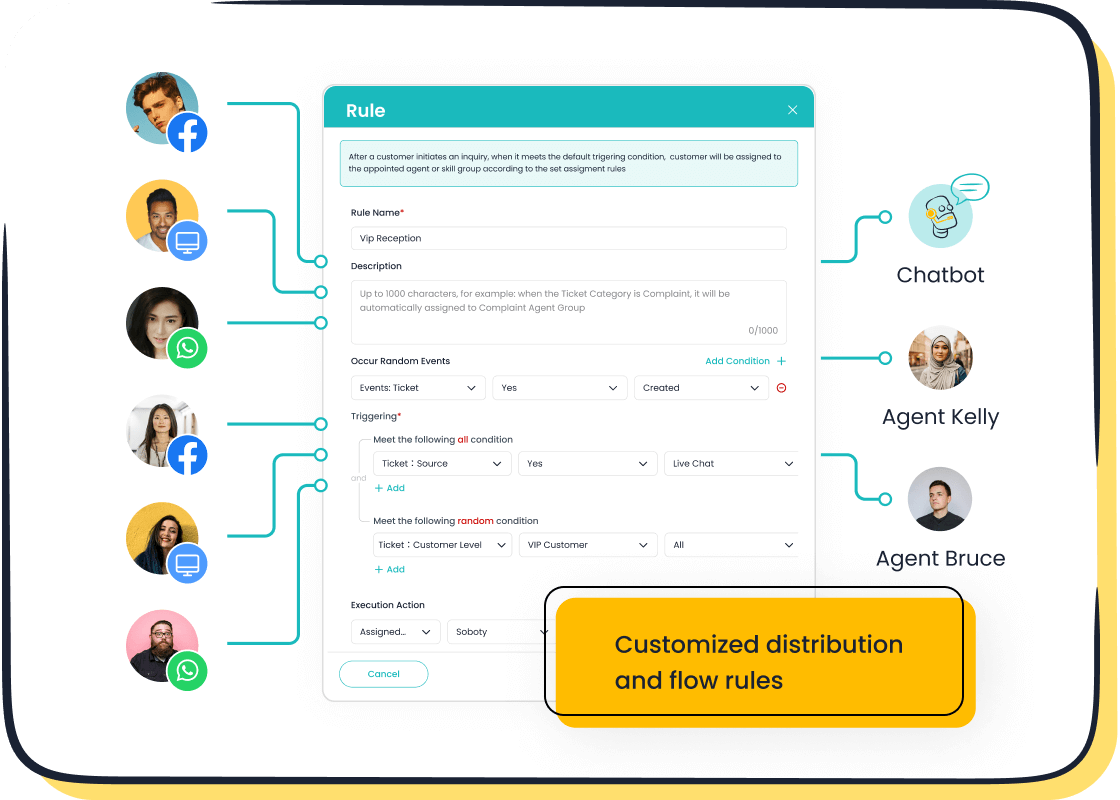
Sobot’s Live Chat brings all your customer conversations into a single, AI-enhanced workspace. This approach to omnichannel customer support ensures no message gets lost.
- Unified Inbox: You can manage messages from your website, WhatsApp, Facebook, and Instagram in one place. As an official WhatsApp Business Solution Provider (BSP), Sobot offers reliable integration.
- AI-Powered Assistance: The platform uses AI to handle common questions 24/7. This frees up your agents to focus on more complex customer issues.
- Seamless Integration: Connect Sobot with systems you already use, like Salesforce and Shopify, to create a smooth workflow for your support team.
Pros
Sobot delivers measurable results that boost both efficiency and customer loyalty. The platform is built for reliability and performance.
Opay, a leading financial service platform, used Sobot to improve its customer satisfaction scores from 60% to 90%. The company also saw a 20% reduction in overall service costs.
- ✅ Increased Conversions: By using precise profiling and tailored service, Sobot helps you achieve a 38% gain in conversion.
- ✅ Proven Stability: You can depend on the platform's 99.99% system stability to keep your customer support operations running smoothly.
- ✅ Improved Customer Satisfaction: The powerful omnichannel customer support tools help you provide faster, more accurate service, which keeps your customers happy.
Pricing
Sobot offers custom solutions tailored to your business needs. You can visit the official website to request a free trial and get a custom quote.
Gorgias: The E-commerce Choice
If you run an e-commerce store, you need a support platform built for your specific needs. Gorgias is designed from the ground up for online retail. It turns your customer service into a profit center by integrating deeply with your sales data. This platform helps you provide fast, personalized support that drives sales.
Best For: Shopify & E-commerce Stores
Gorgias is the top choice for businesses using Shopify, Magento, or BigCommerce. Its powerful connection to these platforms gives your support team unmatched context. You can see and manage customer order information without ever leaving the helpdesk.
Key Features
This platform centralizes all your e-commerce support tasks. It provides your team with the tools to work efficiently.
- Deep Shopify Integration: You can view and edit Shopify order data directly within a support ticket.
- AI-Powered Automation: The system uses AI to scan tickets, analyze tone, and automatically tag or respond to common questions.
- Unified Inbox: It consolidates messages from email, live chat, and social media into one view for streamlined customer communication.
- Self-Service Tools: You can set up an order management portal on your chat widget. This allows customers to track their own orders, reducing ticket volume.
Pros
The main advantage of Gorgias is its seamless integration with your store's backend. Your agents can perform key actions directly from the helpdesk. They can issue refunds, cancel orders, and even create new orders for a customer. This level of integration dramatically improves efficiency.
For example, the fashion brand Princess Polly saw an 80% decrease in resolution time by using Gorgias to display Shopify data directly in support tickets.
- ✅ E-commerce Centric: Every feature is designed to help you sell more and provide better service.
- ✅ Powerful Actions: Your team can modify orders and customer data without switching tabs.
- ✅ Revenue-Driving: Agents can insert product links into chats, helping to convert support conversations into sales.
Cons
- ❌ Niche Focus: The platform's strength is also a weakness. It is less suitable for businesses outside of e-commerce.
- ❌ Ticket-Based Pricing: Pricing is based on ticket volume, which can become expensive for stores with a high number of customer inquiries.
- ❌ Limited Phone Support: Native phone support is not as robust as its other omnichannel features.
Pricing
Gorgias offers several plans based on your monthly ticket volume. Paid plans start at $50/month.
Intercom: For Proactive Engagement
Intercom is a popular platform that excels at turning passive website visitors into active leads. It focuses on proactive customer engagement through its powerful messaging tools. If you want to start conversations that lead to sales, this platform gives you the tools to do so effectively. It helps you build relationships and guide customers through their journey.
Best For: Sales-Focused Live Chat
Intercom is an excellent choice for teams that use live chat as a sales and marketing tool. The platform makes it easy to target specific visitors with automated messages. This proactive approach helps you initiate conversations, qualify leads, and drive conversions directly from your website. It is less about traditional ticketing and more about real-time engagement.
Key Features
The platform offers a suite of tools designed to boost engagement and streamline communication. These features help you create a personalized service experience.
- Live Chat & Messaging: Its core feature is a modern, user-friendly chat widget that encourages real-time interaction.
- Custom Bots: You can build automated workflows to qualify leads, answer common questions, and route conversations to the right team members.
- Customer Segmentation: This allows you to send targeted messages to users based on their behavior, location, or other attributes.
Pros
- ✅ Excellent Engagement Tools: Users praise the live chat and automated messaging for boosting customer engagement.
- ✅ User-Friendly Design: The interface is clean and intuitive, making it easy for your team to get started.
- ✅ Powerful Automation: Custom bots help reduce manual tasks and improve your team's productivity.
Cons
- ❌ High & Complex Pricing: The pricing structure can be expensive, especially as your business grows. Costs for add-ons can increase your total spend significantly.
- ❌ Limited Ticketing Features: Some users feel the platform lacks the depth of a dedicated support ticketing system.
- ❌ Steep Learning Curve: While basic features are easy to use, mastering advanced automation and customization can be challenging.
Note: Intercom's pricing is often based on the number of active users, which can become costly for businesses with a large customer base.
Pricing
Intercom’s plans for small businesses start at $74/month. This price provides access to the core messaging and automation tools for customer support.
Help Scout: Simple & Human-Centric
Help Scout offers a refreshing approach to customer service. This platform focuses on human interaction over complex automation. If you believe great support comes from genuine conversation, Help Scout provides the tools to foster those connections without a steep learning curve. It is designed to feel like a shared email inbox, not a complicated ticketing system.
Best For: Teams Valuing Simplicity
This platform is perfect for teams that want powerful features without the clutter. You can deliver excellent customer support with a tool that is intuitive and easy to use. It helps your team collaborate effectively to provide a personal and helpful service experience.
Key Features
Help Scout provides a focused set of tools to manage customer conversations efficiently. The platform is built around collaboration and self-service.
- Shared Inboxes: You can manage all your customer emails and messages in one place. This makes team collaboration simple and transparent.
- Knowledge Base (Docs): Build a self-service help center with articles and guides. This empowers customers to find answers on their own, reducing your support volume.
- Beacon Widget: This embeddable widget gives customers access to live chat, email support, and your knowledge base directly from your website.
Pros
- ✅ Clean Interface: The design is simple and easy to navigate, allowing your team to focus on the customer.
- ✅ Strong Collaboration: Shared inboxes make it easy for team members to work together on support requests.
- ✅ Helpful Self-Service: The Docs feature is a great way to reduce repetitive questions and improve the customer experience.
Cons
While Help Scout excels at simplicity, it may not be the right fit if you need advanced omnichannel capabilities or deep automation.
- ❌ Limited Channels: The platform does not natively support popular channels like WhatsApp or offer integrated voice calls.
- ❌ Basic Automation: It lacks a no-code chatbot builder for creating custom conversational flows.
- ❌ Restrictive Pricing: Access to more advanced features requires upgrading to higher-priced plans.
Pricing
Help Scout’s paid plans start at $20 per user/month.
Front: Collaborative Email Hub
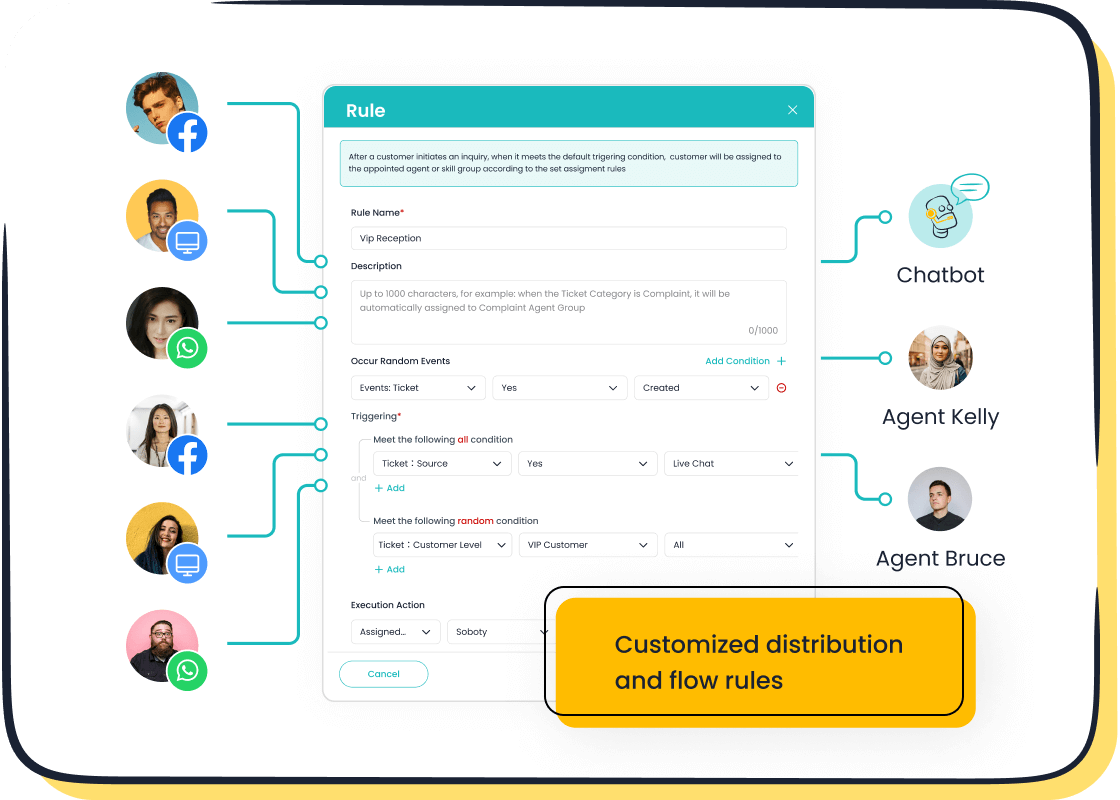
Is your team struggling to manage shared inboxes like info@ or support@? Front transforms your email into a collaborative platform. It is designed to bring order to team communication and improve your customer service workflow. This tool turns a chaotic inbox into an organized hub for teamwork.
Best For: Teams Managing Shared Inboxes
Front is perfect for teams that rely heavily on email but need better tools for collaboration. If you want to assign emails, discuss them internally, and track them without leaving your inbox, this platform is for you. It helps sales, operations, and support teams work together to provide a unified customer experience.
Key Features
Front provides a powerful set of features to streamline your team's communication. This helps you deliver faster and more consistent support.
- Unified Inbox: Manage group emails, SMS texts, live chat, and social media messages in one place.
- Internal Collaboration: You can comment internally on emails, assign conversations to teammates, and share drafts in real-time.
- Workflow Automation: Build rules to automate tasks like tagging, assigning, and replying to messages. This saves teams an average of 6 hours per person each week.
Pros
Front helps your team become more efficient and responsive. The platform is built to improve how you handle every customer message.
"Front’s intuitive and simple design enabled more efficient cross-functional team collaboration and less switching across apps... saving 1+ hours per team member on Front." — Joe Emison, Co-founder & CTO
- ✅ Faster Responses: Teams using Front reply 56 minutes faster on average because all context and collaboration happen in one place.
- ✅ Clear Ownership: You can assign every message to a specific person, so nothing falls through the cracks.
- ✅ Powerful Integrations: The platform connects with over 50 apps like Salesforce and Asana, bringing important data right into your inbox.
Cons
- ❌ Email-Centric Focus: While it has omnichannel features, its core strength is email. It may not be the best fit if you need robust, native voice support.
- ❌ Can Be Complex: The wide range of features and rules can create a learning curve for teams used to simple email clients.
- ❌ Pricing for Teams: The pricing model is user-based, which can become costly for larger teams.
Pricing
Front’s paid plans start at $19 per user/month.
Tidio: Simple Chatbot & Live Chat
If you are a solopreneur or run a very small business, you need a customer support tool that is simple and affordable. Tidio offers a platform that combines live chat, chatbots, and helpdesk features into one easy-to-use package. It is designed to help you provide excellent service without needing a large team or technical skills.
Best For: Micro-Businesses & Solopreneurs
Tidio is an ideal choice for small e-commerce businesses and solopreneurs. You do not need robust enterprise capabilities when you are just starting out. This platform gives you the essential tools to manage customer inquiries efficiently. Its focus on simplicity and affordability makes it perfect for those who need a powerful yet straightforward solution.
Key Features
Tidio provides a set of features designed to help you automate your support and engage with visitors. The platform is built for quick setup and immediate results.
- No-Code Chatbot Builder: You can design automation workflows to answer frequently asked questions without writing any code. This frees you up to handle more complex issues.
- Lyro AI Agent: This AI-powered chatbot provides 24/7 customer support. It acts as a scalable and affordable solution for managing inquiries around the clock.
- Unified Dashboard: You can manage live chat, email, and social media messages from a single dashboard. This creates a simple omnichannel experience.
Pros
- ✅ Very Affordable: Tidio offers a generous free plan that is perfect for new businesses on a tight budget.
- ✅ Easy to Use: The platform is known for its simple and accessible design. You can set it up quickly without any technical barriers.
- ✅ Effective Automation: You can easily automate common questions, which helps you provide faster support and improve the customer experience.
Cons
Tidio is great for lightweight FAQ automation and basic support. However, it may not be the best fit as your business scales.
- ❌ Limited on Free Plan: The free plan has limits on the number of conversations and unique visitors you can engage with each month.
- ❌ Less Suited for Large Teams: The platform lacks some of the advanced features and reporting that larger, growing companies might need.
Pricing
Tidio has a free-forever plan with basic features. Paid plans that offer more advanced capabilities start at $29/month.
Nextiva: For Integrated Business Communication
Do you need a platform that goes beyond typical customer support? Nextiva brings your entire business communication system together. It combines your phone system, video meetings, and team chat into one powerful application. This approach helps you streamline operations for your whole company, not just the service team.
Best For: Unifying Phone, Video, and Chat
Nextiva is the perfect choice if you want to replace separate tools with a single, unified solution. It is designed for businesses that need to manage voice calls, video conferences, and messages from one central hub. This integration simplifies how your team communicates internally and with every customer.
Key Features
The platform uses Voice over Internet Protocol (VoIP) to manage all your communications. This technology acts as the core of your system.
- Unified Application: You get business phone, video, and team messaging all in one place.
- VoIP Calling: The system provides reliable voice calling and advanced call management features.
- Integrated Tools: You can handle calls, share documents, or schedule meetings without switching between different apps.
Pros
- ✅ Consistent Support: You receive 24/7 customer service, no matter which plan you choose.
- ✅ User-Friendly: The platform includes simple tools like a drag-and-drop call flow builder, making it easy to manage.
- ✅ Included Omnichannel Features: Even basic VoIP plans come with digital channel management, helping small teams handle social media and online reviews.
Cons
- ❌ Fewer Integrations: Compared to top competitors, Nextiva offers fewer third-party app connections.
- ❌ Limited Entry Plan: The starting plan does not include features like virtual fax or call recording.
- ❌ Lacks Advanced AI: You will not find the same AI capabilities that some other platforms offer at a similar price.
Pricing
Nextiva’s plans start at $18.95 per user/month.
How to Merge Multiple Support Channels into One System
Choosing the right tool is a big decision. This guide shows you how to merge multiple support channels into one system. Following these steps will help you find the best customer service software for your business needs.
Step 1: Assess Your Budget
First, you need to look at your budget. Customer support platforms have different pricing models. Some charge per agent, while others charge based on customer volume. Find customer support solutions that offer a free plan or a low starting price if you are a small business. Knowing your budget helps you narrow down the options and find the best customer service software you can afford.
Step 2: Evaluate Your Key Support Channels
Next, you should identify where your customers contact you most. Common support channels include:
- Email and Phone
- Live Chat and AI Chatbots
- Social Media (Facebook, Instagram)
- Messaging Apps (WhatsApp, SMS)
Your industry determines which channels are most important. For example, e-commerce businesses often need to handle order updates and returns. The best customer service software for you will excel at managing your most popular channels. This is a key step in how to merge multiple support channels into one system.
Step 3: Consider Your Team Size & Skill
Think about your team. Even small teams can benefit from an omnichannel platform. These tools help you seem larger and more responsive. However, your team will need training to use the new customer service software effectively. Look for platforms that are easy to learn. The best customer service software provides good training resources to help your team succeed. This is how to merge multiple support channels into one system.
Step 4: Check for Critical Integrations
The best customer service software must connect with your other tools. A critical integration is with your CRM, like Salesforce. This integration gives you a full view of every customer. E-commerce integration with platforms like Shopify is also vital. It lets your support team see order history directly in the helpdesk. Proper integration is how to merge multiple support channels into one system and is essential for effective omnichannel customer support.
Step 5: Test Drive the Best Customer Service Software
Finally, you should always try before you buy. Most customer support solutions offer a free trial. Use this time to see if the customer service software solves your real problems.
Tip: A good trial should be one to two weeks long. This gives you enough time to explore features but creates a sense of urgency.
Make sure the platform is easy to use for your team. Testing different platforms is the best way to know how to merge multiple support channels into one system and find the best customer service software for your needs.
Merging your support channels is essential for great customer service. The best omnichannel platform for you depends on your unique needs. An omnichannel solution for e-commerce differs from an omnichannel solution for enterprise customers. The right omnichannel solution will improve customer interactions and boost customer satisfaction. Use our guide to find the best omnichannel platform that fits your business. These platforms create a unified customer experience. An omnichannel platform enhances your customer support. This improves the overall customer experience and drives customer satisfaction. Choose your top omnichannel platforms and start a free trial to see how an omnichannel customer support experience can transform your service.
FAQ
What is the main benefit of merging support channels?
The main benefit is creating a single view of your customer. Your team sees every past conversation, no matter the channel. This helps you provide faster, more personalized support and improves overall customer satisfaction.
Is an omnichannel platform expensive?
Not always. Many platforms offer free starter plans perfect for small businesses. Pricing often depends on your team size and the features you need. You can start small and upgrade your plan as your business grows.
How long does it take to set up an omnichannel platform?
Setup time varies. Simple tools can be ready in minutes. More complex platforms may take a few days to configure your channels and integrations. Most providers offer guided onboarding to help you get started quickly.
Can I use an omnichannel platform for just email and chat?
Yes. You can start by connecting only your most important channels. A good omnichannel platform allows you to add more channels like social media or phone support later as your needs change and your business expands.
See Also
Best Platforms to Integrate Social Messaging Directly on Your Site
Leading 2024 Chat Solutions: Essential Software for Modern Businesses
Leading Websites Utilizing AI Chatbots: A 2024 Industry Overview
Comparing Top 10 Live Chat Apps: Shopify and Its Rivals
Implementing Omnichannel Contact Centers: A 10-Step Guide for Success

