How to Contact Facebook Live Chat Support in 2025


If you're wondering how to contact Facebook live chat in 2025, the process is simpler than ever. You just need to log into your account, visit the Facebook help centre, and select the live chat option. This feature ensures you get real-time solutions for your issues. With trends like automation and real-time engagement, Facebook customer service now offers faster and more personalized support.
Live chat provides several benefits, including immediate assistance and improved satisfaction. Here's a quick look:
| Benefit | Description |
|---|---|
| Personalized and immediate assistance | Customers receive special attention and instant help, making them feel valued. |
| Improved customer service experience | Real-time communication allows for quick problem-solving without waiting for emails or calls. |
| Increased satisfaction and loyalty | Immediate assistance fosters trust and strengthens relationships, leading to higher customer loyalty. |
| Enhanced customer-business relationship | Direct messaging support improves interactions and customer satisfaction. |
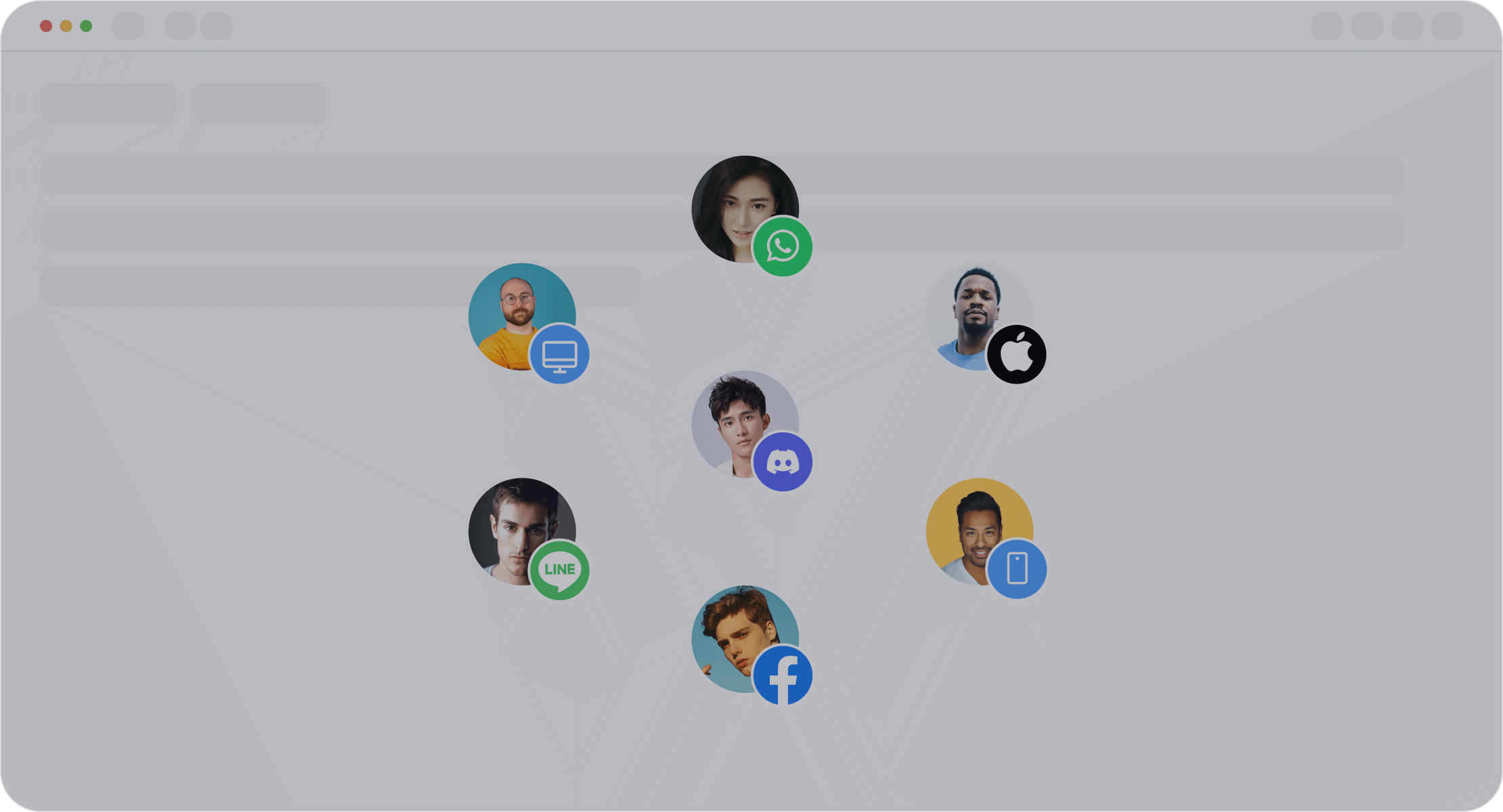
For businesses, tools like Sobot's live chat enhance customer interactions by integrating AI and omnichannel support. This ensures seamless communication across platforms like Facebook, WhatsApp, and more.
Eligibility for Facebook Live Chat Support
Who Can Access Facebook Live Chat?
Not everyone can access Facebook live support chat. This feature is primarily available to users who meet specific criteria. If you’re a business account holder, you’re more likely to qualify for live chat support. Facebook prioritizes businesses because they often deal with customer inquiries, ad issues, or account-related concerns.
For personal accounts, access depends on the nature of your issue. For example, if your account is locked or hacked, you might qualify for live chat assistance. However, for general questions, you’ll likely need to use other options like the Facebook help center or community forums.
If you’re unsure about your eligibility, try navigating to the help center. Facebook will guide you based on your account type and issue.
Requirements for Business and Personal Accounts
For business accounts, you’ll need an active Facebook Business Manager account. Ensure your account is verified and linked to an active ad campaign. These steps increase your chances of accessing live chat support.
Personal accounts require you to log in and verify your identity. If you’re dealing with sensitive issues like account recovery, Facebook might ask for additional details, such as a government ID. Having this information ready can help you get help quickly.
Common Issues That Qualify for Live Chat Support
Facebook live support chat is designed for specific problems. Businesses often use it for ad-related issues, billing concerns, or page management. Personal users might need it for account recovery, security breaches, or reporting impersonation.
If your issue doesn’t qualify, don’t worry. You can still contact Facebook support through forms or the help center. For businesses, tools like Sobot’s live chat can enhance your customer interactions. With omnichannel support, you can manage inquiries across platforms like Facebook, WhatsApp, and more. This ensures no customer query goes unanswered.
Step-by-Step Guide on How to Contact Facebook Live Chat
Logging Into Your Facebook Account
To start, log into your Facebook account. Use your email address or phone number along with your password. If you’ve forgotten your login details, click on the “Forgot Password?” link to recover your account. Make sure you’re using a secure device to avoid any security risks.
If you’re managing a business account, ensure you’re logged into Facebook Business Manager. This will give you access to tools and features tailored for businesses, including live chat support.
Navigating to the Help Center
Once logged in, head to the Facebook Help Center. You can find it by clicking on the question mark icon in the top-right corner of your screen. From there, select “Help Center” from the dropdown menu.
The Help Center is your gateway to resolving most issues. It’s packed with resources, FAQs, and troubleshooting guides. If you’re looking for live chat, type your issue into the search bar. Facebook will guide you to the appropriate support options based on your query.
Selecting the Facebook Live Support Chat Option
If your issue qualifies for live chat, you’ll see an option to “Contact Support.” Click on it, and you’ll be prompted to choose the live chat feature. This option is usually available for account recovery, ad-related concerns, or billing issues.
For businesses, having an active ad campaign or verified account increases your chances of accessing live chat. If you don’t see the option, try exploring other support methods like submitting a form or using the community forum.
Connecting with a Support Agent
After selecting live chat, you’ll be connected to a Facebook support agent. Be ready to describe your issue clearly and provide any necessary details, such as screenshots or account information. This will help the agent resolve your problem faster.
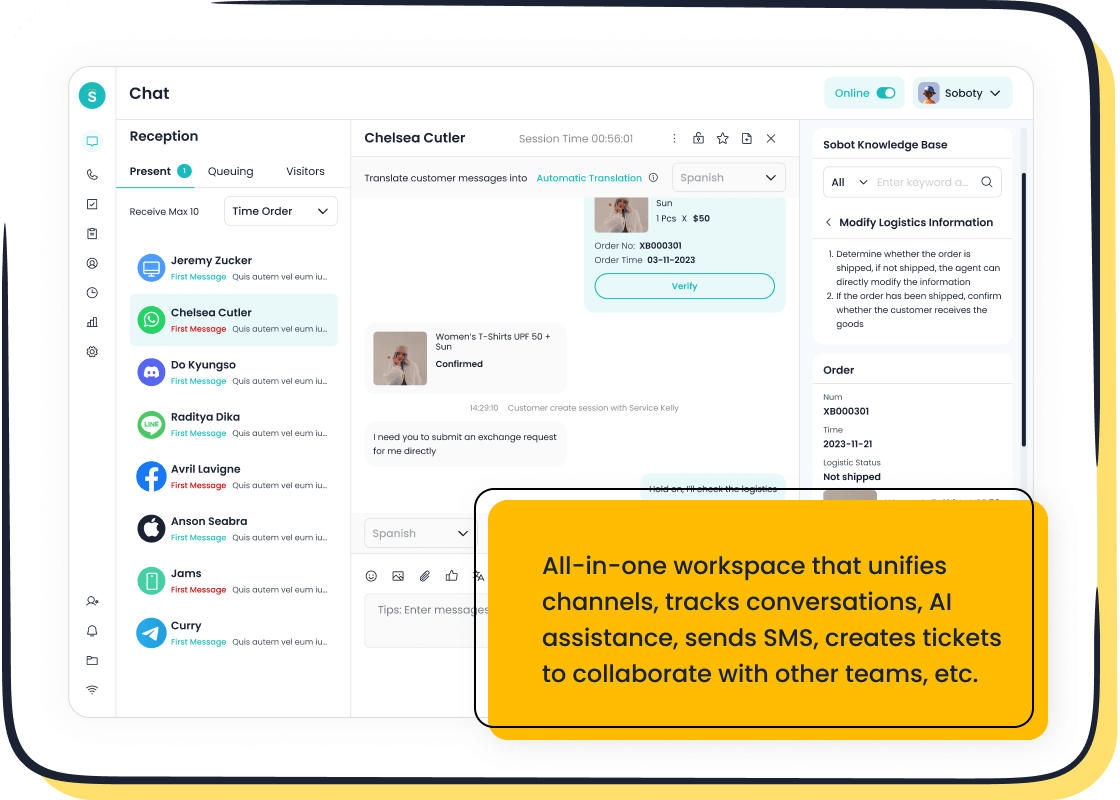
If you’re a business, tools like Sobot’s live chat can streamline this process. Sobot integrates seamlessly with platforms like Facebook, ensuring you never miss a customer query. Its AI-powered tools and omnichannel support make managing customer interactions a breeze.
Tip: Keep your responses concise and polite. This ensures a smoother conversation and quicker resolution.
Alternative Ways to Contact Facebook Support
Using the Facebook Help Center
The Facebook Help Center is your go-to resource when live chat isn’t available. It’s packed with guides, FAQs, and troubleshooting tips for almost every issue. You can search for your problem using keywords, and Facebook will suggest solutions tailored to your query. For example, if you’re locked out of your account, the Help Center provides step-by-step recovery instructions.
This option works well for common problems like password resets or privacy settings. While it doesn’t offer the immediacy of facebook live chat, it’s a reliable starting point for resolving issues on your own.
Submitting Support Forms
If your problem requires more attention, submitting a support form is another option. Facebook allows you to fill out forms for specific issues like ad billing disputes or account recovery. Once submitted, their team reviews your case and responds via email.
Although this method takes longer than live online chat, it’s effective for complex problems. Make sure to provide all necessary details, like screenshots or transaction IDs, to speed up the process.
Exploring the Facebook Community Forum
The Facebook Community Forum is a space where users help each other solve problems. You can post your question and get advice from others who’ve faced similar issues. It’s especially useful for troubleshooting technical glitches or learning tips from experienced users.
While the forum isn’t monitored by Facebook staff, it’s a great way to find quick solutions when official support options aren’t accessible.
How Sobot Live Chat Can Enhance Your Support Experience
If you’re managing a business, Sobot Live Chat offers a superior alternative to Facebook’s native support. It provides uninterrupted 24/7 assistance, ensuring your customers always get help when they need it. With omnichannel integration, you can manage inquiries across platforms like Facebook, WhatsApp, and Instagram in one place.
Sobot’s live chat also enables proactive customer engagement. You can send targeted messages to visitors, turning them into loyal clients. Plus, its AI-powered tools streamline workflows, making your team more efficient. Did you know 53% of customers prefer live chat over other digital methods? That’s a huge opportunity to boost satisfaction and loyalty.
For businesses looking to elevate their customer service, Sobot Live Chat is a game-changer.
Tips for Ensuring a Quick Response from Facebook Support
Preparing Necessary Information Beforehand
Before reaching out to Facebook support, gather all the details you might need. This saves time and helps the support agent resolve your issue faster. For example, if you're dealing with an ad billing problem, have your transaction ID, ad account number, and payment method ready. If it's an account recovery issue, keep your email address, phone number, and a government ID handy.
Tip: Take screenshots of the issue you're facing. Visual proof can make it easier for the agent to understand and address your problem.
Businesses can benefit from tools like Sobot Live Chat, which keeps all customer interactions and data in one place. This makes it easier to track issues and provide accurate information when contacting Facebook support.
Best Times to Contact Facebook Support
Timing can make a big difference when you're trying to get a quick response. Facebook support agents are usually busier during peak hours, like mid-morning or early afternoon. Try reaching out early in the morning or late at night when the queue is shorter.
Did you know? Studies show that contacting support outside peak hours can reduce wait times by up to 50%.
For businesses, Sobot Live Chat offers 24/7 support, ensuring you can assist your customers anytime, even when Facebook support is unavailable.
Following Up on Your Request
If you don’t hear back from Facebook within a reasonable time, follow up. Use the same support thread or reference number to avoid confusion. Be polite but firm in your communication.
Pro Tip: Keep a record of all your interactions with Facebook support. This includes emails, chat transcripts, and case numbers. It helps you stay organized and speeds up the resolution process.
Sobot’s ticketing system can help businesses manage follow-ups efficiently. It automates workflows and tracks unresolved issues, ensuring nothing slips through the cracks.

Leveraging Sobot’s Live Chat for Efficient Customer Support
While Facebook support is helpful, it’s not always immediate. That’s where Sobot Live Chat shines. It provides real-time assistance across platforms like Facebook, WhatsApp, and Instagram. With features like AI-powered tools and omnichannel integration, you can handle customer inquiries faster and more effectively.
For example, Sobot Live Chat’s auto-translation feature allows you to assist customers in their preferred language. This is especially useful for businesses with a global audience. Plus, its built-in analytics help you identify trends and improve your service.
Why wait? Explore Sobot Live Chat here and see how it can transform your customer support experience.
Contacting Facebook live chat support in 2025 is straightforward if you follow the right steps:
- Log into your account securely.
- Visit the Help Center and search for your issue.
- Select the live chat option if eligible.
- Connect with a support agent and provide clear details.
Eligibility matters. Business users or US-based creators often have better access to live chat. Preparing your information beforehand ensures a smoother experience.
For businesses, Sobot’s Live Chat offers unmatched efficiency. Its omnichannel support and AI tools simplify customer interactions across platforms like Facebook. Explore its features to elevate your support game!
Ready to transform your customer service? Learn more about Sobot Live Chat here.
FAQ
How do I know if I qualify for Facebook live chat support?
Facebook determines eligibility based on your account type and issue. Business accounts with active ad campaigns or personal accounts facing security issues often qualify.
Can I use Facebook live chat support for ad-related problems?
Yes! Facebook live chat is perfect for resolving ad billing disputes, campaign issues, or account suspensions. Businesses can also use tools like Sobot Live Chat for seamless ad management.
What should I do if Facebook live chat isn’t available?
Try the Help Center, submit a support form, or explore the community forum. For businesses, Sobot Live Chat ensures 24/7 support across platforms like Facebook and WhatsApp.
Tip: Use Sobot Live Chat to unify customer interactions and boost efficiency. Learn more here.
See Also
Simple Ways to Reach a Live Chat Representative
Navigating Depop's Live Chat for Fast Assistance
Best 10 Live Chat Support Tools for 2024

