Choosing Secure Service Software

Protecting customer data is vital for your business. Strong security builds trust and improves customer satisfaction. This is especially true for small businesses, as statistics show 46% of all cyber breaches impact businesses with fewer than 1,000 employees. This guide compares the best customer service tools to help you find a secure platform for your support needs. We will explore established leaders like Zendesk and Freshdesk alongside powerful all-in-one solutions like Sobot. Finding the right support platform improves your customer experience and protects your business. We will help you answer: how secure should a customer service system be?
How Secure Should a Customer Service System Be?
You may wonder, "how secure should a customer service system be?" The answer depends on your business needs. However, every system needs a strong security foundation. This foundation protects your customer interactions and builds trust. Good security is essential for your business. Let's explore the key features that answer the question: how secure should a customer service system be?
Data Encryption: In-Transit and At-Rest
Your customer service platform must encrypt data. Encryption scrambles data, making it unreadable to unauthorized users. This protection should apply to data in two states: in-transit (moving across the internet) and at-rest (stored on servers). Understanding how secure should a customer service system be starts with encryption.
| Feature | TLS 1.2/1.3 (In-Transit) | AES-256 (At-Rest) |
|---|---|---|
| Purpose | Secures data during customer interactions. | Protects stored support tickets and data. |
| Example | A customer sending a message via live chat. | Saving a customer's information in your database. |
| Protects Against | Eavesdropping on a support conversation. | A hacker accessing your stored business data. |
Access Control and User Permissions
You need to control who sees what data. Role-Based Access Control (RBAC) is a critical security feature. It lets you assign permissions based on a support agent's role. This practice enforces the Principle of Least Privilege, giving users access only to the information needed for their job. This is a key part of how secure should a customer service system be. It helps prevent internal data misuse for all businesses.
- A support agent can view customer tickets but cannot change system settings.
- A manager can view team performance reports but not export the entire customer database.
- This separation of duties reduces security risks and improves accountability for all customer interactions.
Key Compliance Certifications (GDPR, HIPAA, SOC 2)
Compliance certifications show a vendor's commitment to security. These standards are not just acronyms; they are proof of a secure process. For businesses handling sensitive information, these are non-negotiable. They are a major factor in determining how secure should a customer service system be.
- GDPR: Protects the data of EU citizens. It requires clear consent and data management.
- HIPAA: Secures protected health information (PHI) for healthcare-related customer service.
- SOC 2: Reports on a company's security, availability, and confidentiality controls.
Audit Logs and Threat Detection
Your customer service system should track important activities. Audit logs record events within the platform. This helps your business monitor for suspicious behavior and maintain compliance. A good support system provides clear, detailed logs.
These logs should capture key user actions, including:
- User logins and logouts
- Access to or changes in customer data
- Administrative activities, like adding a new support agent
This tracking provides transparency for your support operations and strengthens your overall security.
Comparing the Best Customer Service Tools
Choosing from the best customer service tools requires a close look at their security features. Your business needs a platform that protects data without being too complex for your team. Let's compare three top customer service tools to see how they handle security for your customer interactions.
Zendesk: Scalable Security
Zendesk is a well-known platform that offers powerful, scalable security options. As your business grows, its features can grow with you. This makes it one of the best customer service tools for companies planning for future expansion.
You can improve your security by using Zendesk's specific controls.
- Role-Based Permissions: You can create custom agent roles. This lets you limit what a support agent can see or do. For example, you can stop agents from viewing all customer lists. This control helps protect sensitive data.
- IP Restrictions: You can limit platform access to certain IP addresses, like your office network. This feature helps prevent unauthorized logins from unknown locations, adding a strong layer of security to your support operations.
Note for Small Businesses: Many of Zendesk's advanced security features are part of its higher-priced plans. For instance, the 'Advanced Data Privacy and Protection' add-on is only available for Suite Enterprise customers. Small businesses should review the pricing tiers carefully to understand which security tools fit their budget.
Freshdesk: User-Friendly Security
Freshdesk is known for its user-friendly interface, making it a popular choice among customer service tools. The platform offers different levels of security that align with its pricing plans. This structure allows you to choose the security that matches your business needs.
Freshdesk's security features become more advanced as you move up its plans. For small businesses, it is important to know what you get with each tier.
| Plan Name | Key Security Features Available |
|---|---|
| Free/Growth | Basic data security and access controls. |
| Pro | Adds custom roles and multiple SLA policies. |
| Enterprise | Includes IP whitelisting and detailed audit logs. |
Features like audit logs, which track actions within the system, are only available on the Enterprise plan. If your business needs to monitor internal activity closely, you will need to invest in a higher-tier plan. This is a key consideration when evaluating customer service tools for your support team.
Sobot: Integrated Omnichannel Security
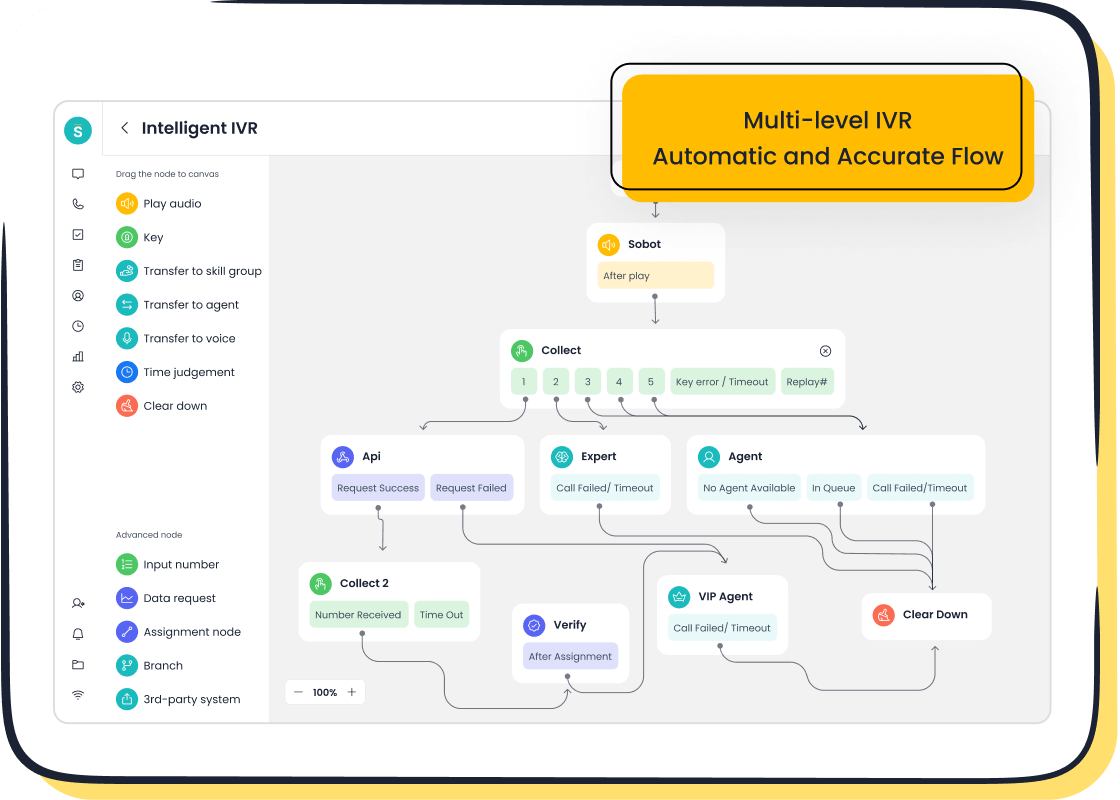
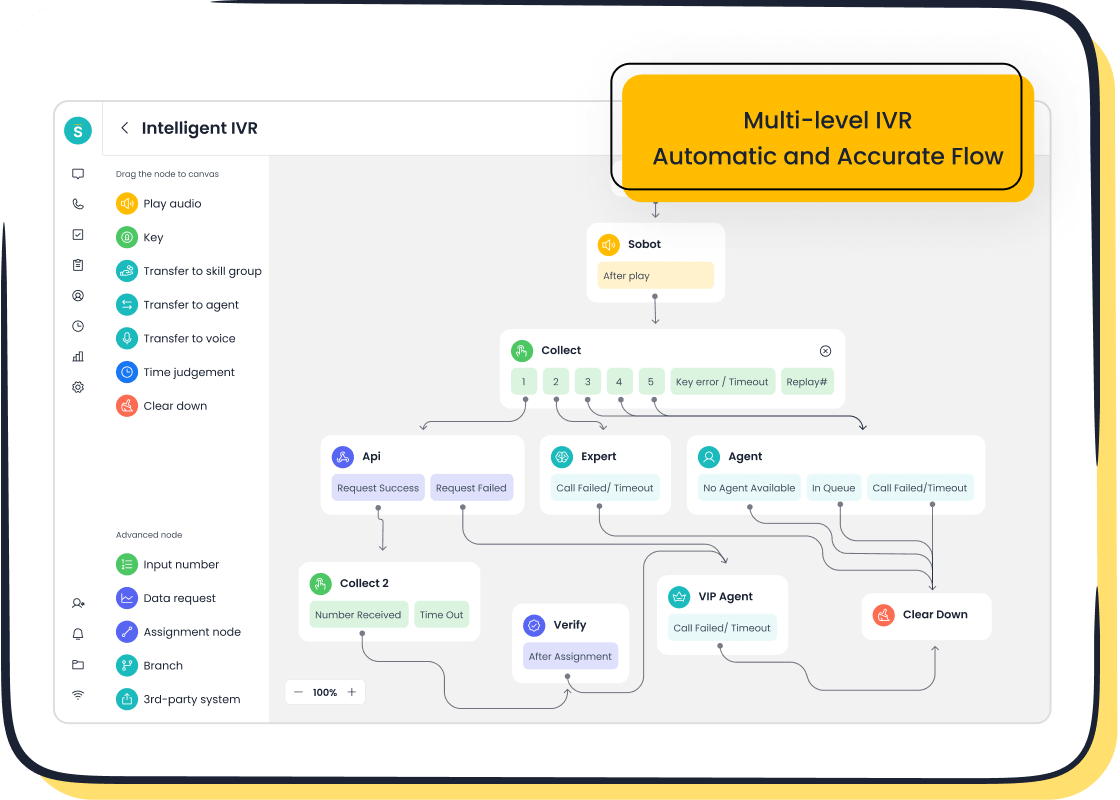
Sobot offers a different approach with its all-in-one omnichannel solutions. This platform integrates security across every customer touchpoint, from live chat to its Voice Call Center. For businesses that want unified security without complex add-ons, Sobot provides a powerful and complete package. The platform is built for reliability, ensuring your customer service is always online with a 99.99% uptime SLA.
Sobot secures all your customer interactions with robust, built-in features.
- Encrypted Data Transfer: Every communication, whether through live chat or a phone call, is protected with end-to-end encryption. This ensures sensitive information shared during support sessions remains confidential.
- Unified Security Controls: Sobot provides role-based permissions and audit trails across its entire platform. You can manage access for live chat, ticketing, and voice support from one central place.
- Compliance Ready: The platform helps you meet key compliance standards like GDPR and HIPAA, making it a strong choice for businesses in regulated industries.
💡 An All-in-One Advantage: With Sobot, you get comprehensive security for real-time communication channels like live chat and voice calls. Its Voice Call Center ensures encrypted dialing and data transfer, protecting every conversation. This integrated approach simplifies security management for your business, allowing your support team to focus on delivering great customer service. For small businesses, this means you get enterprise-grade security for your live chat and other channels without needing multiple tools.
Head-to-Head Security Feature Comparison
You need to look closely at specific features to find the right tool. A direct comparison helps you see where each platform shines. This analysis will help you choose from the best customer service tools for your business. We will examine how Zendesk, Freshdesk, and Sobot handle security for your customer interactions.
Encryption Standards
Encryption protects your data from unauthorized access. All secure customer service tools use it. However, the way they apply it can differ. You should understand two main types: encryption "in-transit" and "at-rest." In-transit protects data as it moves, like in a chat. At-rest protects data stored on a server, like a support ticket.
Some platforms offer different layers of encryption. For example, Zendesk provides options that separate protection for stored data versus shared files.
| Feature | Zendesk Advanced Encryption | Secure Share for Zendesk |
|---|---|---|
| Encryption Type | Data at Rest | Data in Transit |
| Primary Focus | Stored customer data within Zendesk's databases and servers | Files shared outside of Zendesk |
| Scope of Protection | Within the Zendesk platform | Extends beyond the Zendesk environment |
| Benefit | Enhanced security for sensitive customer data residing in Zendesk | Secures data while it's being transmitted, even externally |
| Use Case | Safeguarding internal data storage | Protecting files sent to customers or received from them |
In contrast, an all-in-one platform like Sobot simplifies this. It provides end-to-end encrypted data transfer across all channels, including its Voice Call Center. This means every one of your customer interactions, whether by chat or phone, is automatically secured without needing separate add-ons. This unified approach provides strong security for your customer service operations.
Authentication Methods: 2FA and SSO
Authentication confirms a user's identity. It is a critical layer of security for your support platform. Two-Factor Authentication (2FA) adds a second step to login, like a code sent to your phone. Single Sign-On (SSO) lets your team use one set of credentials to access multiple applications. SSO simplifies password management and improves security for your business.
Platforms like Zendesk offer flexible SSO options. This allows you to integrate with your existing identity providers.
- You can enable SSO for social accounts (Facebook, Google) or business accounts (Google, Microsoft).
- Zendesk supports multiple SSO configurations (SAML, JWT, OIDC) that you can assign to different user groups.
- Your agents and admins can sign in using Google or Microsoft, while your end-users can use social accounts.
- Email verification is a critical step when you set up SSO, as email addresses act as the user ID.
While flexible, this can require technical setup. For businesses wanting simpler management, other customer service tools offer more straightforward authentication controls that are easy to enable for your entire support team.
Compliance and Certifications by Plan
Compliance certifications prove a vendor meets industry security standards. For businesses in healthcare or those serving EU customers, certifications like HIPAA and GDPR are essential. When you evaluate customer service tools, you must check which plans include the compliance you need.
With many platforms, specific compliance features are tied to more expensive plans.
- Zendesk offers HIPAA compliance as part of its Suite Professional plan. An 'Advanced Data Privacy and Protection' add-on is available for its Suite Enterprise plan.
- Freshdesk includes HIPAA compliance only on its Enterprise plan.
This means if your business needs to be HIPAA compliant, you must budget for a higher-tier plan with these providers. In contrast, Sobot is built to be compliance-ready, helping you meet key standards like GDPR and HIPAA. This approach gives businesses peace of mind, ensuring the platform can support their regulatory needs from the start.
Pricing vs. Security Features
Your budget plays a big role in your decision. The best platform for your business offers the right security features at a price you can afford. Many customer service tools reserve advanced security for their top-tier plans. This can be a challenge for small businesses that need strong protection but have limited funds.
Let's compare how security features are unlocked across different pricing models.
| Security Feature | Zendesk | Freshdesk | Sobot |
|---|---|---|---|
| Advanced Encryption | Add-on for Enterprise | Included in all plans | Built-in across the platform |
| SSO (Single Sign-On) | Available on higher plans | Available on higher plans | Included |
| HIPAA Compliance | Professional plan and up | Enterprise plan only | Compliance-ready |
| Audit Logs | Enterprise plan | Enterprise plan | Built-in across the platform |
💡 The Value of Integrated Security As you can see, essential security features like SSO and audit logs often require you to purchase an expensive enterprise plan from Zendesk or Freshdesk. Sobot takes a different approach. It integrates comprehensive security features across its entire platform. This means your business gets enterprise-grade protection for all customer interactions without needing costly add-ons. This makes robust security accessible for businesses of all sizes, ensuring your customer service is both effective and secure.
How to Choose a Secure Tool for Your Small Business
You need to find the right tool for your small business. The best customer service tools offer strong protection for your customer service operations. This guide will help you make a smart choice for your business. Follow these steps to select a secure platform for your support team.
Assess Your Specific Security Needs
First, you must understand your business risks. Your industry determines your security needs. A small healthcare provider has different risks than a small e-commerce business. Healthcare businesses must protect patient information from theft and ransomware. Small businesses are often targets because they may have weaker security. Your choice of customer service tools should address your specific vulnerabilities.
- Healthcare: You must protect Protected Health Information (PHI). A data breach can lead to large fines.
- E-commerce: You need to secure payment details and prevent credit card fraud.
Understanding these risks helps you find a platform that provides the right level of support.
Evaluate Your Budget vs. Features
Your budget is important. You must balance cost with features. Cheaper plans offer basic security. Higher-cost plans provide advanced compliance and reduce your business risk. Investing in a better plan can be a smart business decision. It shows customers you are serious about protecting their data. This builds trust and can help your business grow. A good platform offers strong security without a high price, which is ideal for small businesses.
Consider Team Usability and Management
A secure tool must be easy for your support team to use. Complex security settings can lead to mistakes. Your team needs a platform that simplifies security management. This allows them to focus on providing great customer service. The right platform makes it easy to manage user permissions and monitor activity. This ensures your customer service is both effective and secure. A simple system helps your small support team work efficiently.
Request a Demo or Security Trial
Finally, you should ask for a demo. A demo lets you see the tool in action. It is your chance to ask important questions about security. Prepare a list of questions for the vendor.
- What security certifications do you have?
- How do you encrypt data in transit and at rest?
- Can you describe your incident response plan?
- How do you test for security vulnerabilities?
Getting clear answers will help you choose a platform that keeps your business and customer data safe.
Choosing from the best customer service tools is a critical business decision. Your choice impacts your business security. While some customer service tools are good, integrated solutions offer more. Sobot protects all your customer interactions. It secures your live chat, live chat, live chat, and other customer service channels. This protects your small business. For small businesses, this unified approach simplifies support for all customer interactions. Your small business can secure every live chat and all customer interactions. Use our checklist to evaluate your options. You can support your business with secure live chat. Start your customer service journey with confidence with confidence in your live chat and customer service.
FAQ
Why is security vital for my small business's live chat?
Security protects your customer data during every live chat interaction. It builds trust and prevents costly data breaches. A secure live chat shows customers you value their privacy, which is essential for your business's reputation and can improve your customer satisfaction scores.
How does a secure live chat impact customer satisfaction scores?
A secure live chat makes customers feel safe sharing information. This trust leads to better interactions and higher customer satisfaction scores. When you protect their data, customers have more confidence in your brand and your support, including every live chat session.
What is the most critical security feature for a live chat platform?
End-to-end encryption is the most critical feature. It protects all real-time communication. This ensures that every message in your live chat is unreadable to unauthorized parties, securing the entire conversation between your agent and the customer. Your live chat must have it.
Do I need expensive plans for good live chat security?
Not always. Some platforms reserve key features for top-tier plans. However, all-in-one solutions often include robust security, like encryption and audit logs, in their standard offerings. This makes strong live chat security accessible without needing the most expensive plan.
See Also
Selecting Optimal Chat Software for Your Business Needs in 2024
Essential Tips for Selecting Social Media Customer Service Platforms
Exploring the Three Leading Website Chat Software Solutions Available
Your Comprehensive Guide to Selecting the Ideal Chatbot Software
Discovering the Ten Best Chat Software Tools for Businesses in 2024

