Steps to Use Facebook Support Chat Live in 2025

In 2025, resolving Facebook account issues quickly has become more important than ever. Whether you're locked out of your account or facing security concerns, you need a solution that works fast. That’s where Facebook Support Chat Live steps in. It offers instant responses, helping you get help quickly without the frustration of long wait times. Did you know 79% of customers prefer live chat for its speed and convenience? This makes it a game-changer for users like you.
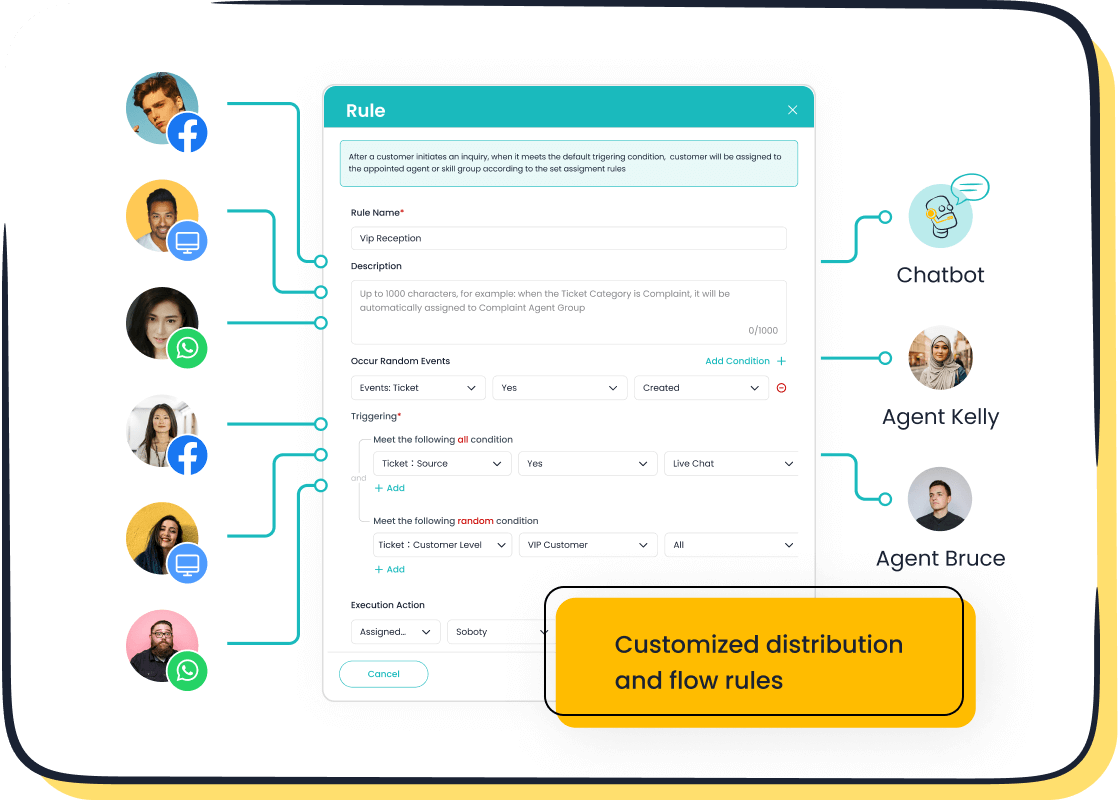
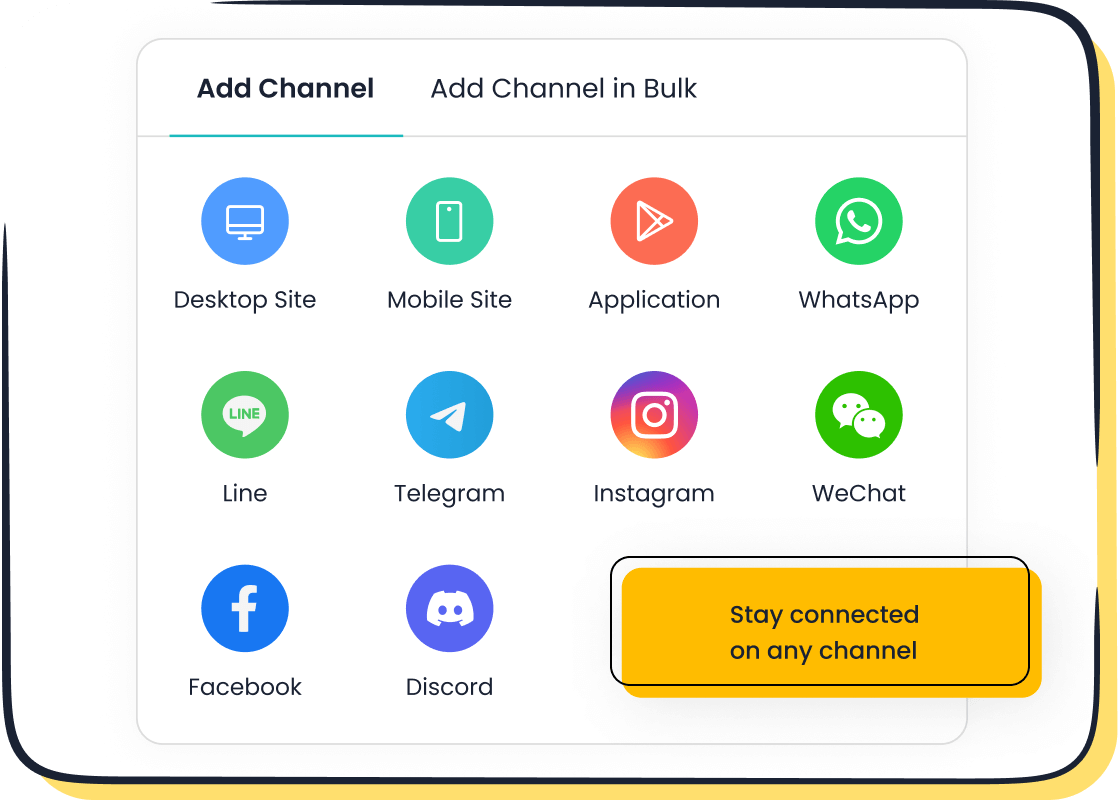
Sobot’s Live Chat takes this experience to the next level. With its seamless omnichannel support, including Facebook, it ensures you never miss a chance to connect with customer support. Plus, its AI-powered tools and analytics make problem-solving faster and more efficient. Whether you're a business or an individual, Sobot helps you stay ahead by delivering personalized and reliable support.
Eligibility for Facebook Support Chat Live
Who Can Access Facebook Live Support Chat?
Account types eligible for live chat
Not everyone can access Facebook live support chat. This feature is primarily available to business accounts and verified accounts. If you run a business page, you’re in luck! Facebook prioritizes businesses because they often need quick resolutions for customer interactions or ad-related issues. Verified accounts, like those with the blue checkmark, also get access. These accounts usually belong to public figures, brands, or organizations that require reliable support.
If you’re unsure about your account type, check your account settings. Facebook clearly labels verified accounts and business pages. Having one of these account types ensures you can use Facebook support chat live to resolve issues efficiently.
Regional availability of Facebook live support chat in 2025
Facebook live support chat isn’t available everywhere. In 2025, it’s accessible in most regions, including North America, Europe, and parts of Asia. However, some countries may still face restrictions due to local regulations. If you don’t see the live chat option, your region might not support it yet.
To confirm availability, visit Facebook’s Help Center and check the regional support page. Facebook constantly expands its services, so even if it’s unavailable now, it might roll out in your area soon.
Requirements for Using Facebook Support Chat Live
Logging into your Facebook account
Before you can contact Facebook support, you need to log into your account. This step ensures that Facebook can verify your identity and link your query to the correct account. Use the Facebook app or website to log in. If you’ve forgotten your password, use the “Forgot Password” option to reset it.
Once logged in, navigate to the Help Center to start your support journey. Logging in is crucial for accessing personalized help through Facebook support chat live.
Ensuring your account is in good standing (e.g., no policy violations)
Your account must be in good standing to use Facebook live support chat. Accounts with policy violations, such as spammy behavior or inappropriate content, may lose access to this feature. To check your account status, go to the “Account Quality” section in your settings.
If you find any issues, resolve them first. For example, if you’ve violated a policy, follow Facebook’s instructions to appeal or fix the problem. Keeping your account in good standing ensures smooth access to Facebook support.
How to Contact Facebook Support via Live Chat
Navigating to the Help Center
Accessing the Help Center from the Facebook app or website
To start, you need to visit the Facebook help center. You can do this through the Facebook app or website. On the app, tap the menu icon (three horizontal lines) and scroll down to find the "Help & Support" section. On the website, look for the question mark icon in the top-right corner. Clicking it will take you to the help center.
Once you're there, you’ll find a variety of resources to assist you. The help center is your gateway to resolving issues like account recovery or security concerns. It’s designed to guide you step-by-step, making it easier to contact facebook support when needed.
Locating the "Contact Us" or "Live Chat" option
Finding the live chat option can sometimes be tricky. Many users face challenges like vague labels or poorly placed buttons. Here’s a quick breakdown of common obstacles:
| Challenge Description | Example | Source |
|---|---|---|
| Vague labeling of chat options | Users often find chat hidden under unclear labels, leading to confusion. | NNG Group |
| Ignored floating buttons | Users may overlook floating chat buttons due to their placement or design. | NNG Group |
| Poor visibility of chat buttons | Buttons that do not stand out can lead users to miss them entirely. | NNG Group |
To avoid these issues, look for keywords like "Contact Us" or "Live Chat" in the help center. These options are usually highlighted, but if you don’t see them, try using the search bar to locate them quickly.
Initiating a Facebook Live Support Chat Session
Selecting the issue category (e.g., account recovery, security concerns)
Once you’ve found the live chat option, the next step is to select your issue category. Facebook support chat live offers several categories, such as account recovery, ad-related problems, or security concerns. Choose the one that matches your problem.
This step ensures that your query reaches the right department. For example, selecting "Account Recovery" will connect you with agents who specialize in helping users regain access to their accounts. Picking the correct category saves time and speeds up the resolution process.
Filling out the pre-chat form with necessary details
Before starting the chat, you’ll need to fill out a short pre-chat form. This form asks for basic details like your name, email, and a brief description of your issue. Be as specific as possible. For instance, if you’re locked out of your account, mention any error messages you’ve seen.
Providing accurate information helps the support agent understand your problem better. It also reduces back-and-forth communication, making the process smoother for you.
Using the Chat Interface Effectively
Communicating with the support agent for faster resolutions
When chatting with a Facebook support agent, clear communication is key. Start by explaining your issue concisely. Use simple language and avoid technical jargon. If the agent asks follow-up questions, respond promptly to keep the conversation moving.
Facebook live support chat often uses features like predefined responses and welcome messages to make interactions smoother. These tools help agents address your concerns quickly, so you can get back to using your account without delays.
Uploading documents or screenshots if required
Sometimes, resolving your issue may require additional information. The chat interface allows you to upload documents or screenshots. For example, if you’re disputing a policy violation, you can share screenshots of your account activity as evidence.
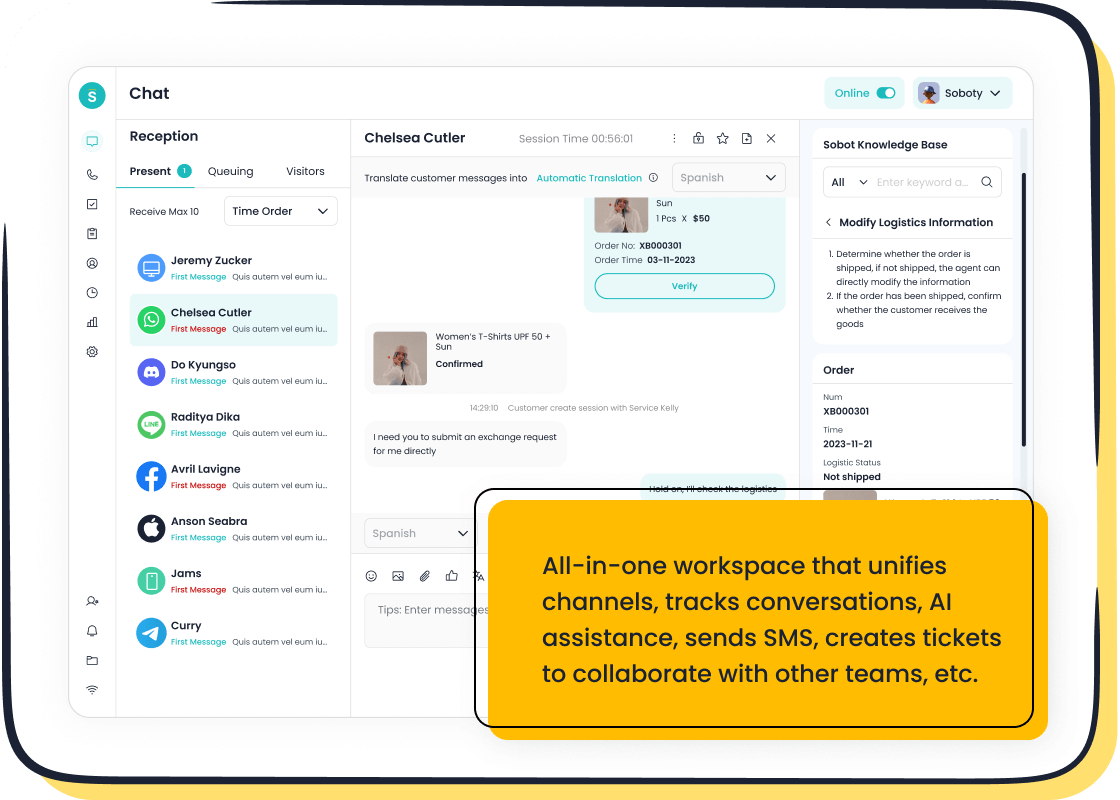
This feature enhances clarity and speeds up the resolution process. Sobot’s Live Chat also supports file sharing across multiple channels, making it an excellent tool for businesses that need efficient customer support. Its unified dashboard ensures no message gets overlooked, keeping your communication seamless.
Troubleshooting Issues with Facebook Support Chat Live
Common Problems and Their Solutions
Live chat option not appearing—checking eligibility and account status
If you don’t see the live chat option in the Facebook help center, don’t worry. This could happen for a few reasons. First, check if your account is eligible. Only business accounts or verified accounts can access Facebook support chat live. If your account doesn’t meet these criteria, you won’t see the option.
Next, confirm that your account is in good standing. Accounts with policy violations often lose access to Facebook customer support features. Visit the “Account Quality” section in your settings to review your status. If there’s an issue, follow Facebook’s instructions to resolve it. Once your account is eligible and in good standing, the live chat option should appear.
Technical issues—clearing cache, updating the app, or switching devices
Sometimes, technical glitches can prevent the chat feature from working. Here’s how you can troubleshoot:
- Clear your browser’s cache or app data. This removes temporary files that might be causing the problem.
- Update your Facebook app to the latest version. Outdated apps often have bugs that interfere with features like live chat.
- Switch to a different device or browser. If the issue persists, try accessing the Facebook help center on another platform.
When reporting a problem to the Facebook support team, include details like error messages or screenshots. This helps them diagnose and resolve the issue faster. Staying patient and polite during the process also creates a better experience for everyone involved.
Alternative Support Options
Using email or support tickets if live chat is unavailable
If live chat isn’t available, you can still reach out to Facebook support through email or support tickets. These options are slower but effective for resolving complex issues. To submit a ticket, go to the Facebook help center and select the appropriate category for your problem. Provide as much detail as possible, including screenshots or error codes.
While waiting for a response, you can prepare additional information to speed up the resolution. Following up on your ticket shows the support team that you’re proactive about solving your issue.
Exploring Sobot's Live Chat for seamless customer support
For a faster and more reliable alternative, consider Sobot’s Live Chat. It integrates seamlessly with Facebook, offering omnichannel support that keeps all your conversations in one place. Whether you’re a business managing customer inquiries or an individual seeking help, Sobot’s AI-powered tools make problem-solving effortless.
Sobot Live Chat also supports file sharing, auto-translation, and intelligent assignment, ensuring no message gets overlooked. Its built-in analytics help businesses optimize their customer interactions. With Sobot, you can enjoy a smoother, more efficient support experience. Learn more about Sobot Live Chat here.
Response Times and Managing Your Query
Expected Response Times for Facebook Live Support Chat
Average wait times for live chat support in 2025
In 2025, Facebook support chat live has significantly improved its response times. On average, you can expect to connect with a support agent within 2-5 minutes during non-peak hours. This quick turnaround ensures you get help quickly, whether you're dealing with account recovery or other issues. However, during peak hours, such as weekends or holidays, wait times may extend to 10-15 minutes.
Facebook customer support has invested in advanced technologies to streamline their processes. This means you’ll spend less time waiting and more time resolving your problem. If you’re a business user, these faster response times can make a big difference in maintaining smooth operations.
Factors affecting response times (e.g., issue complexity, peak hours)
Several factors can influence how quickly the Facebook support team responds. The complexity of your problem plays a big role. For example, simple issues like password resets are resolved faster than complex problems like policy violations. Peak hours also affect response times. If you contact Facebook support during high-traffic periods, you might experience slight delays.
To minimize wait times, try reaching out during off-peak hours. Preparing all necessary details beforehand can also speed up the process. This ensures the support agent has everything they need to assist you efficiently.
Managing Your Query While Waiting
Preparing additional information or documents for the agent
While waiting for a response, use the time to gather any relevant information. If your problem involves account recovery, prepare details like your email address, phone number, or screenshots of error messages. For ad-related issues, have your ad ID or billing details ready.
Being proactive helps the Facebook support team resolve your issue faster. It also reduces the need for back-and-forth communication, saving you time and effort. Remember, clear and concise information is key to a smooth resolution.

Leveraging Sobot's AI-driven Live Chat for faster resolutions
If you’re looking for an even faster way to resolve your queries, Sobot’s AI-driven live chat is a game-changer. It combines the efficiency of automation with the personal touch of human support. Here’s how it can help:
| Benefit | Evidence |
|---|---|
| Improved Customer Satisfaction | Companies using live chat report a 10-20% increase in customer satisfaction (SuperOffice). |
| Automation for Efficiency | 30% of companies report improved efficiency thanks to chatbot automation (Gartner). |
| Enhanced Customer Experience | 75% of companies identify improving customer experience as their top objective. |
| Consistent Brand Experience | 90% of consumers expect consistent brand experiences across all platforms (CXM). |
Sobot’s live chat offers round-the-clock engagement, ensuring you can get help anytime. Its hybrid approach combines bot efficiency with human expertise, making it perfect for handling both simple and complex problems. Plus, features like auto-translation and intelligent assignment ensure no query gets overlooked. Whether you’re managing customer inquiries or resolving a Facebook issue, Sobot’s tools make the process seamless and efficient.
Using Facebook Support Chat Live in 2025 is straightforward when you follow the right steps. Start by ensuring your account is eligible and in good standing. Then, navigate to the Help Center, select your issue category, and communicate clearly with the support agent. Don’t forget to upload any necessary documents for faster resolutions.
Live chat is one of the most efficient ways to resolve account issues. It’s fast, reliable, and user-friendly. To keep your account secure, enable two-factor authentication, monitor login activity, and review privacy settings regularly. These small steps can make a big difference.

For an even better experience, try Sobot Live Chat. It integrates seamlessly with Facebook and other platforms, offering AI-powered tools, file sharing, and auto-translation. Whether you’re managing customer inquiries or resolving personal issues, Sobot ensures smooth and efficient support. Learn more about Sobot Live Chat here.
FAQ
1. Can I use Facebook Support Chat Live without a verified account?
No, you can’t. Facebook Support Chat Live is available only for business and verified accounts. If you don’t meet these criteria, consider upgrading your account. Alternatively, Sobot’s Live Chat offers omnichannel support, including Facebook, for businesses of all sizes.
2. What should I do if the live chat option doesn’t appear?
First, check your account eligibility and standing. If everything looks fine, clear your browser cache or update the Facebook app. Still no luck? Try Sobot’s Live Chat for seamless customer support across platforms, including Facebook.
3. How does Sobot Live Chat improve my support experience?
Sobot Live Chat integrates with Facebook and other platforms, offering AI-powered tools, file sharing, and auto-translation. It ensures faster resolutions and keeps all conversations in one place. Businesses using Sobot report a 38% increase in conversions.
4. Is Facebook Support Chat Live available 24/7?
Not always. Availability depends on your region and issue type. For round-the-clock support, Sobot’s Live Chat is a great alternative. It combines automation and human expertise to handle queries anytime.
5. Can I use Facebook Support Chat Live for ad-related issues?
Yes, you can. Facebook Support Chat Live helps with ad-related problems like billing or campaign errors. For businesses managing multiple platforms, Sobot’s Live Chat simplifies customer interactions and ensures no query gets overlooked.
See Also
Easily Connect With A Live Chat Representative
Ten Steps For Utilizing Shopify Live Chat Help
Becoming Proficient In Live Chat Customer Assistance

