How to Resolve Facebook Messenger Customer Service Issues in 2025

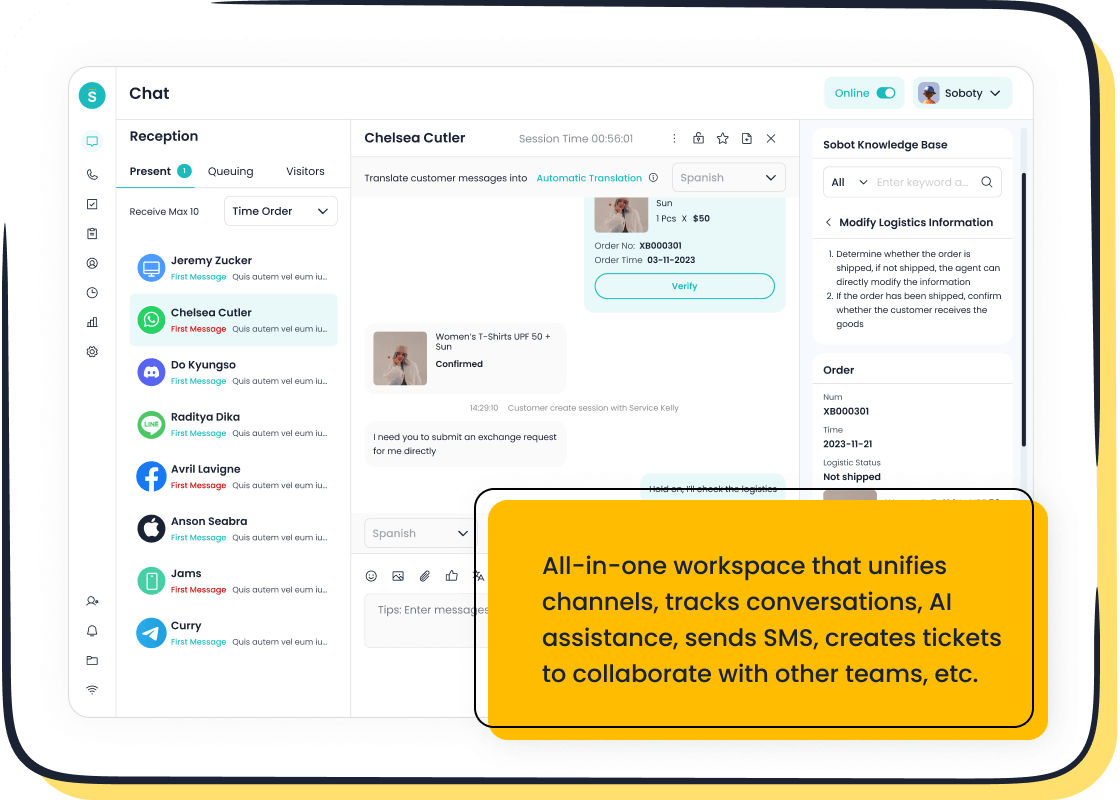
Dealing with Facebook Messenger customer service problems can feel like hitting a wall, right? Whether it’s login troubles or messages not sending, these hiccups disrupt your day. You want solutions fast. Messaging apps are popular for customer service because they’re quick and convenient. In fact, 42% of users prefer them over other channels. Quick responses not only resolve issues faster but also keep you satisfied while waiting for a fix. Tools like Sobot Live Chat make this process even smoother by offering instant support across platforms. Why wait when you can resolve issues efficiently?
Understanding Common Facebook Messenger Issues
When using Facebook Messenger, you might encounter a few bumps along the way. Let’s break down the most common issues and how they can disrupt your experience.
Login and Account Access Challenges
Forgotten Passwords and Account Recovery
Forgetting your password is frustrating, especially when you’re in a hurry. Facebook offers a straightforward recovery process. You can click “Forgot Password” on the login page, enter your email or phone number, and follow the prompts. If you don’t have access to your recovery email or phone, you’ll need to verify your identity with a government-issued ID. This extra step ensures your account stays secure.
Two-Factor Authentication Problems
Two-factor authentication (2FA) adds a layer of security, but it can also lock you out if you lose access to your authentication app or phone. To fix this, use Facebook’s backup codes. These codes are available in your account settings and can save you from being locked out. Always keep them in a safe place.
Message Delivery and Notification Failures
Messages Not Sending or Receiving
Sometimes, messages just won’t go through. This could be due to a poor internet connection or Facebook Messenger server issues. First, check your Wi-Fi or mobile data. If the problem persists, try logging out and back in. Clearing the app cache can also help.
Delayed or Missing Notifications
Missing notifications can make you feel out of the loop. Ensure notifications are enabled in both your device settings and the Messenger app. If they’re still not working, update the app to the latest version. Outdated software often causes notification glitches.
Technical Glitches and App Performance
App Crashes and Freezing
An app that crashes or freezes can ruin your day. This usually happens when the app is outdated or overloaded. Reinstalling Facebook Messenger often resolves these issues. It clears corrupted files and gives you a fresh start.
Device Compatibility and Software Issues
Older devices or outdated operating systems may struggle to run Facebook Messenger smoothly. Check if your device meets the app’s requirements. If not, consider updating your OS or using Messenger Lite, a lighter version of the app designed for older devices.

Pro Tip: Tools like Sobot Live Chat can help businesses manage customer inquiries across platforms, including Facebook Messenger. With features like omnichannel support and AI-powered tools, it ensures no message gets lost in the shuffle.
Step-by-Step Solutions to Common Issues
Fixing Login and Account Access Problems
Using Facebook’s Account Recovery Tools
If you’re locked out of your account, don’t panic. Facebook offers a simple recovery process. Start by clicking “Forgot Password” on the login page. Enter your email or phone number to receive a recovery link. Follow the instructions to reset your password. If you’ve lost access to your recovery email or phone, you’ll need to verify your identity. Upload a government-issued ID through Facebook’s secure portal. This step ensures your account stays safe while you regain access.
Tip: Always keep your recovery email and phone number updated in your account settings. It makes recovering your account much easier.
Securing Your Account After a Hack
Recovering a hacked account can feel overwhelming, but Facebook has tools to help. First, visit the “Hacked Account” section in the Help Center. Follow the prompts to secure your account. Change your password immediately and review recent activity. Remove any suspicious logins. Enable two-factor authentication to add an extra layer of protection. This step ensures your account security moving forward.
Pro Tip: Use strong, unique passwords and update them regularly to prevent future hacks.
Resolving Message Delivery Failures
Checking Internet Connection and Permissions
When messages won’t send, the issue is often your internet connection. Check if your Wi-Fi or mobile data is working. If it’s slow, switch networks or restart your router. Also, ensure Facebook Messenger has the necessary permissions on your device. Go to your phone’s settings and enable permissions for storage, notifications, and background data. These small steps can resolve most delivery issues.
Clearing Cache and Updating the App
Sometimes, clearing the app cache can fix glitches. Go to your device’s settings, find Facebook Messenger, and clear its cache. This removes temporary files that might be causing problems. Don’t forget to update the messenger app regularly. Outdated versions often have bugs that disrupt performance. Keeping the app updated ensures smoother functionality.
Addressing Technical Glitches
Reinstalling the App for Stability
If the app keeps crashing, reinstalling it can help. Delete Facebook Messenger from your device and download it again from the app store. This process removes corrupted files and gives you a fresh start. After reinstalling, log back in and check if the issue persists.
Note: Restart the messenger app after reinstalling to ensure all updates are applied correctly.
Ensuring Device Compatibility and Updates
Older devices may struggle to run Facebook Messenger. Check if your device meets the app’s requirements. If it doesn’t, consider upgrading your operating system. For older phones, try using Messenger Lite. It’s a lightweight version of the app designed for better compatibility. Keeping your device updated ensures you can troubleshoot issues more effectively.
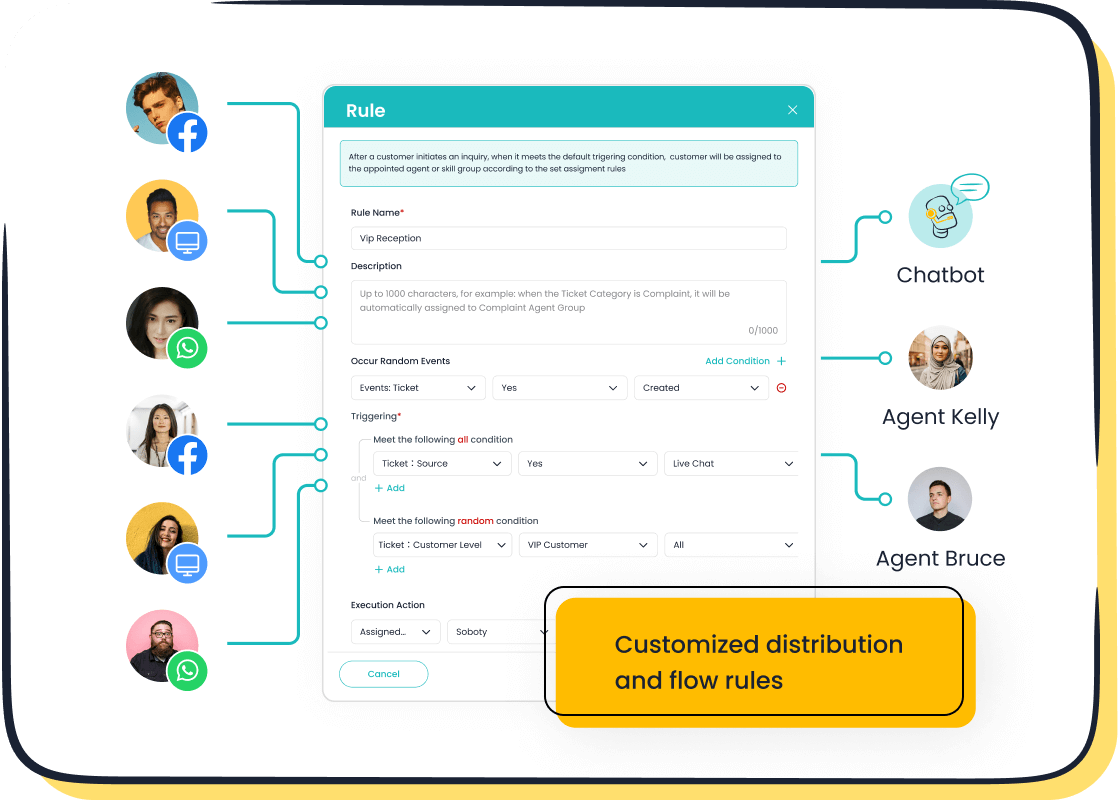
Real-time support: Tools like Sobot Live Chat can help businesses manage customer inquiries across platforms, including Facebook Messenger. Its omnichannel support ensures no message gets missed, while AI tools streamline troubleshooting.
How to Contact Facebook Messenger Customer Service
When you run into issues with Facebook Messenger, knowing how to get help can save you time and frustration. Let’s explore the best ways to contact Facebook support and resolve your concerns.
Navigating the Facebook Help Center
Using Self-Service Options Effectively
The Facebook Help Center is your first stop for resolving common issues. It offers a wealth of articles and FAQs covering everything from login problems to troubleshooting app glitches. Use the search bar to find answers quickly. For example, if you’re locked out of your account, type “account recovery” to access step-by-step guides. These resources are designed to empower you to fix problems without waiting for assistance.
Submitting a Support Request
If self-service doesn’t solve your issue, you can submit a support request. Go to the Help Center and select the topic that matches your problem. Follow the prompts to describe your issue in detail. Attach screenshots if needed. This helps Facebook support understand your situation better and provide a faster resolution. Keep an eye on your email for updates on your request.
Accessing Live Chat Support
Steps to Initiate a Live Chat Session
Live chat support is a great way to get real-time help. To access it, log in to your Facebook account and navigate to the Help Center. Look for the “Contact Us” option. If live chat is available, you’ll see a button to start a session. Click it, and you’ll be connected to a support agent who can assist you immediately.
Tips for Faster Response Times
To speed up your live chat experience, have all necessary details ready. This includes your account information, a clear description of the issue, and any error messages you’ve encountered. Be concise but thorough. This helps the agent resolve your problem more efficiently. Also, try contacting Facebook support during off-peak hours to avoid long wait times.
Enhancing Support with Sobot Live Chat
How Sobot Live Chat Streamlines Customer Service

Sobot Live Chat takes customer communication to the next level. It integrates seamlessly with Facebook Messenger, ensuring no message gets overlooked. Businesses can use it to provide prompt responses, even after hours, thanks to automated responses. Features like audience segmentation and rich media support make interactions more personalized and engaging. This approach not only resolves issues faster but also boosts customer satisfaction.
Automating Resolutions with Sobot’s AI Tools
Sobot’s AI-powered tools simplify customer service by automating routine tasks. For example, chatbots can handle FAQs and direct users to self-help resources. This frees up human agents to focus on complex issues. In fact, companies using Sobot have reported significant improvements in efficiency and customer satisfaction. With Sobot Live Chat, businesses can enhance their Facebook Messenger customer service effortlessly.
Proactive Tips to Avoid Common Facebook Messenger Issues
Staying ahead of potential problems with Facebook Messenger can save you time and frustration. Here are some proactive steps to keep your experience smooth and hassle-free.
Keeping the App Updated
Enabling Automatic Updates
Updating your app regularly ensures you have the latest features and bug fixes. Enable automatic updates in your device’s app store settings. This way, you won’t have to worry about missing critical updates. Regular updates also improve app performance and reduce the chances of glitches.
Exploring Beta Features for Stability
Joining Facebook’s beta program gives you early access to new features. Beta versions often include fixes for known issues, making your app more stable. While beta testing isn’t for everyone, it’s a great option if you want to stay ahead of potential problems.
Strengthening Account Security
Regularly Updating Passwords
Changing your password every few months keeps your account secure. Use a mix of letters, numbers, and symbols to create a strong password. Avoid reusing passwords from other accounts. This simple habit can protect you from unauthorized access.
Enabling Advanced Security Features
Activate two-factor authentication (2FA) for an extra layer of security. Facebook offers backup codes in case you lose access to your phone. Store these codes in a safe place. Advanced features like login alerts can notify you of suspicious activity, helping you act quickly.
Leveraging Sobot’s Customer Service Solutions
Proactive Monitoring with Sobot Live Chat
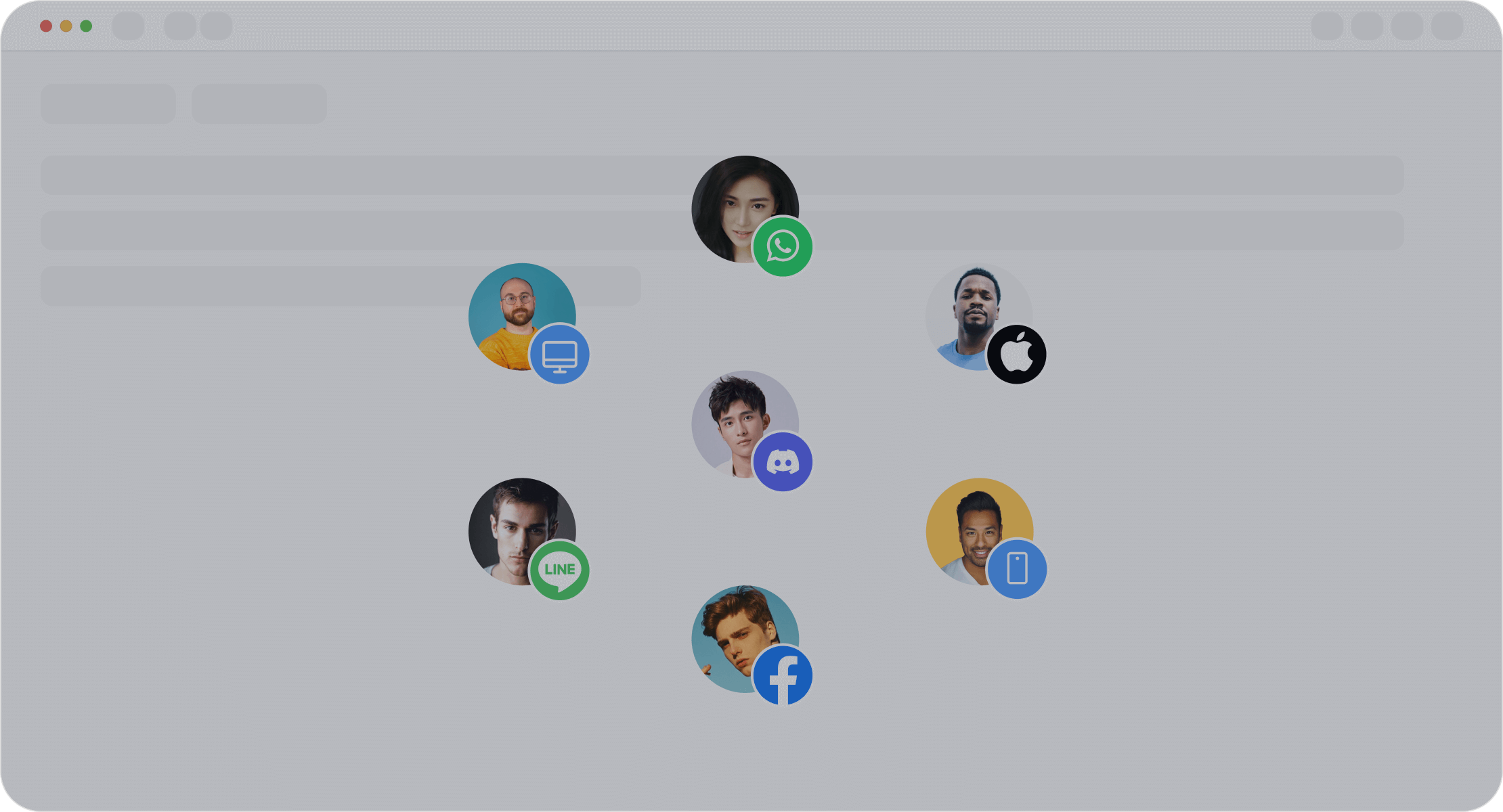
Sobot Live Chat helps businesses monitor customer engagement across platforms, including Facebook Messenger. Its omnichannel support ensures no message goes unnoticed. For example, Agilent, a leader in life sciences, used Sobot to improve efficiency by six times while reducing costs by 25%. This tool keeps your communication seamless and efficient.
Streamlining Support with Sobot’s Automation Tools
Sobot’s AI-powered chatbots handle routine inquiries 24/7, freeing up human agents for complex issues. These bots can answer FAQs, book appointments, and even guide users through troubleshooting steps. With Sobot, businesses can enhance customer engagement and satisfaction effortlessly.
Quick Tip: Whether you’re a user or a business, tools like Sobot Live Chat can simplify your Facebook Messenger experience. They automate repetitive tasks, making problem-solving faster and easier.
Resolving Facebook Messenger issues in 2025 doesn’t have to be overwhelming. You’ve got the tools and steps to tackle problems like login troubles, message delays, or app glitches. Start by addressing the issue promptly, whether it’s resetting your password or clearing the app cache. Use a unified inbox to manage message overload and predefined responses for consistent communication. These small actions can make a big difference.
For businesses, tools like Sobot Live Chat simplify customer service. Its AI-powered features handle routine inquiries, while its omnichannel support ensures no message gets missed. Companies like Agilent have already seen a sixfold boost in efficiency using Sobot. Whether you’re a user or a business, most issues can be resolved quickly with the right approach. Stay proactive, and let tools like Sobot Live Chat keep your experience seamless. 😊
FAQ
1. How do I fix Facebook Messenger if it keeps crashing?
Reinstall the app to remove corrupted files. Check your device’s compatibility and update your operating system if needed. For businesses, tools like Sobot Live Chat ensure seamless communication by integrating with Facebook Messenger, reducing downtime caused by app glitches.
2. Can I recover my Facebook account without a recovery email or phone?
Yes, you can. Use Facebook’s identity verification process by uploading a government-issued ID. This ensures your account stays secure. Always keep your recovery details updated to avoid future issues.
3. What should I do if my messages aren’t sending on Facebook Messenger?
Check your internet connection first. If it’s stable, clear the app cache or update the app. Businesses can use Sobot Live Chat to manage message delivery issues across platforms, ensuring no customer message gets lost.
4. How does Sobot Live Chat improve Facebook Messenger customer service?
Sobot Live Chat integrates with Facebook Messenger to provide omnichannel support. It uses AI tools to automate responses, handle FAQs, and streamline customer interactions. Businesses like Agilent have seen a sixfold boost in efficiency using Sobot’s solutions.
5. Why are my Facebook Messenger notifications delayed?
Outdated apps often cause notification delays. Update Facebook Messenger to the latest version. Also, enable notifications in your device and app settings. For businesses, Sobot Live Chat ensures timely responses by unifying all customer messages in one workspace.
See Also
10 Strategies for Selecting Social Media Support Tools
Quick Solutions for Shopify Live Chat Problems
Simple Ways to Reach a Live Chat Representative

