Easy Steps to Add Live Chat to Your Website in 2026


You can add live chat to your website in just a few clicks using Sobot. Many businesses experience a 40% increase in conversions and higher revenue per chat hour when they implement Sobot. Adding live chat makes customer support fast and easy, allowing you to connect with visitors and assist them immediately.
How to Add Live Chat to Your Website

Adding live chat to your website can feel like a big step, but it’s actually quick and straightforward. Let’s walk through the process together, so you can start chatting with your visitors in no time.
Choosing Sobot Live Chat
When you want to add live chat to your website, you’ll find many options out there. Some of the most popular live chat tools in 2026 include solutions that offer features like automation, proactive chat, and mobile app support. Here’s a quick look at what’s available:
- Sobot Live Chat
- Nextiva
- Shopify Inbox
- Olark
Each tool brings something different to the table. For example, Nextiva focuses on seamless communication and strong analytics, while Olark offers robust customization. However, Sobot stands out as the best live chat software for most businesses because it combines all-in-one omnichannel support, advanced AI features, and easy integration. You get a user-friendly interface, lower pricing, and the ability to connect with customers on their favorite channels—like your website, apps, WhatsApp, Facebook, and more.
Centralize all your support channels, customer conversations and bring all your tools together in one AI-powered contact center platform.
Let’s compare Sobot Live Chat with other solutions:
| Feature/Aspect | Sobot Live Chat | Other Solutions |
|---|---|---|
| All-in-One Solution | Yes | Often single core product focus |
| AI Capabilities | Comprehensive Five-AI system | Varies, often limited |
| Pricing | Lower, often half or less than others | Generally higher with hidden charges |
| Customer Service | Timely and accessible | Varies, often less responsive |
| Integration | Integrates multiple channels seamlessly | Often requires multiple systems |
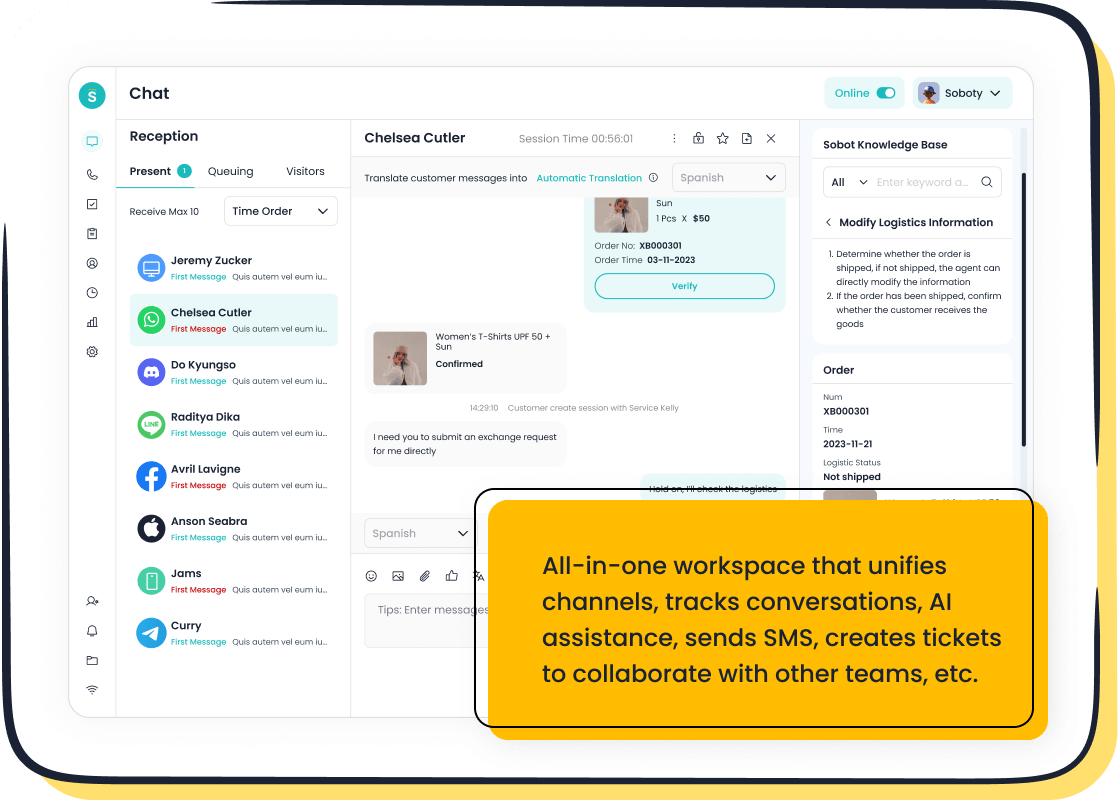
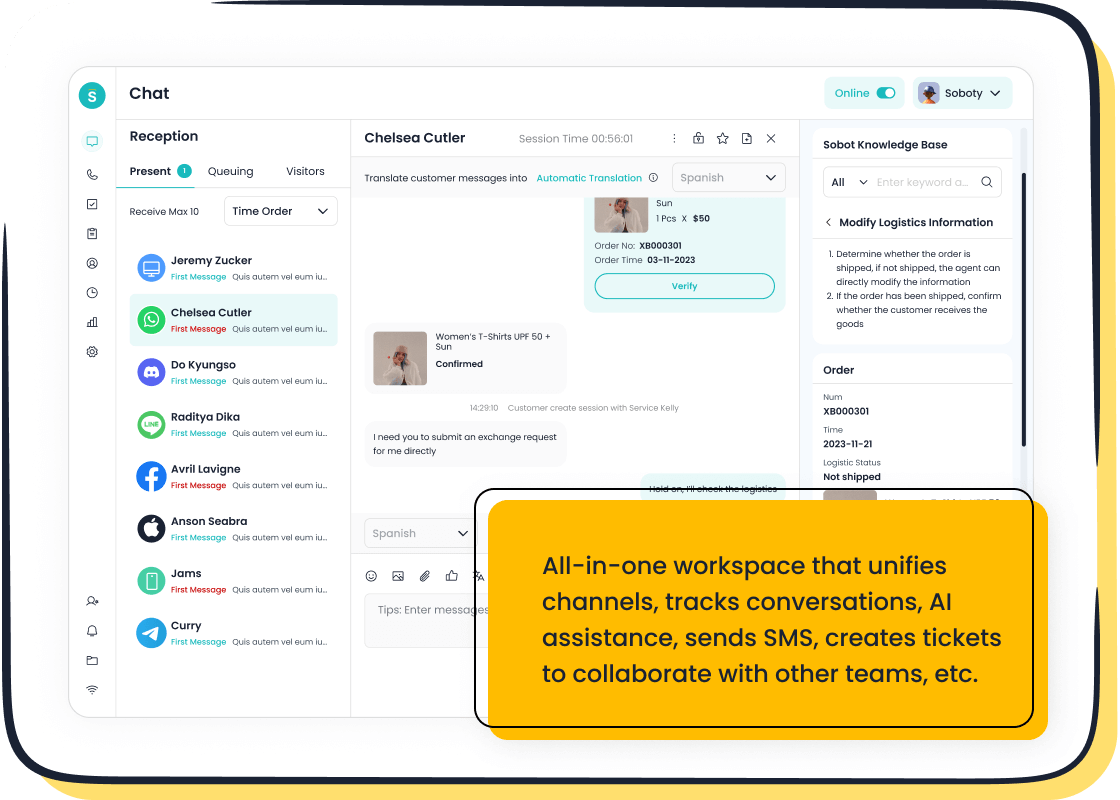
With Sobot, you don’t just add live chat to your website—you unlock a complete customer engagement platform. You can unify website, app, social media, email, and phone support in one place. This makes it easier to manage conversations and deliver fast, helpful service.
Creating Your Sobot Account
Ready to get started? Here’s how you can create your Sobot account and prepare to add live chat to your website:
- Visit the Sobot Live Chat page.
- Click the “Free Trial” button. Sobot offers a free trial, so you can test everything before making a commitment.
- Fill in your business details. You’ll need your name, email, and company information.
- Set up your password and verify your email address.
- Log in to your new Sobot dashboard.
Once you’re in, you’ll see a clean, easy-to-use interface. Sobot guides you through the setup process, so you won’t feel lost. You can start exploring features like omnichannel support, AI-powered chatbots, and built-in analytics right away.
Installing the Chat Widget
Now, let’s talk about the installation process. You want to add live chat to your website quickly, so Sobot keeps things simple. Here’s a step-by-step guide:
- In your Sobot dashboard, find the “Live Chat Widget” section.
- Customize your widget. You can change colors, add your logo, and pick where the widget appears on your site.
- Sobot generates a code snippet for you.
- Copy this code.
- Paste the code into your website’s HTML, right before the closing
</body>tag.
If you use WordPress, Shopify, or another platform, Sobot provides plugins and guides to make things even easier. For WordPress, you just install the Sobot plugin, paste your code, and activate it. On Shopify, you add the code through your theme settings. For custom sites, you can place the code directly in your site’s template.
Here’s a quick checklist to help you stay on track:
- Pick your live chat software (Sobot)
- Install your chat widget by copying the code snippet into your website’s HTML
- Customize the chat widget to match your branding
- Set your service hours so customers know when you’re available
- Choose the best spot for your widget on your site
- Save canned responses for common questions
- Set up a chatbot for automation
- Add more communication channels if you want
- Connect to your CRM for better customer tracking
- Monitor live chat performance to keep improving
You can finish the installation process in just a few minutes. Once you add live chat to your website, you’ll see the widget pop up for visitors right away.
Platform Integration Tips
Sobot makes it easy to add live chat to your website, no matter what platform you use. Here are some tips for smooth integration:
- WordPress: Use the Sobot plugin for a hassle-free setup. You don’t need to touch any code if you use the plugin.
- Shopify: Add the code snippet in your theme settings. Sobot’s support team can help if you get stuck.
- Custom Websites: Paste the code into your site’s HTML. If you have a developer, they can do this in seconds.
- Mobile Apps: Sobot supports SDKs for iOS and Android, so you can add live chat to your app as well.
When you add live chat to your website, think about where the widget will appear. Most businesses place it in the bottom right corner, but you can choose what works best for your design.
Sobot’s omnichannel support means you can connect with customers on WhatsApp, Facebook, Instagram, Telegram, and Discord—all from one dashboard. This saves you time and helps you respond faster. You can also use Sobot’s AI features to handle basic questions after hours, so customers always get an answer.
Sobot provides a user-friendly interface that simplifies customer interactions across channels. By unifying multiple channels, Sobot reduces the time spent managing customer inquiries.
Here’s a table to show how Sobot stacks up with other live chat tools for integration:
| Live Chat Tool | Key Features |
|---|---|
| Shopify Inbox | Seamless integration with Shopify |
| Olark | Customization options and robust analytics |
| Sobot | Advanced AI capabilities and multichannel support |
| Other Solutions | Varying feature sets depending on specific needs |
Key Considerations for Integration:
- Multichannel support to connect with customers across platforms
- Customization options to match your brand identity
- AI capabilities for handling basic queries and after-hours support
- Analytics and reporting to measure performance and ROI
- Mobile compatibility for both teams and customers
If you ever need help, Sobot’s customer service is timely and accessible. You can reach out by email or through the support portal. Sobot’s pricing is flexible, with no minimum purchase limit, so small businesses can start with just what they need.
When you add live chat to your website, you open the door to better customer communication, higher conversions, and a more engaging experience for your visitors. Sobot makes the whole process smooth, from sign-up to integration, so you can focus on growing your business.
Customizing and Optimizing Sobot Live Chat
Widget Design and Branding
You want your live chat to feel like a natural part of your website. Sobot lets you match the chat widget to your brand colors, fonts, and style. You can add your logo, use your team’s real names, and even include photos for a friendly touch. Set up automated greetings that pop up based on what your visitors do—like how long they stay on a page or what’s in their cart. You can also create pre-chat forms that collect just enough info to help your team, without slowing down your customers.
- Align the widget with your website’s color palette and language.
- Add instant answers for common questions.
- Personalize chats using customer data, like past purchases.
Setting Service Hours
With Sobot, you control when your live chat feature is available. Set your service hours so customers know when to expect a response. Use automation to handle questions after hours. AI-powered tools can send instant replies or route chats to the right person. This keeps your support running smoothly, even when your team is offline.
Integrating with CRM and Tools
Sobot’s live chat connects with your CRM, ticketing system, and analytics tools. This gives you a full view of each customer’s journey. You can segment customers, track conversations, and follow up with targeted messages. Integration helps your team work faster and deliver better service.
Using AI and Analytics
AI and analytics make your live chat feature smarter. Sobot’s AI can answer routine questions, freeing up your agents for complex issues. Real-time monitoring shows you how fast your team responds. Built-in analytics help you spot trends and improve your service. Many businesses see a big jump in efficiency and customer satisfaction when they use these tools.
Tip: Keep training your team on new live chat features and updates. Regular refreshers help everyone stay sharp and ready to help your customers.
Best Practices for Live Chat Engagement
Proactive Chat Strategies
You can boost engagement by reaching out to visitors before they ask for help. Many businesses use live chat to send timely prompts when someone lingers on a product page or hesitates at checkout. For example, a fashion retailer saw a 30% jump in conversions by starting chats with users who stayed on a page for over 45 seconds. Try using friendly, specific messages like, “Need help choosing a plan?” instead of generic offers. You can also offer special promotions or personalized recommendations through live chat. Here’s a quick look at popular strategies:
| Strategy Type | How It Helps Your Customer Experience |
|---|---|
| Timely Prompts | Start chats when visitors pause or hesitate |
| Friendly Tone | Makes live chat feel personal and helpful |
| Interactive Elements | Use polls or quizzes to engage users |
| Personalized Recommendations | Suggest products based on browsing |
Sobot’s live chat for business lets you set up these triggers easily, so you never miss a chance to connect.
Fast and Effective Responses
Speed matters in live chat. Customers want answers right away. You can set clear service hours and use chatbots to handle common questions. Sobot helps you combine all your support channels, so your team can reply faster. Always keep chat history handy. This helps you give better, more personal customer support. When you respond quickly, you improve the customer experience and build trust.
Measuring Satisfaction and Improving Service
You should always check how well your live chat works. Use short surveys with emojis or quick ratings after each chat. Many companies see feedback rates rise above 20% when surveys are simple. Track scores like CSAT and NPS to measure customer experience. Sobot’s analytics show you what works and where to improve. OPPO, for example, used Sobot to boost their positive feedback rate to 94%. Keep training your team and updating your chat scripts. This way, your live chat keeps getting better and your customer experience stays strong.
You can add live chat to your website in minutes with Sobot. After you add live chat to my website, keep an eye on these key metrics:
| Metric | Description |
|---|---|
| Total number of chats | Tracks all customer inquiries |
| First response time (FRT) | Measures how fast you reply |
| Chat-to-conversion rate | Shows how many chats lead to sales |
To keep improving, try these tips:
- Review your live chat data often
- Gather feedback from customers and agents
- Experiment with new features
Start your free trial today and see how easy it is to connect with your visitors!
FAQ
How do I add Sobot live chat to my website?
You just sign up, copy the live chat code, and paste it into your site. Sobot guides you step by step.
Tip: No coding skills needed!
Can I use Sobot live chat on mobile apps and social media?
Yes! Sobot live chat works on websites, mobile apps, WhatsApp, Facebook, Instagram, and more.
- You reach customers everywhere
- All chats stay in one place
What makes Sobot live chat different from other tools?
Sobot live chat gives you omnichannel support, AI-powered features, and easy integration.
| Feature | Sobot Live Chat | Others |
|---|---|---|
| Omnichannel | ✅ | Sometimes |
| AI Assistance | ✅ | Limited |
See Also
Simple Steps to Integrate a Chatbot on Your Site
My Guide to Adding Chat Functionality to My Site
Effortless Ways to Implement a Chatbot on Your Site

