Steps to Contact Facebook Support Live Chat in 2025


Have you ever faced an issue on Facebook and wished for instant help? Facebook support live chat makes that possible. It connects you with a real person to solve problems quickly. Businesses using tools like Sobot’s live chat solutions already know how real-time support can transform customer experiences. Why not try it yourself?
Step-by-Step Guide to Access Facebook Support Live Chat
Log in to Your Facebook Account
To start, you need to log in to your Facebook account. Open the Facebook app or visit the website on your browser. Enter your email or phone number and password. If you’ve forgotten your login details, use the “Forgot Password” option to recover your account. Logging in ensures that the Facebook support team can identify your account and provide personalized assistance. If you’re managing a business account, make sure you’re logged into the correct profile.
Navigate to the Facebook Business Help Center
Once logged in, head to the Facebook help center. You can find it by clicking on the question mark icon in the top-right corner of your screen. From there, select “Help Center” and choose the “Business Help Center” option if you’re using a business account. This section is your gateway to accessing tools like Facebook live chat. It’s designed to help you resolve issues related to ads, pages, or other business features.
Select Your Issue and Access the Live Chat Option
In the help center, you’ll see a search bar and a list of common issues. Type your problem into the search bar or select a category that matches your concern. For example, if you’re having trouble with ad payments, click on the “Billing” section. If live chat support is available for your issue, you’ll see an option to start chatting with a representative. Click on it to proceed.
Start Chatting with a Support Representative
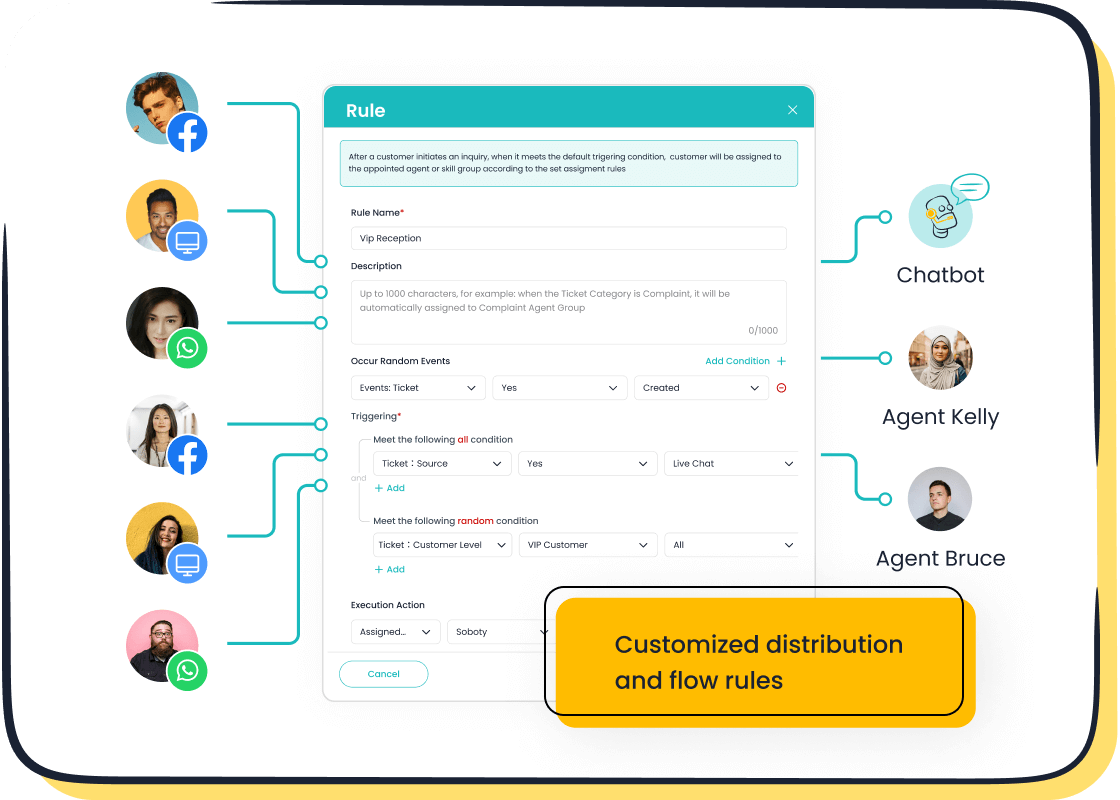
After selecting the live chat option, a chat window will open. You’ll be connected to a Facebook support team member who can assist you in real-time. Be clear and concise when explaining your issue. For example, if you’re asking how to contact Facebook support for account recovery, mention the steps you’ve already tried. This helps the representative provide faster solutions. If you’re running a business, tools like Sobot’s live chat can also enhance your customer interactions by offering similar real-time support across multiple platforms.
Pro Tip: If the live chat option isn’t visible, it might not be available for your issue. In that case, consider submitting a support ticket or exploring other resources in the help center.
Prerequisites for Using Facebook Live Chat
Account Type Requirements (e.g., Business Accounts)
Before you can access facebook live chat, you need to check your account type. Facebook primarily offers live chat support to business accounts. If you’re managing a personal account, you might not see this option. Business accounts, especially those running ads or managing pages, get priority when it comes to live support. For example, if you’re running an ad campaign and encounter billing issues, the facebook support team can assist you directly through live chat.
If you don’t have a business account yet, it’s easy to set one up. Just go to Facebook’s Business Suite and follow the steps to create an account. This ensures you can contact facebook support whenever you need help with business-related concerns.
Verifying Your Account Information
Facebook takes security seriously, so you’ll need to verify your account information before using facebook support live chat. Make sure your email address and phone number are up-to-date. If you’re managing a business account, ensure your payment details and business name are accurate.
Verification helps the facebook support team identify your account quickly. It also prevents delays when you contact them for help. For instance, if you’re locked out of your account, having verified details can speed up the recovery process.
Ensuring You Have Access to the Latest Facebook Features
To access facebook support live chat, you need to use the latest version of Facebook. Outdated apps or browsers might not display all features, including live chat. Update your app regularly and use a compatible browser like Chrome or Firefox.

Businesses using tools like Sobot’s live chat already know the importance of staying updated. Sobot’s platform integrates seamlessly with Facebook, ensuring you can manage customer interactions efficiently. With features like omnichannel support and AI-powered tools, Sobot helps businesses provide real-time assistance across platforms. Learn more about Sobot’s live chat at Sobot Live Chat.
Tip: Always check Facebook’s Help Center for updates on new features or changes to their support options. Staying informed ensures you can access facebook support without any hiccups.
Troubleshooting Common Issues with Facebook Support Live Chat
What to Do If the Live Chat Option Is Missing
Can’t find the live chat support option? Don’t worry—it happens sometimes. First, check if you’re logged into the correct account. Facebook often prioritizes live chat for business accounts, so if you’re using a personal account, the option might not appear. Switch to your business account if needed.
Next, ensure your issue qualifies for live chat. For example, billing or ad-related problems usually have this feature, but general inquiries might not. If you still can’t see it, try accessing the Facebook Business Help Center from a different browser or device. Sometimes, technical glitches can hide the option.
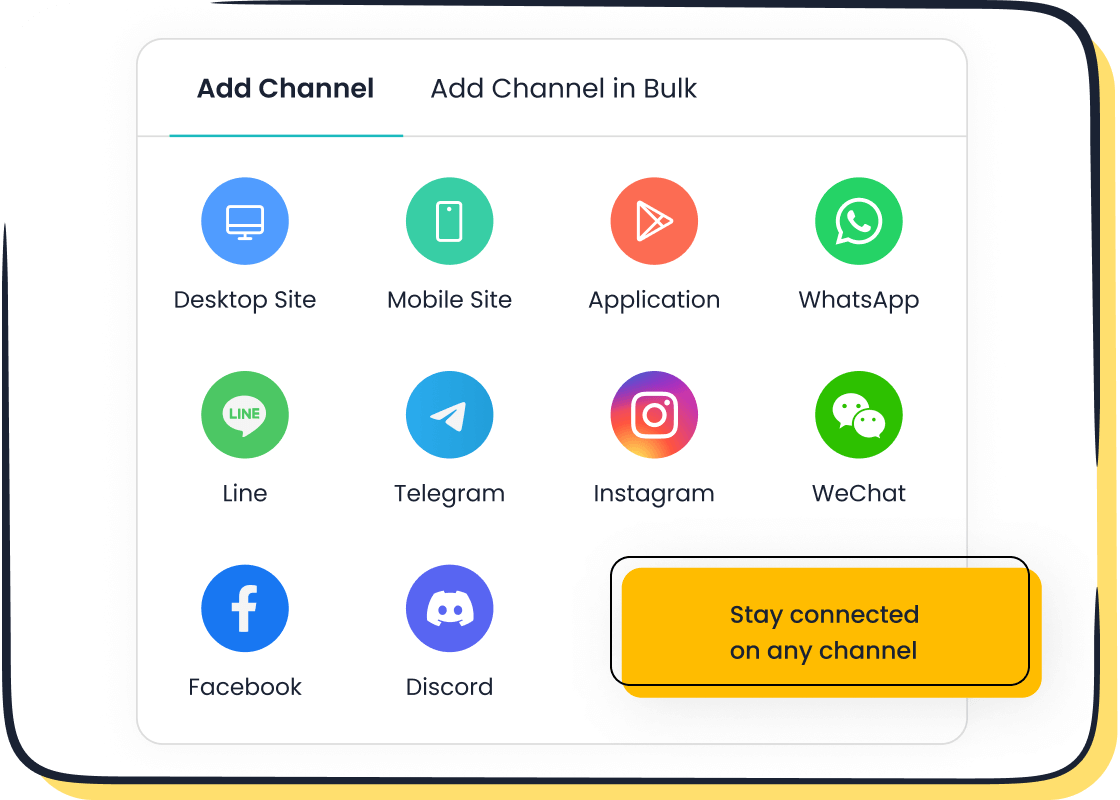
If nothing works, consider submitting a support ticket instead. While it’s not as instant as live chat, the Facebook support team will still address your issue. Tools like Sobot’s live chat can also help businesses avoid such frustrations by offering seamless customer support across multiple platforms.
Resolving Login or Account Access Problems
Struggling to log in? This is a common hurdle when trying to contact Facebook support. Start by using the “Forgot Password” option to reset your credentials. Make sure you’re entering the correct email or phone number linked to your account.
If you suspect your account has been hacked, act fast. Visit Facebook’s Account Recovery page and follow the steps to secure your profile. Verified account details, like your phone number or email, can speed up the process.
For businesses, losing access to your account can disrupt operations. Sobot’s omnichannel live chat ensures you stay connected with customers, even during such hiccups. Learn more about how Sobot can support your business at Sobot Live Chat.
Checking Browser or App Compatibility
Outdated browsers or apps can cause issues with Facebook support live chat. Always use the latest version of the Facebook app or a modern browser like Chrome or Firefox. Clear your cache and cookies to avoid loading errors.
If you’re using a mobile device, ensure your operating system is up-to-date. Older systems might not support all Facebook features. For businesses, tools like Sobot’s live chat integrate seamlessly with platforms like Facebook, ensuring smooth customer interactions without compatibility concerns.
Tip: Bookmark Facebook’s Help Center for updates on supported browsers and devices. Staying informed can save you time and frustration.
Alternative Ways to Contact Facebook Support
Sometimes, live chat isn’t available, or you might prefer other ways to get help. Don’t worry—Facebook offers several alternatives to resolve your issues. Let’s explore them.
Using Facebook's Help Center Resources
The Facebook Help Center is a treasure trove of information. It covers everything from account recovery to ad management. You can search for your issue or browse through categories like privacy, billing, or security. Most articles provide step-by-step instructions, making it easy to follow along.
If you’re wondering how to contact Facebook support without live chat, this is a great place to start. The Help Center is available 24/7, so you can access it anytime. While it doesn’t offer real-time interaction, it’s packed with solutions for common problems. For example, if you’re locked out of your account, you’ll find detailed guides to regain access.
Submitting a Support Ticket
When your issue requires personalized attention, submitting a support ticket is a reliable option. You can do this through the Facebook Help Center. Just select your issue, fill out the required details, and submit your request.
The Facebook support team usually responds within twenty-four hours on working days. However, response times can vary depending on the complexity of your issue and the volume of inquiries. If you’re managing a business account, providing accurate details can speed up the process. This method works well for problems like billing disputes or account suspensions.
Exploring Sobot Live Chat for Enhanced Customer Support
If you’re running a business, you know how important quick responses are. That’s where Sobot Live Chat shines. It offers real-time conversations, helping you build rapport with your customers. Unlike Facebook’s native support, Sobot allows agents to handle multiple inquiries at once, saving time and reducing costs.
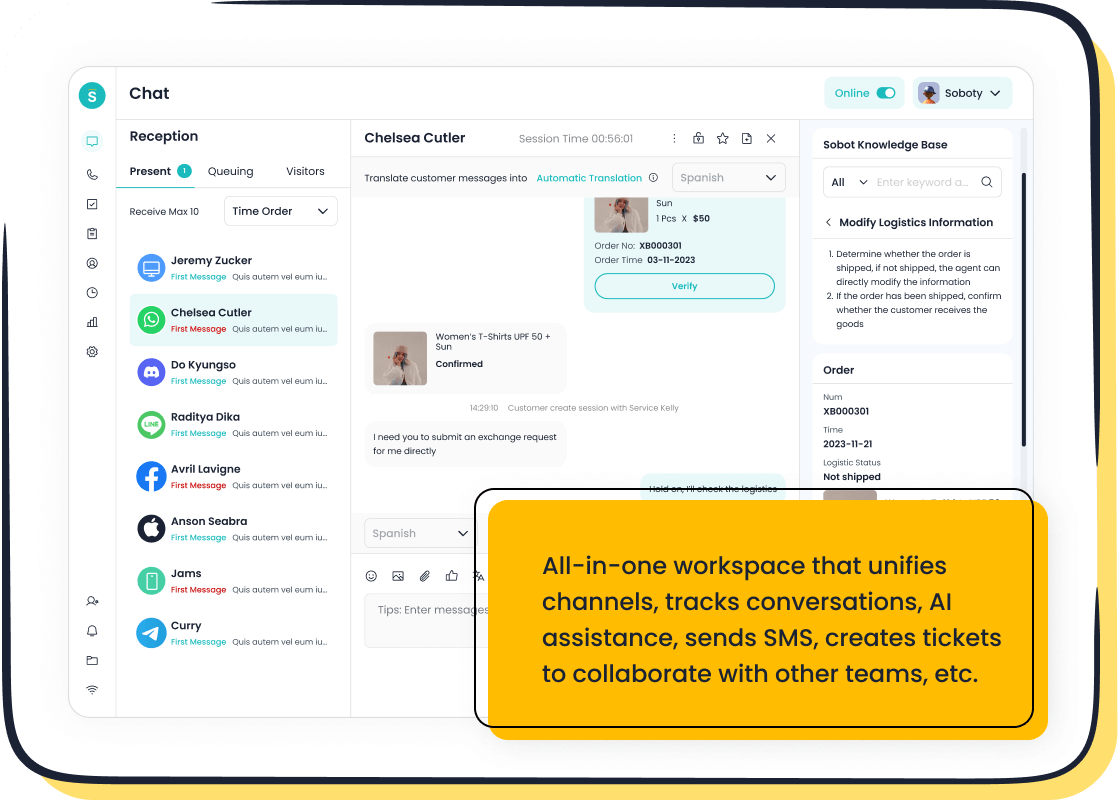
Sobot Live Chat also enhances your website experience. Customers can get instant help, which 44% of online buyers prefer. Even when your team is offline, customers can leave messages, ensuring you never miss an opportunity to engage. With features like AI-powered tools and omnichannel support, Sobot makes customer service seamless. Learn more about it at Sobot Live Chat.
Tip: Using tools like Sobot can give your business a competitive edge. Not every brand offers live chat, so this can set you apart.
Accessing Facebook Support Live Chat in 2025 is simple. Log in, visit the Business Help Center, select your issue, and start chatting. This real-time support saves time and resolves problems faster than other methods.
Why is live chat so effective? Let’s break it down:
| Advantage | Description |
|---|---|
| Fastest support | Get instant help without waiting on hold or for email replies. |
| Boosts engagement | Connect with customers on their preferred channels for better interaction. |
| Increases conversions | Immediate answers can boost sales by up to 20%. |
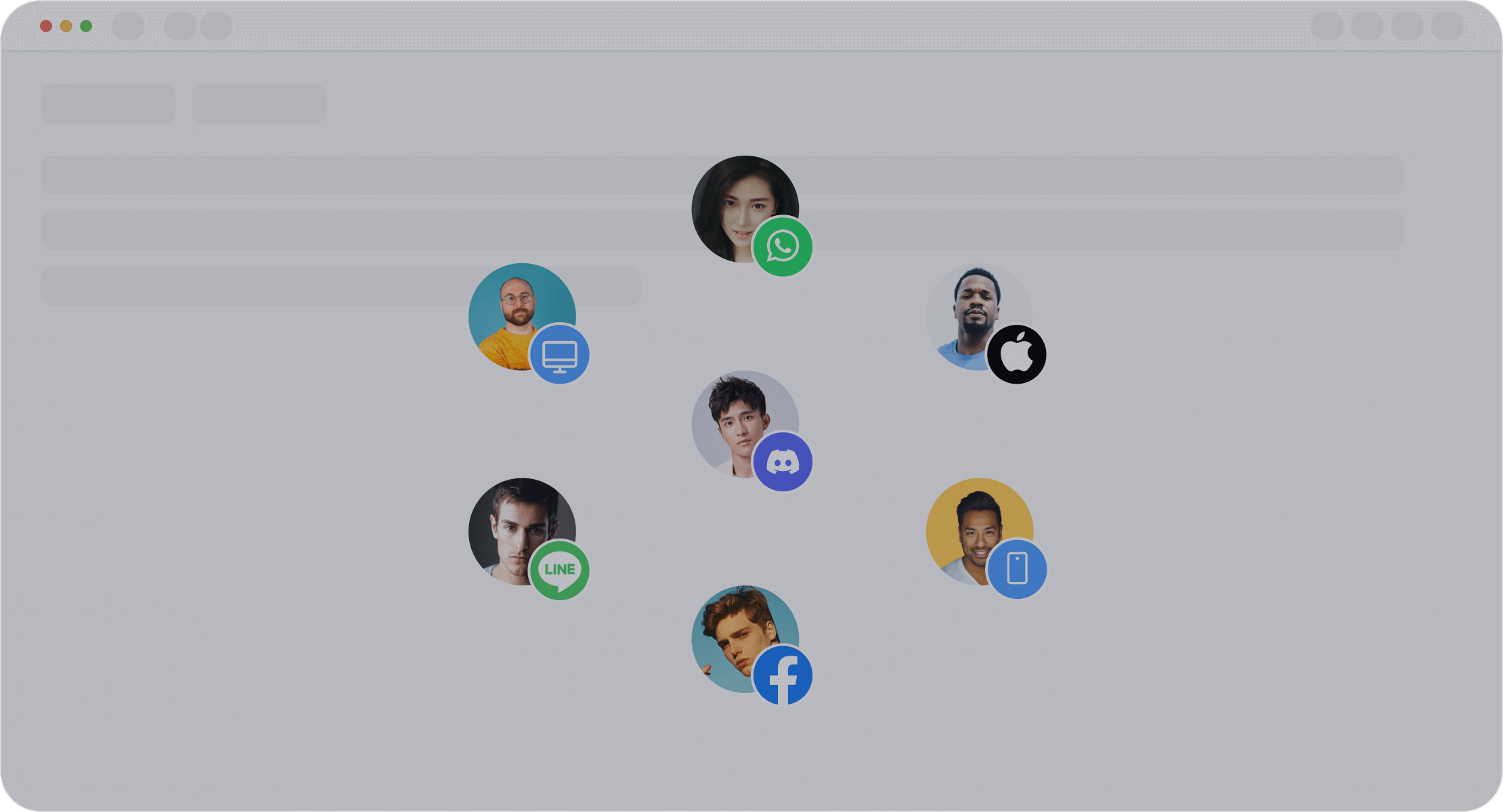
For businesses, tools like Sobot Live Chat take this experience to the next level. It combines omnichannel support, AI tools, and offline messaging to ensure no customer query goes unanswered. Whether you need to contact customers or improve conversions, Sobot has you covered.
Tip: Explore Sobot Live Chat to transform your customer service. It’s a game-changer for businesses aiming to stand out.
FAQ
How do I know if Facebook Live Chat is available for my issue?
Facebook Live Chat is usually available for business-related concerns like ads or billing. If you don’t see the option, try switching to a business account.
Can I contact Facebook support without logging in?
No, you must log in to your account to access Facebook support. Logging in ensures the support team can identify your profile and provide personalized help.
How does Sobot Live Chat improve customer interactions?
Sobot Live Chat offers real-time support across platforms like Facebook. It uses AI tools, omnichannel integration, and analytics to boost efficiency and customer satisfaction. Learn more here.
See Also
A Guide to Effectively Utilize Shopify Live Chat
Easily Reach Out to a Live Chat Representative
Navigating Depop's Live Chat for Fast Assistance

