Salesforce Omnichannel Features and Pricing

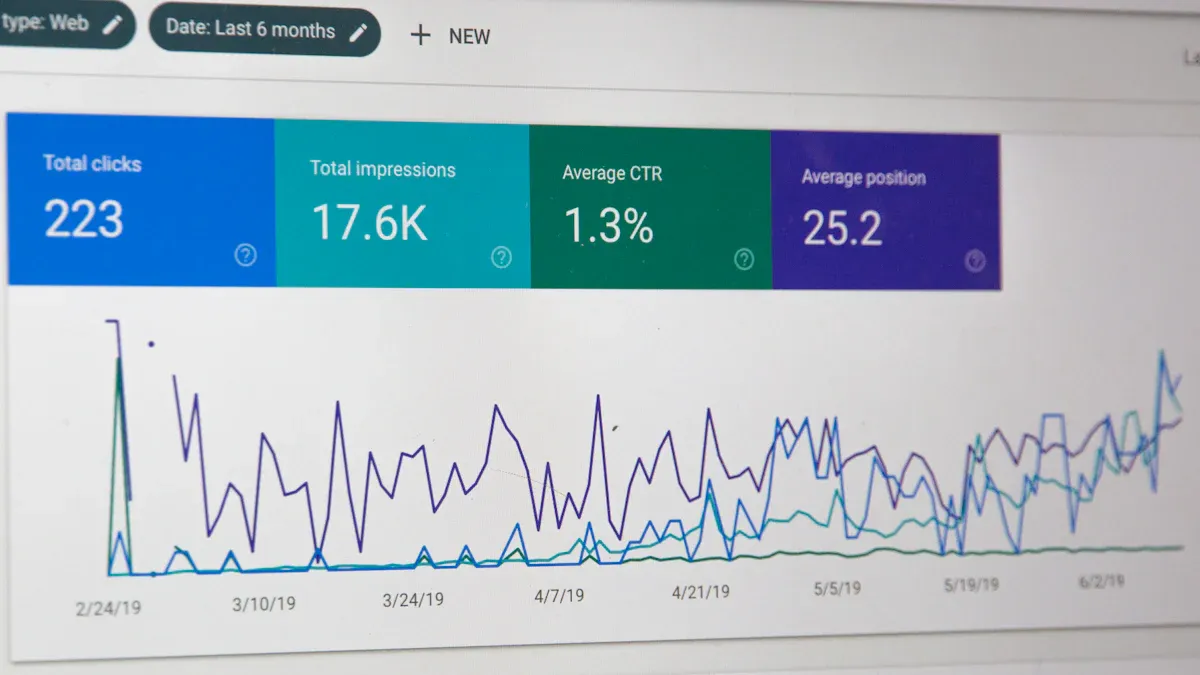
Salesforce Omnichannel is a core capability within the Salesforce Service Cloud. It routes work items from any channel to the best-available agent inside a unified console. The platform's features and pricing connect directly to Salesforce Service Cloud editions, with advanced functions often requiring add-on licenses. This structure is key to understanding the total cost of ownership for this customer service platform.
This article serves as a definitive guide for enterprise leaders. It helps you evaluate the platform's features, its impact on your customer experience, and its role in your customer relationship management strategy when searching for the best omnichannel customer service software, whether that is the Salesforce Service Cloud or an alternative like Sobot.
Core Features of Salesforce Service Cloud Omnichannel
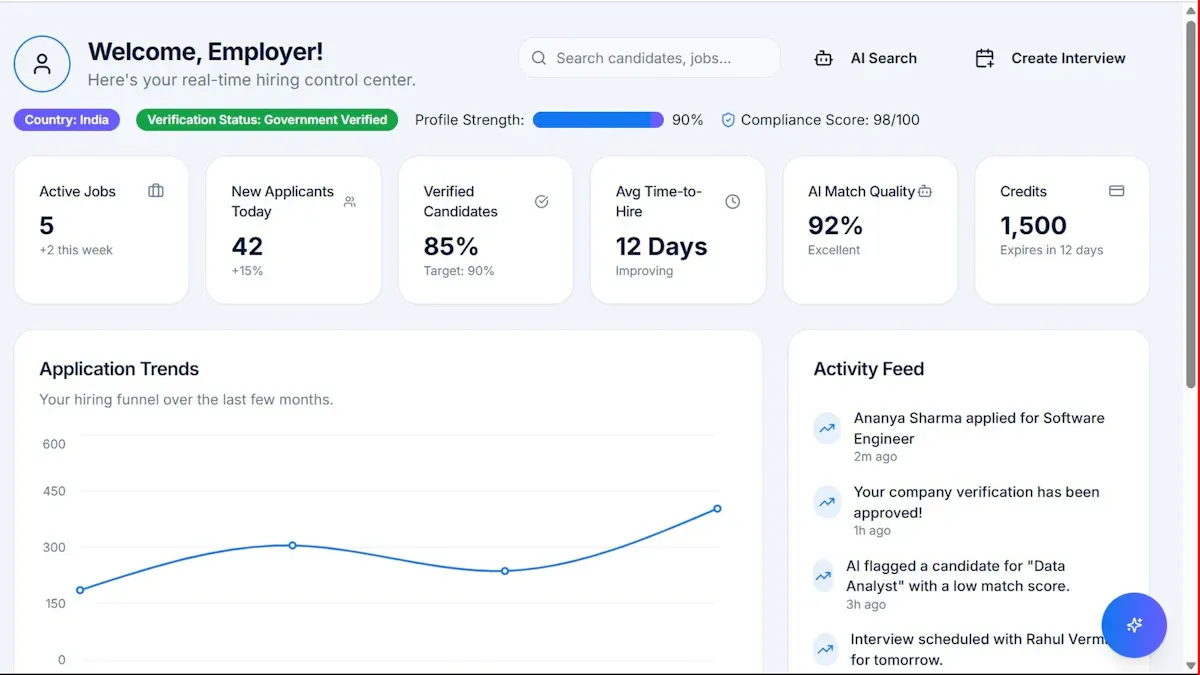
The power of Salesforce Omnichannel lies in its ability to intelligently manage customer interactions and empower agents with the right tools. Its core features are built around three pillars: intelligent routing, a unified agent console, and native channel integrations. Understanding these components is essential for evaluating the platform's fit for your organization's customer support strategy.
Omni-Channel Intelligent Routing
Intelligent routing is the engine of Salesforce Omnichannel. It ensures that every incoming work item—whether a call, email, or chat—is directed to the most suitable agent. This process optimizes workloads and improves first-contact resolution rates. The Salesforce Service Cloud uses several algorithms to achieve this.
Presence and Capacity Models
Presence models define an agent's availability status (e.g., Available, Busy, On Break). Capacity models determine how much work an agent can handle at one time. For example, an agent might be able to handle three chats simultaneously but only one phone call. Together, these models ensure work is only assigned to agents who are both available and have the capacity to accept it, preventing agent burnout and long wait times.
Queue-Based Routing
This is a foundational routing method. It organizes work items into specific queues based on predefined categories. This approach is highly effective for teams with distinct roles.
- All refund requests can be sent to a "Returns" queue.
- Technical questions can be directed to a "Product Support" queue.
- Billing inquiries can be funneled into a "Finance" queue.
Agents are assigned to one or more queues. The system then distributes items from the ticketing system to the next available agent within that queue, balancing workloads and creating a predictable workflow.
Skills-Based Routing
Skills-based routing offers a more granular and precise approach than queue-based routing. Instead of just looking at an agent's assigned queue, this algorithm matches the specific needs of a work item to the skills of an agent. This ensures the most qualified person handles every interaction, which is critical for boosting customer satisfaction.
Example in Action: A customer submits a complex billing question in Spanish through your ticketing system. Skills-based routing identifies the work item's requirements ("Billing" + "Spanish") and routes it directly to an agent with those exact skills, bypassing agents who only handle general inquiries or do not speak Spanish. This leads to faster, more accurate resolutions.
External Routing Integration
For organizations with highly specialized or proprietary routing logic, Salesforce allows for external routing integration. This feature lets you connect a third-party routing engine to the Salesforce Service Cloud. Your external system makes the routing decisions, and Salesforce executes them. This provides maximum flexibility for contact centers that rely on custom-built automation and AI logic to manage customer engagement.
The Unified Service Console
The Service Console is the agent's command center. It provides a unified workspace where agents can manage all customer interactions and access necessary information without switching between multiple applications. This consolidation is key to improving agent productivity.
360-Degree Customer View
The console presents a complete, 360-degree view of the customer. Agents can see contact details, case history, purchase records, and previous interactions across all channels. This rich context is vital for personalized and effective customer communication. Integrations can further enrich this view with social data, providing AI-powered summaries of customer sentiment and a cross-channel case overview.
Tab-Based Workspace
The console uses a tab-based design, allowing agents to manage multiple records simultaneously. An agent can have a tab open for a customer's contact record, another for their active case, and a third for a relevant knowledge base article. This design minimizes clicks and screen-switching, enabling agents to navigate complex issues efficiently.
Integrated Knowledge Access
A powerful feature of the console is its integrated knowledge base. Agents can search, view, and attach articles from the knowledge base directly within the case they are working on. This provides quick, consistent answers to common questions. An effective knowledge base also powers self-service options for customers, deflecting cases from the ticketing system and empowering users to find their own solutions.
Macros and Automation
Repetitive tasks can significantly slow down a customer support team. The Service Console addresses this with macros, which automate common, multi-step actions.
With a single click, a macro can:
- Select a predefined email template.
- Send the email to the customer.
- Update the case status to "Pending."
- Log the activity in the ticketing system.
These predefined shortcuts and message templates standardize replies and accelerate common agent activities, forming a core part of the platform's automation and AI capabilities.
Native Channel Integrations
True omnichannel connectivity requires a platform that can manage interactions from every channel your customers use. The Salesforce Service Cloud provides multi-channel support by integrating a wide array of digital and traditional communication streams into its unified console.
Web and In-App Chat
Salesforce enables real-time customer support through live chat widgets that can be embedded on your website or within your mobile application. Conversations are routed through Omnichannel just like any other work item, ensuring consistent service levels and reporting.
Email-to-Case and Web-to-Case
These are standard, essential features for any modern ticketing system. Email-to-Case automatically converts customer emails sent to a support address (e.g., support@yourcompany.com) into cases. Similarly, Web-to-Case creates cases from submissions on your website's contact form. This ensures no customer inquiry is lost.
Social Customer Service
Modern customer engagement happens on social media. Through integrations, often with platforms like Sprout Social, agents can manage customer service on networks like X (formerly Twitter), Instagram, and Facebook directly from the Service Console. This allows for robust multi-channel support and a unified view of customer interactions.
Digital Messaging Channels
Beyond social media, Salesforce supports popular messaging platforms to facilitate direct customer conversations. Native SMS capabilities are available, typically through add-ons like Digital Engagement. This allows your team to send and receive text messages directly from Salesforce, providing another avenue for multi-channel support and offering customers convenient self-service tools.
The Omni-Channel Supervisor
Effective management is crucial for a high-performing contact center. The Salesforce Service Cloud includes a powerful tool for this purpose: the Omni-Channel Supervisor. This dedicated interface gives team leads and managers a comprehensive, real-time view of their service operations. It allows them to monitor agent activity, track queue health, and intervene when necessary. This capability is essential for maintaining service level agreements (SLAs) and ensuring a high standard of customer care.
Live Agent and Queue Monitoring
The Omni-Channel Supervisor provides managers with a live, dynamic view of their agents and work queues. This transparency is fundamental to proactive contact center management. Supervisors can see which agents are online, their current presence status, and the work items assigned to them. They can also monitor the health of various queues, observing wait times and the number of items pending. This live monitoring allows managers to make immediate adjustments to maintain a balanced workload and prevent service bottlenecks.
Real-Time Dashboards
Data visualization is key to understanding performance at a glance. The Omni-Channel Supervisor uses real-time dashboards to present critical operational metrics in an easily digestible format. These dashboards provide an immediate pulse check on the contact center's health.
Key Metrics at a Glance 📊 Supervisors can instantly see:
- Real-time monitoring of call queues and routing status.
- The number of ongoing conversations across all channels.
- Average wait times and handle times for different queues.
- Agent capacity and current workload distribution.
- The ability to reassign agents to high-demand queues as needed.
This information empowers managers to make data-driven decisions quickly, ensuring resources are allocated effectively within the Salesforce Service Cloud.
Agent Performance Tracking
Beyond operational overviews, the Omni-Channel Supervisor offers tools to track individual agent performance. Managers can drill down into metrics for each team member, including their average handle time (AHT), first-contact resolution (FCR) rate, and customer satisfaction (CSAT) scores. This detailed tracking helps identify top performers who can mentor others and agents who may need additional training or support. Consistent performance tracking is vital for fostering a culture of continuous improvement and boosting overall agent productivity.
Live Alerts and Assistance
One of the most powerful features of the Omni-Channel Supervisor is the ability to provide direct support to agents during live interactions. The system can be configured to send alerts to supervisors based on specific triggers, such as a long-running chat or the use of certain keywords that indicate customer frustration.
When an alert is received, a supervisor can discreetly monitor the interaction. From there, they can provide direct help.
- Supervisors can provide instant support by sending private messages to the agent with suggestions or information.
- They can offer in-the-moment coaching to guide the agent through a difficult conversation.
This "whisper coaching" capability allows managers to assist agents without the customer's knowledge, improving the immediate outcome and serving as a valuable training opportunity. This feature makes the Salesforce Service Cloud a robust platform for developing agent skills.
Salesforce Omnichannel Pricing Tiers

Understanding Salesforce Omnichannel pricing requires looking at the underlying Salesforce Service Cloud licenses. The features and capabilities of Omnichannel are unlocked progressively as you move up the pricing tiers. Each edition is designed for a different business scale and complexity. It is crucial to remember that the list prices are starting points. The total cost often increases with essential add-ons for channels like voice and advanced AI.
Professional Edition
Core Features and Limitations
The Professional Edition serves as the entry point into the Salesforce ecosystem. It provides foundational service capabilities, including case management and the core Omnichannel engine. Users get access to basic routing features, which are a good starting point for organizing support workflows.
However, this edition has significant limitations for a true omnichannel strategy.
- Routing: You can use queue-based routing to direct work items to specific teams.
- Limitations: Advanced features like skills-based routing, extensive API access for custom integrations, and comprehensive supervisor tools are not included.
This tier is best for centralizing a few channels but lacks the intelligence and automation needed for complex service operations.
Price Point and Target User
- Price: $80 USD per user, per month (billed annually).
- Target User: The Professional Edition is ideal for small businesses or teams just starting with structured customer service. It suits organizations with straightforward support processes that do not require complex routing logic or deep customization.
Enterprise Edition
Advanced Features Unlocked
The Enterprise Edition is the most popular choice for a reason. It unlocks the key intelligent routing features that make Omnichannel a powerful tool. This tier transforms the Salesforce Service Cloud from a basic ticketing system into a sophisticated workload management platform.
Key Omnichannel Upgrades 🚀 Moving to Enterprise unlocks critical capabilities:
- Skills-Based Routing: Match customer needs to the agent with the right expertise, language, or product knowledge. This is a game-changer for improving first-contact resolution.
- Omni-Channel Supervisor: Gain access to real-time dashboards, agent monitoring, and live assistance features.
- API Access: Integrate with third-party systems and build custom service solutions.
- Advanced Automation: Utilize more robust workflow and approval automation to streamline complex processes.
These features allow businesses to design and implement a much more efficient and effective customer service strategy.
Price Point and Target User
- Price: $165 USD per user, per month (billed annually).
- Target User: The Enterprise Edition is built for growing companies and established enterprises that manage multiple support channels and diverse agent skill sets. It is the minimum required tier for any organization serious about implementing a true skills-based, data-driven approach to customer service on the Salesforce Service Cloud.
Unlimited Edition
Comprehensive Feature Set
The Unlimited Edition is designed for large-scale enterprises that require the highest level of performance, support, and customization from the Salesforce Service Cloud. It includes all features of the Enterprise Edition but significantly increases platform limits, provides premium support, and offers superior development environments. The primary difference is not new features, but rather the scale and support that enable global operations.
The table below highlights the key distinctions that justify the price increase from Enterprise to Unlimited.
| Feature | Enterprise Edition | Unlimited Edition |
|---|---|---|
| Custom Objects | Standard limits | Ten times more than Enterprise |
| Sandboxes | Limited | Full copy sandbox + additional sandboxes |
| Support | Standard | Premier Support (24/7 access, faster response) |
| Overall Limits | Standard | Significantly higher or removed limits |
This edition provides the infrastructure needed to support thousands of users and millions of customer interactions without performance bottlenecks.
Price Point and Target User
- Price: $330 USD per user, per month (billed annually).
- Target User: The Unlimited Edition is intended for large, global enterprises with complex, high-volume contact centers. Companies that require 24/7 premium support, extensive custom development, and the ability to test changes in a full-copy sandbox will find the most value in this tier of the Salesforce Service Cloud.
Einstein 1 Service Edition
The Einstein 1 Service Edition represents the pinnacle of the Salesforce Service Cloud platform. This tier is not just an incremental upgrade; it is a fundamental shift toward a fully AI-infused service model. It combines all the features of the Unlimited Edition with a comprehensive suite of pre-integrated Einstein AI tools, transforming the contact center from a reactive support hub into a proactive, predictive, and highly efficient operation.
AI-Powered Capabilities
This edition embeds artificial intelligence directly into every step of the service workflow. The goal is to augment agent capabilities, automate routine tasks, and deliver intelligent insights that were previously unattainable. This creates a powerful system for AI-driven support. The Salesforce Service Cloud, in this edition, becomes a partner to the agent rather than just a tool.
Transformative AI Features Unlocked 🤖
- Einstein Bots: Deploy sophisticated chatbots that can handle customer inquiries, qualify leads, and resolve common issues without human intervention.
- Case Classification and Routing: AI automatically analyzes incoming cases, categorizes them, and routes them based on content and intent, ensuring they reach the right agent faster.
- Reply Recommendations: Einstein suggests the best responses to agents in real-time during chats and messaging sessions, ensuring brand consistency and speeding up handle times.
- Service Analytics: Gain access to predictive analytics and deep insights into team performance, customer trends, and potential service issues before they escalate.
These capabilities work together to reduce agent workload, improve the accuracy of resolutions, and provide a seamless customer experience. The Salesforce Service Cloud with Einstein 1 is designed to maximize both efficiency and customer satisfaction.
Price Point and Target User
The advanced capabilities of the Einstein 1 Service Edition come at a premium price point, reflecting its position as a transformative enterprise solution. The investment is aimed at organizations looking for a significant return through operational efficiency and enhanced customer loyalty.
| Service Cloud Plan | Monthly Price (Billed Annually) |
|---|---|
| Einstein 1 Service | $500 USD per user |
- Price: $500 USD per user, per month (billed annually).
- Target User: This edition is built for large, data-mature enterprises that are committed to making AI a cornerstone of their customer service strategy. It is ideal for organizations with high interaction volumes that can realize substantial ROI from automation and predictive insights. Companies choosing this tier of the Salesforce Service Cloud are not just looking to improve their service; they are looking to redefine it.
Budgeting for Key Salesforce Add-Ons
The standard Service Cloud licenses provide a strong foundation, but a true omnichannel strategy often requires specialized tools. These capabilities are available as add-ons that carry separate costs. Factoring these into your budget is essential for understanding the platform's total cost of ownership and maximizing customer engagement.
Service Cloud Voice
Functionality and Use Cases
Service Cloud Voice natively integrates telephony into the agent console. It transforms voice from a siloed channel into a fully integrated part of the customer record. Agents can make and receive calls directly within Salesforce, with real-time transcription and AI-powered insights. This is ideal for contact centers that want to unify voice with digital channels for a complete view of all customer communication.
Add-On Pricing Model
Service Cloud Voice is a Salesforce product, but the telephony costs are separate. The pricing model has several layers.
- Salesforce Licenses: You need the appropriate Service Cloud licenses (Enterprise or higher).
- Voice Add-On: A per-user license is required to enable the functionality.
- Telephony Costs: Usage-based fees for call minutes depend on your chosen provider, such as Salesforce Voice with Amazon Connect.
- Additional Features: Advanced tools like Einstein Conversation Insights may incur extra costs.
BYOT Integration Options
Salesforce offers flexibility with its "Bring Your Own Telephony" (BYOT) model. Service Cloud Voice integrates with multiple telephony systems. This allows enterprises to choose a provider that fits their needs and budget. For specific environments like Government Cloud, using a partner telephony option is required.
Digital Engagement
Functionality and Use Cases
The Digital Engagement add-on unlocks popular messaging channels for customer service. It allows agents to manage conversations from various platforms within the unified console. This is critical for meeting customers where they are and improving customer engagement. It also enables the deployment of chatbots on these channels to provide instant self-service options.
Channels Included 💬 The package typically includes integrations for:
- Facebook Messenger
- X (formerly Twitter)
Add-On Pricing Model
Digital Engagement is a separate purchase not included in standard Service Cloud licenses. The add-on costs approximately $75 USD per user, per month. This license is required for each agent who will manage conversations on these digital channels.
Visual Remote Assistant
Functionality and Use Cases
Visual Remote Assistant allows agents to see what their customers see through their mobile device's camera. This tool is invaluable for technical support and field service scenarios. An agent can guide a customer through a complex troubleshooting step, annotate the screen to highlight specific parts, and resolve issues without an in-person visit. This enhances first-contact resolution and provides powerful self-service options.
Add-On Pricing Model
This is a specialized add-on with its own pricing structure. It is not included in any standard Salesforce Service Cloud edition. Pricing is typically on a per-user, per-month basis or sold in session packs. Organizations should contact Salesforce directly for a quote based on their expected usage.
Einstein for Service
For organizations that need advanced AI capabilities but are not ready for the all-inclusive Einstein 1 Service Edition, the Einstein for Service add-on offers a modular solution. This package allows businesses to infuse artificial intelligence into their existing Service Cloud environment (Enterprise Edition or higher). It provides a targeted set of tools designed to boost agent productivity and automate customer interactions. This add-on is a strategic investment in automation and ai.
AI Bots and Agent Assists
The core value of Einstein for Service comes from two primary capabilities: AI-powered bots and real-time agent assistance. These tools work together to handle routine tasks and empower agents to resolve complex issues more effectively.
- Einstein Bots: These are intelligent chatbots that can be deployed across various channels, including web chat and messaging platforms. They can understand customer intent, answer common questions, and gather initial information before escalating to a human agent. This 24/7 self-service capability deflects a significant volume of simple cases from the support queue.
- Case Classification: AI automatically analyzes the text of incoming cases. It then suggests or applies the correct fields, such as case reason and priority. This ensures cases are categorized correctly from the start.
- Reply Recommendations: During live chats and messaging conversations, Einstein suggests relevant responses to agents. These recommendations are based on historical case data and knowledge articles, helping agents reply faster and with greater consistency.
- Article Recommendations: The system intelligently suggests relevant knowledge base articles to agents based on the context of the case they are working on. This reduces research time and promotes accurate resolutions.
Add-On Pricing Model
Einstein for Service is not included in any standard Service Cloud license and must be purchased separately. The pricing is multifaceted and depends on the specific tools you want to deploy.
Understanding the Cost 💰 The pricing model typically involves two components:
- Per-User License: A monthly fee is required for each agent who will benefit from AI-powered assists like Reply Recommendations.
- Consumption-Based Fee: Einstein Bots are often priced based on the number of bot "conversations" used per month.
For an accurate quote tailored to your specific needs, you must contact the Salesforce sales team. This add-on provides a flexible path to adopting AI without committing to the highest-tier license.
Finding the Best Omnichannel Customer Service Software
Choosing the best omnichannel customer service software is a critical decision. Your choice impacts agent efficiency, customer satisfaction, and your budget. This final evaluation guide will help you compare the powerful, customizable Salesforce platform against strong, all-in-one alternatives. Making the right choice ensures your customer support team has the tools for success.
When to Choose Salesforce
Salesforce is an undeniable force in the CRM world. It is often the default choice for specific enterprises. However, its power comes with complexity and cost, making it the best omnichannel customer service software only in certain situations.
Deep Existing Salesforce Integration
If your business operations already run entirely on Salesforce, from sales to marketing, choosing Service Cloud is a logical step. The native integration provides a seamless data flow that is difficult to replicate with third-party systems. This creates a unified environment for all customer-facing teams.
Need for Extreme Customizability
Enterprises with unique, complex support workflows require a platform that can be tailored to their exact needs. Salesforce's extensive API and developer ecosystem allow for deep customization. You can build almost any process you can imagine, but this requires significant technical resources and development time.
Large Enterprise Budgets
The total cost of ownership for Salesforce is high. The pricing structure involves per-user licenses, mandatory add-ons for key channels, and implementation costs. This model is best suited for large enterprises with substantial budgets allocated for their call center software and customer support technology.
Powerful Alternatives like Sobot
For many businesses, a platform that is powerful, integrated, and cost-effective from day one is a better fit. Sobot emerges as a strong alternative, offering a comprehensive solution without the complexity and layered costs of Salesforce. It is designed to be the best omnichannel customer service software for companies seeking efficiency and value.
The Value of an All-in-One Platform
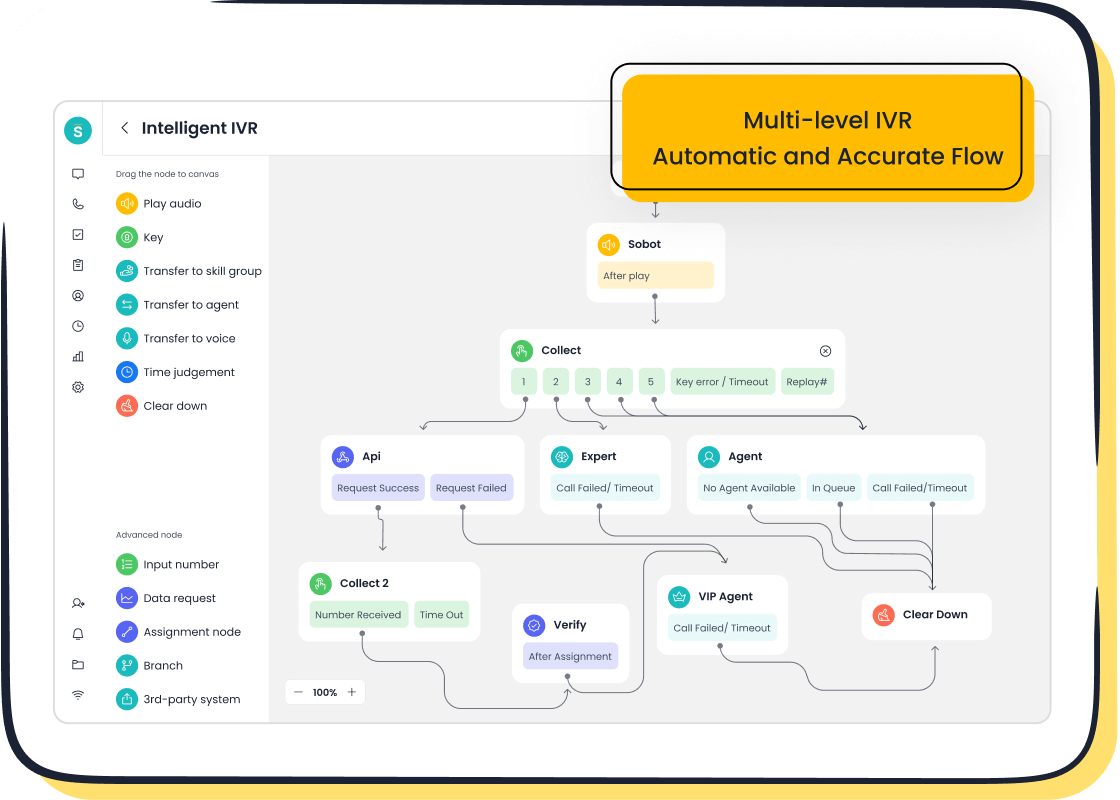
Sobot provides a truly unified platform where every tool is part of the core product. Its solution integrates a ticketing system, live chat, and a complete call center software into one workspace. This eliminates the need to purchase and integrate separate add-ons, offering seamless multi-channel support from the start. This approach simplifies administration and provides a better user experience.
Sobot's AI-Powered Voice and Chatbots
Sobot places advanced automation and AI at the core of its platform. Its AI-powered chatbots and voicebots provide 24/7 customer support, handling routine inquiries and freeing up human agents. The platform's intelligent capabilities are extensive.
- Omnichannel AI: Covers every customer touchpoint for consistent service.
- Scenario-based AI: Delivers specialized support for industries like retail.
- Multi-faceted AI: Includes AI Agent, Copilot, and Insight tools.
- Generative AI: Uses advanced LLMs like ChatGPT for smarter interactions.
- Secure AI: Ensures all data remains private and compliant.
This integrated AI makes it one of the best omnichannel customer service software options available.
Cost-Effective SaaS Model with 99.99% Stability
Sobot operates on a transparent and economic SaaS model. This contrasts sharply with Salesforce's complex, multi-layered pricing. Businesses get a powerful call center software with a guaranteed 99.99% system stability, ensuring reliable multi-channel support. This combination of affordability and reliability presents a compelling value proposition for companies of all sizes looking for the best omnichannel customer service software.
Seamless Global Call Center Capabilities
For businesses with a global footprint, Sobot's call center software is built to scale. It offers global number availability and time zone support, enabling you to provide localized customer support worldwide. This seamless global capability makes its call center software a powerful tool for international companies aiming to deliver consistent multi-channel support across different regions.
Salesforce Omnichannel is a powerful, scalable platform. It requires significant investment in licensing and administration. The best solution depends on your specific business needs. All-in-one platforms like Sobot offer a compelling alternative with robust features, stability, and efficiency.
Final Advice 💡 Audit your needs, budget, and technical resources. A thorough review of the implementation process for each platform is critical. Exploring demos will help you choose the right partner to boost customer satisfaction.
FAQ
What is Salesforce Omnichannel in simple terms?
Salesforce Omnichannel is a feature within the Service Cloud. It intelligently routes customer inquiries from any channel to the best available agent. This ensures customers connect with the right person quickly, improving service efficiency.
Do I need add-ons for channels like voice or WhatsApp?
Yes. Core Service Cloud licenses do not include all channels. You must purchase add-ons like Service Cloud Voice for telephony or Digital Engagement for messaging apps like WhatsApp. Budgeting for these is essential for a complete omnichannel strategy.
Which Salesforce edition is best for skills-based routing?
The Enterprise Edition is the minimum requirement for skills-based routing. This feature allows you to match customer needs with specific agent skills. It is a crucial tool for any complex contact center looking to improve resolution accuracy.
Can I use AI without buying the most expensive plan?
Yes. You can purchase the Einstein for Service add-on for the Enterprise or Unlimited editions. This provides access to AI tools like chatbots and reply recommendations without needing the top-tier Einstein 1 Service license.
How does Salesforce differ from an all-in-one solution like Sobot?
Salesforce is highly customizable but requires purchasing multiple licenses and add-ons. An all-in-one platform like Sobot includes voice, chat, and AI in its core offering. This provides a simpler, more cost-effective solution with guaranteed 99.99% stability.
Is Salesforce Omnichannel difficult to set up?
Implementation can be complex. Setting up routing rules, presence states, and integrations requires technical expertise. Many businesses hire implementation partners, adding to the total cost of ownership. This is a key consideration for any company evaluating the platform.
See Also
Your Essential Guide to Seamless Omnichannel Call Center Solutions
Mastering Omnichannel: A 10-Step Plan for Contact Center Success
Unlocking Efficiency: Key Features of CRM for Call Centers
Boost Your Shopify Sales with Strategic Live Chat Integration
Elevate SaaS Customer Support Through Effective Live Chat Strategies

