Cloud-Based Contact Center Pros and Cons for Customer Service


You can see the impact of digital transformation in customer service when you compare a cloud contact center to a traditional on-premises system. Sobot leads this change with a mission to improve customer interactions and boost efficiency for all industries. You should look at the pros and cons of the cloud before choosing the best contact center solution for a growing business. Sobot’s achievements show how technology can enhance customer experience and deliver reliable results.
Cloud Contact Center vs. On-Premises
What Is a Cloud Contact Center
A cloud contact center is a customer service platform that uses cloud computing to manage calls, chats, and messages. You access the system through the internet instead of installing hardware in your office. This means you can set up your contact center quickly and let your agents work from anywhere. Sobot’s cloud contact center gives you tools like AI-powered voicebots, smart call routing, and a unified workspace. You get updates and new features automatically, so your team always uses the latest technology.
On-Premises Contact Center Overview
An on-premises contact center uses equipment and servers that you keep in your own building. You need to buy hardware, set up phone lines, and hire IT staff to manage everything. Upgrades can take a long time and cost a lot of money. If you want to add more agents or new features, you often need to buy more equipment. This setup can make it hard to grow or change quickly.
Key Differences in Setup and Management
You can see big differences between cloud-based and on-premises systems:
- Cost Structure: On-premises systems need high upfront spending for hardware and maintenance. Cloud solutions use a subscription model with lower starting costs.
- Scalability: On-premises systems are hard to scale. Cloud systems let you add or remove agents easily.
- Deployment Speed: On-premises setups can take weeks or months. Cloud solutions can be ready in days or hours.
- Technology Access: On-premises systems need expensive upgrades. Cloud solutions give you automatic updates.
- Remote Work: Cloud contact centers let agents work from anywhere with internet access.
Here is a table that shows more differences:
| Feature | Cloud-Based Systems | On-Premises Systems |
|---|---|---|
| Flexibility | Highly adaptable and scalable | Limited flexibility |
| Cost | Lower upfront and maintenance | High upfront and maintenance |
| Security | Secure cloud environments | Control over data storage |
| Maintenance | Less IT involvement needed | Skilled IT staff required |
| Integration | Easy with APIs | Often lacks easy integration |
| Internet | Needs reliable connection | Can work offline sometimes |
Impact on Customer Service
Cloud computing helps you deliver better customer service. You get modern tools like real-time analytics, unified desktops, and omnichannel support. Your agents can answer calls, emails, and chats from one place. You do not need to worry about system crashes because Sobot’s platform has 99.99% uptime. Scalability is important for customer service. You can handle busy times without long wait times for your customers. With a cloud contact center, you focus on helping customers instead of fixing technology problems.
Tip: Choose a system that grows with your business and keeps your service stable during busy times.
Pros of Cloud-Based Phone Systems
Easy Setup and Fast Deployment
You can set up a cloud-based phone system quickly. There is no need for complex wiring or special skills. You do not have to wait weeks for installation. Most cloud-based phone systems become operational within hours. You can add new users or locations with just a few clicks. This saves time and keeps your business running smoothly. Sobot’s cloud contact center offers a user-friendly interface. Even if you do not have an IT team, you can manage the system easily. You avoid business disruptions and can focus on helping your customers.
- Rapid installation means you do not lose valuable time.
- You do not need to hire extra IT staff for setup.
- You can scale your system as your team grows.
For example, when Samsung needed to unify its customer service channels, Sobot’s contact center software allowed them to deploy quickly and start serving customers without delay. This fast deployment helped Samsung achieve a 97% customer satisfaction rate.
Cost Savings and SaaS Model
A cloud-based phone system uses a subscription model. You pay only for what you use. You do not need to buy expensive hardware or pay for ongoing maintenance. This leads to significant cost savings. On-premises systems require high upfront investments and regular upkeep. With cloud-based phone systems, you lower your total cost and reduce operational burdens.
IDC predicts that more businesses will choose cloud solutions because they are more cost-effective. You can use advanced features like real-time analytics and AI without extra costs. Sobot’s cloud contact center gives you all these benefits in one platform. You can manage your budget better and invest in other areas of your business.
Flexibility and Scalability for Growing Businesses
Cloud-based phone systems give you unmatched flexibility. You can add or remove users as your business changes. You do not need to buy new equipment every time you grow. This makes cloud-based phone systems perfect for businesses that want to scale quickly.
| Feature | Cloud Contact Center | On-Premises Contact Center |
|---|---|---|
| Scalability | Near-infinite scalability; add new lines with a few clicks | Requires physical setup for each new line |
| Setup | Affordable, quick installation compatible with existing devices | Months-long, hardware-intensive installation |
| Cost | Minimal upfront cost, lower monthly cost per user | High upfront and ongoing maintenance costs |
| Remote Work Flexibility | Agents can work from anywhere globally | Agents restricted to physical location |
The cloud contact center market is growing fast. Experts expect it to reach $97.28 billion by 2030. This growth shows that businesses value scalability and flexibility. Sobot’s contact center software lets you add advanced features like chatbots, live chat, and voicebots with minimal effort. You can support remote agents anywhere in the world. This helps you serve customers better and respond to changes quickly.
Reliability and High Uptime (Sobot’s 99.99% SLA)
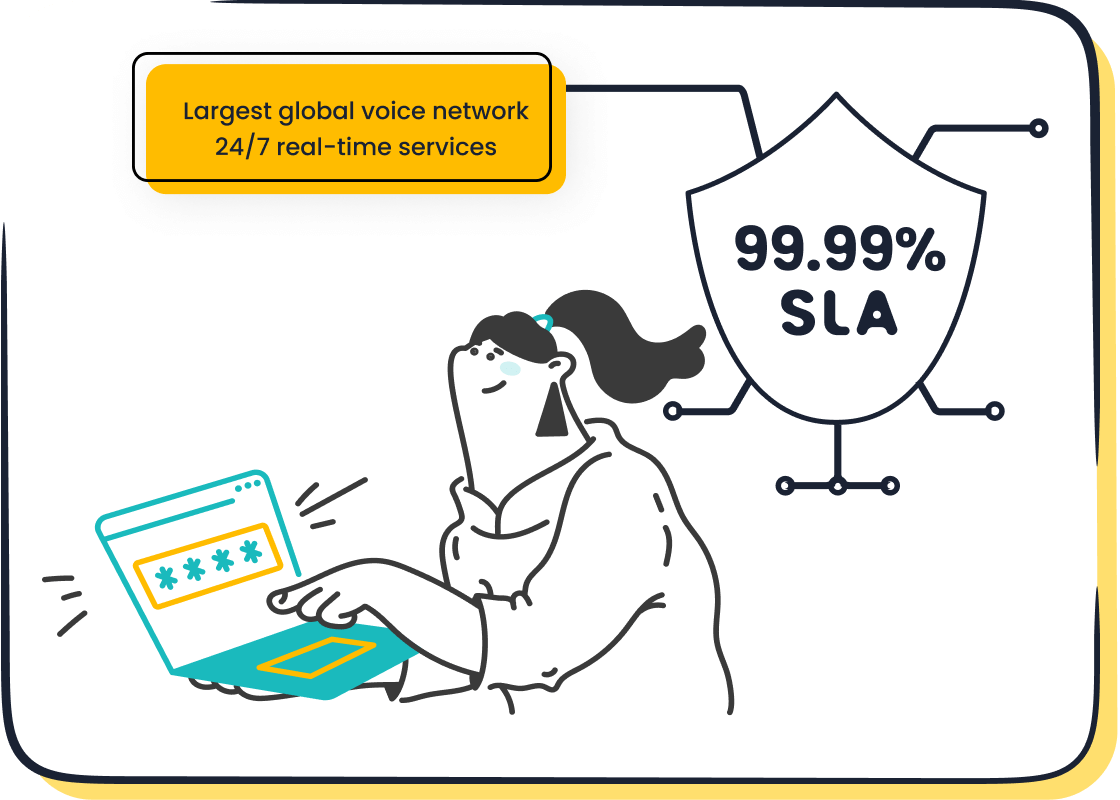
Reliability is key in customer service. Sobot’s cloud-based phone system offers a 99.99% Service Level Agreement (SLA). This means your system stays up and running almost all the time. You do not have to worry about downtime or missed calls. High uptime ensures your customers always reach you when they need help.
- Sobot’s global network supports stable connections in over 93 cities.
- You get continuous service, which keeps your business moving.
- High reliability leads to better customer satisfaction and trust.
Samsung’s experience with Sobot shows how important uptime is. After switching to Sobot’s contact center software, Samsung saw a 30% increase in agent efficiency. Customers received faster responses, and the company maintained a high level of service even during busy periods.
Security and Data Protection
Security matters when you handle customer data. Cloud-based phone systems use strong security measures to protect your information. Sobot’s contact center software uses encrypted data transfer and secure dialing. You get automatic updates, so your system always has the latest security features.
| Feature | Cloud Solutions | On-Premises Solutions |
|---|---|---|
| Control | Limited control; relies on provider for infrastructure security | Complete control over data and security protocols |
| Security Investment | Significant investment by providers in security infrastructure | Entire burden of maintaining security falls on the organization’s internal IT team |
| Compliance | Adheres to various compliance standards; shared responsibility model | Must ensure compliance independently; risk of lapses leading to breaches |
| Monitoring | Centralized visibility and continuous monitoring | Manual intervention required for security assessments and testing |
| Updates | Automatic updates provided by the cloud provider | Requires internal resources to maintain and update security measures |
| Scalability | Highly scalable; can easily accommodate growth | Limited scalability; requires additional hardware for expansion |
| Physical Security | Dependent on provider’s data center security measures | Enhanced physical security with on-site personnel and infrastructure |
| Support for Remote Workforces | Better support for remote workforces due to cloud accessibility | Limited remote access capabilities; often requires VPNs or other secure connections |
Cloud-based phone systems provide centralized monitoring and continuous protection. Providers like Sobot invest heavily in security, often more than most businesses can afford on their own. You can trust that your customer data stays safe, and you do not need to manage security updates yourself.
Modern Features (AI, Omnichannel, Analytics)
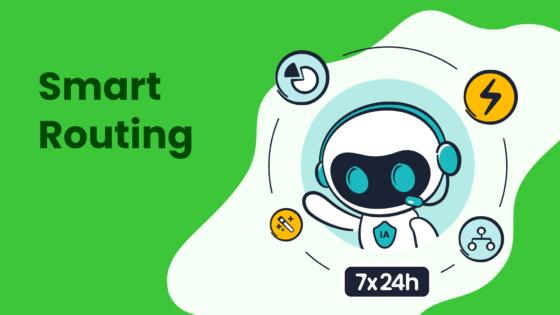
Cloud-based phone systems come with advanced features that help you deliver better service. Sobot’s contact center software includes AI-powered voicebots, chatbots, live chat, and ticketing systems. These tools help you answer customer questions faster and more accurately.
- AI and machine learning give you real-time analytics and help agents solve problems quickly.
- Omnichannel support lets you manage calls, emails, chats, and social media from one place.
- Workflow automation handles repetitive tasks, so your team can focus on complex issues.
- Integration with CRM and ERP systems gives agents a full view of customer history.
- Real-time dashboards show you key metrics like ticket volume and agent performance.
Sobot’s global network and AI-powered voicebot have improved customer service outcomes for many brands. For example, Sobot’s chatbot increased direct answering rates by 35%. The resolution rate went up by 45%. Customer satisfaction scores reached 95%. Escalation rates dropped from 50% to about 30%. These results show how modern features in cloud-based phone systems make your service faster and smarter.
Samsung’s story highlights these benefits. By using Sobot’s all-in-one platform, Samsung unified its communication channels and improved agent efficiency by 30%. Customers enjoyed seamless service across all channels, and VIP customers received personalized support. The system provided real-time data, helping Samsung optimize staffing and improve marketing efforts.
Note: With Sobot’s cloud-based phone system, you get a complete solution. You can manage voice calls, live chat, chatbots, and tickets in one place. This unified approach helps you deliver consistent, high-quality service to every customer.
Cloud-based phone systems give you the tools to grow, adapt, and succeed in today’s fast-changing business world. You can rely on Sobot’s contact center software and ucaas solutions to keep your operations smooth and your customers happy.
Cons of Cloud-Based Contact Center Solutions
When you consider a cloud-based system for your customer service, you should also look at the challenges. Every technology has trade-offs. Understanding these will help you make the best decision for your business.
Security and Compliance Concerns
Security remains a top priority in any cloud contact center. You trust a cloud service provider with your customer data, so you need to know how they protect it. Cloud computing security often exceeds what many companies can do on their own. Providers invest in advanced encryption, firewalls, and monitoring tools. They follow strict industry standards and regulations.
However, you still share responsibility. The provider secures the infrastructure, but you must manage user access and data inside the application. If you do not set strong passwords or control permissions, you can create risks. Hackers target both cloud and on-premise systems. In fact, hackers can penetrate 93% of corporate networks. You must stay alert and train your team on cybersecurity best practices.
Here are some common security and compliance concerns:
- You must ensure your provider meets all required regulations for your industry.
- Data stored off-site can reduce the risk of physical breaches, but you need to trust the provider’s encryption and backup methods.
- The shared responsibility model means you must manage your own users and data carefully.
- Cloud computing security requires ongoing attention from both you and your provider.
If you handle sensitive information, always ask about compliance certifications and encryption standards. This will help you avoid fines and keep your customers’ trust.
Internet Dependency and Latency Issues
A cloud-based system depends on a stable internet connection. If your internet goes down, your contact center may not work. The quality of your internet affects call quality and response times. You need enough bandwidth to support voice, chat, and data traffic at the same time.
- The performance of a cloud contact center relies on the stability and speed of your internet.
- You should audit your network before switching to a cloud communication system.
- Quality of Service (QoS) settings help prioritize voice traffic, which is more sensitive to delays than email or file transfers.
If you have remote agents, make sure they have reliable internet at home. Poor connections can lead to dropped calls or delays. You should test your cloud connectivity often to ensure smooth operations. Good call quality keeps your customers happy and your team productive.
Tip: Always have a backup internet plan for emergencies. This reduces downtime and keeps your service running.
Integration Challenges with Legacy Systems
Many businesses use older systems that do not connect easily with new cloud-based platforms. You may need extra tools or custom development to link your old software with your new cloud contact center. This can take time and resources.
Many on-premise contact centers rely on legacy systems that have been customized over time. These systems often don't integrate smoothly with modern cloud-based platforms, requiring additional middleware, APIs, or custom development to ensure data and workflows are connected.
You should plan your integration carefully. Make a list of all the systems you use, such as CRM, ticketing, or billing. Ask your provider about integration options and support. Smooth integration helps your agents see all customer information in one place and improves service quality.
Feature Costs and Pricing Complexity
Cloud-based systems offer many features, but the pricing can be complex. You may see different models, such as per-user, pay-as-you-go, or custom enterprise plans. Each model fits different business needs.
| Pricing Model | Description |
|---|---|
| Per-user pricing | Charges a flat monthly fee for each agent license, ideal for high call volume teams. |
| Pay-as-you-go | Charges based on actual talk time, suitable for seasonal businesses with fluctuating call rates. |
| Fixed pricing | Offers transparency and predictability for businesses with stable operations. |
| Quote-based pricing | Customized pricing based on specific needs rather than fixed rates. |
| Custom enterprise plans | Cost-effective for large operations, includes additional features and potential discounts. |
You should review your needs and compare plans. Some advanced features, like AI or analytics, may cost extra. Always ask for a clear breakdown of costs before you sign up. This helps you avoid surprises and manage your budget.
Vendor Lock-In Considerations
When you choose a cloud communication platform, you may find it hard to switch providers later. This is called vendor lock-in. If you move all your data and processes to one provider, changing to another can be expensive or complex.
- Once you migrate to a specific provider, switching may become difficult or costly.
- Vendor lock-in can limit your flexibility if your needs change.
- Some companies have found that their first provider did not meet all their needs, but the cost of switching was too high.
You should ask about data export options and contract terms before you commit. Choose a provider that supports open standards and easy migration. This gives you more control over your future.
Note: Always keep a copy of your important data and review your contract regularly. This protects your business if you need to change providers.
Cloud-based systems bring many benefits, but you must understand these challenges. Careful planning and regular reviews will help you get the most from your cloud contact center while keeping your business safe and flexible.
Best Contact Center Solution for a Growing Business
Sobot’s All-in-One Platform Overview
You want the best contact center solution for a growing business. Sobot’s all-in-one platform gives you everything you need to support your customers and scale your operations. You get voice, live chat, chatbot, ticketing, and WhatsApp API in one place. Sobot’s platform works for startups, small businesses, and large enterprises. You can choose secure, cost-effective options or custom solutions for complex projects. Sobot’s integration with popular systems like Salesforce, Shopify, and Amazon helps you meet your business needs.
| Business Type | Solution Provided |
|---|---|
| Large and Medium | All-in-one, intelligent, and flexible solutions with specialized teams for full cycle support. |
| Startups and Small | Secure, cost-effective solutions with fast access to Sobot's products. |
| Custom Solutions | Tailored services for retail, finance, and government projects. |
| Integration Capability | Connects with Amazon, Walmart, Shopify, Salesforce, and more. |
Omnichannel Capabilities and Unified Workspace
Sobot’s omnichannel features let you handle calls, chats, emails, and social media from one workspace. You do not need to switch between tools. Your agents see all customer information in one place. This helps you respond faster and give more personal answers. In retail, agents use Sobot to see order history and answer questions quickly. Companies report better teamwork and faster problem-solving because of Sobot’s unified workspace.
Tip: Omnichannel support helps you track trends and adjust your service in real time.
Enhancing Customer Experience and Agent Efficiency
You want the best contact center solution for a growing business to improve both customer experience and agent efficiency. Sobot’s platform uses AI to automate simple tasks and route calls smartly. You can see real-time data and make quick decisions. Sobot helps you reach a 234% ROI, boost efficiency by 60%, and improve Net Promoter Score by 35%. Most issues get solved in less than one minute. These results show Sobot’s focus on customer needs and business needs.
Use Cases Across Industries
Sobot’s platform fits many industries. Retailers use it to manage busy sales seasons. Financial services trust Sobot for secure, fast support. Gaming companies solve player issues quickly. Education providers help students and parents with one system. You can find the best contact center solution for a growing business, no matter your field. Sobot’s innovation and customer-centric approach make it easy to meet your business needs and deliver great service.
When you choose Sobot, you get a platform that grows with you and adapts to your customer needs.
Impact on Customer Experience

Accessibility for Remote Agents
You can support agents who work from anywhere with a cloud contact center. Your team only needs a device and an internet connection to log in and start helping customers. This flexibility means you can hire talent from different locations. You also keep your service running during emergencies or office closures. Quick deployment and low operational costs make it easy to expand your team as your business grows.
Faster Response and Omnichannel Support
Cloud contact centers help you answer customers faster. You can use AI and automation to reduce wait times and solve problems on the first try. Omnichannel support lets you talk to customers on the phone, by email, or through chat—all in one place. Real-time analytics show you what is happening, so you can make quick changes. Here is a table that shows how these features improve customer experience:
| Key Trend | Evidence |
|---|---|
| AI and Automation | AI-driven automation reduces wait times and improves first-contact resolution rates. |
| Omnichannel Communication | True omnichannel integration ensures a consistent experience across multiple channels. |
| Advanced Analytics and Real-Time Insights | Real-time analytics optimize workforce management and enhance customer experiences. |
Customers who get real-time support often stay loyal, spend more, and recommend your brand to others.
Consistency and Quality of Service
You can give every customer the same high-quality service with a cloud contact center. Your agents see all customer history and preferences in one place. Omnichannel routing sends each question to the right agent. Supervisors use real-time monitoring to check call volume and satisfaction. Quality management systems and AI tools help you track and improve service. You can collect feedback and coach agents for better results.
- Unified customer profiles help agents give personal and consistent answers.
- Real-time monitoring and analytics support quality control.
- Automated quality checks and feedback loops keep your service improving.
Personalized Service and Self-Service Options
You can offer personal help and self-service choices to your customers. AI-powered chatbots answer simple questions right away. IVR systems let customers pick options and solve problems without waiting. Online knowledge bases give answers any time of day. These tools make customers happy by giving them fast solutions and more control.
| Self-Service Option | Description | Impact on Customer Satisfaction |
|---|---|---|
| AI-powered chatbots | Automated systems that resolve issues quickly. | Instant solutions enhance experience. |
| IVR systems | Interactive menus for easy navigation and problem-solving. | Reduces wait times and boosts efficiency. |
| Online knowledge bases | Information customers can access anytime. | Empowers customers to find answers easily. |
Personalized experiences and quick resolutions lead to higher satisfaction and less work for your agents.
Cloud contact centers offer easy setup, cost savings, and flexibility, but you must consider security and internet reliability. Sobot’s platform, trusted by brands like Samsung, delivers high uptime and advanced features. To choose the right solution, you should:
- Map customer journeys and audit your technology.
- Segment interactions and pilot automation.
- Invest in training and monitor customer sentiment.
- Ensure easy escalation and review performance.
Explore Sobot’s website for more support and details.
FAQ
What do you need for a cloud contact center to work?
You need a stable internet connection, devices for your agents, and access to the cloud platform. The internet lets your team log in from anywhere. You do not need special hardware. Good internet keeps your service running smoothly.
How does internet quality affect cloud contact centers?
Internet quality affects call clarity, speed, and reliability. If your internet is slow or unstable, you may drop calls or miss messages. Fast, reliable internet helps your agents respond quickly and keeps customers happy. Always test your internet before launching.
Can you use a cloud contact center with slow internet?
You can use a cloud contact center with slow internet, but you may face delays or poor call quality. Slow internet can cause dropped calls and long wait times. Upgrade your internet or use backup connections to avoid problems.
What happens if the internet goes down?
If the internet goes down, your cloud contact center may stop working. Agents cannot access calls or messages. You should have a backup internet plan or mobile hotspot. This keeps your service running during outages and helps you avoid lost business.
Do remote agents need special internet for cloud contact centers?
Remote agents need reliable internet at home. Fast upload and download speeds help them answer calls and messages without delays. You should check their internet before hiring. Good internet helps your team work from anywhere and keeps customers satisfied.
See Also
Best Cloud-Based Contact Center Services Reviewed For 2024
Advantages And Disadvantages Of Remote Call Center Jobs
Best Reviewed Contact Center Solutions For The Year 2024

