Adding Shopify Live Chat to Your Store in 2025


In 2025, live chat has become a must-have for any Shopify store. Why? Because customers expect instant answers, and businesses that deliver them see results. Did you know that just one reply via live chat can boost your chances of converting a visitor by 50%? Or that exchanging six messages can skyrocket your conversion likelihood by 250%? These numbers show how powerful real-time communication can be.

With over 4.4 million Shopify stores worldwide, only 6% currently use live chat plugins. That’s a huge opportunity to stand out. Tools like Sobot make it easy to add Shopify live chat to your store, helping you connect with customers, reduce cart abandonment, and drive sales. Sobot’s advanced features, like omnichannel support and AI-powered tools, ensure you’re always one step ahead in delivering exceptional customer experiences.
Why Shopify Live Chat is Essential for Your Store
Enhance Customer Engagement
Build trust with real-time communication.
When customers visit your Shopify store, they want answers fast. Live chat lets you connect with them instantly, building trust and showing you care about their needs. Imagine a shopper browsing your site and hesitating over a product. A quick message from your live chat support team can reassure them and turn doubt into confidence. In fact, 63% of consumers prefer live chat for support because it feels personal and immediate. This real-time interaction can even boost customer engagement by up to 55%.
Reduce cart abandonment with instant responses.
Cart abandonment is a major challenge for online stores, with rates as high as 86% on mobile devices. Many shoppers leave because they can’t find the information they need. Live chat solves this by providing instant answers to questions about shipping, product details, or return policies. Visitors who use live chat are 2.8 times more likely to complete their purchase. By addressing concerns in the moment, you can reduce cart abandonment and increase conversion rates by up to 12%.
Drive Conversions and Sales
Provide personalized support to guide purchase decisions.
Personalized support can make all the difference when a customer is deciding what to buy. With live chat, you can offer tailored recommendations based on their preferences or browsing history. For example, if someone is looking at a specific product, you can suggest complementary items or share reviews to help them decide. This approach doesn’t just guide their purchase—it builds loyalty. Personalized communication through live chat can boost conversion rates by 51%, turning hesitant visitors into happy customers.
Use live chat to upsell and cross-sell effectively.
Live chat isn’t just about answering questions—it’s a powerful sales tool. While chatting with customers, you can recommend higher-value products or suggest add-ons that enhance their purchase. For instance, if someone is buying a smartphone, you could highlight a protective case or a premium warranty. Businesses using live chat often see a 10-15% increase in average order value. By engaging with shoppers in real time, you can maximize sales opportunities and grow your revenue.
Boost Customer Satisfaction
Resolve issues quickly for happier customers.
No one likes waiting for help. Live chat ensures your customers get the support they need without delay. Whether it’s a question about an order or a technical issue, quick resolutions lead to happier customers. In fact, 86% of live chat tickets end with a satisfied customer. That’s significantly higher than email or phone support. By resolving problems in real time, you can boost customer satisfaction and keep them coming back.
Meet customer preferences for live chat over other channels.
Customers love live chat because it’s fast, convenient, and private. Research shows that 41% of consumers prefer live chat over any other support channel. It’s easy to see why—there’s no waiting on hold or navigating complicated menus. Plus, live chat support achieves an 82% satisfaction rate, far surpassing email (61%) and phone (44%). By offering live chat in your Shopify store, you’re meeting customer expectations and delivering the experience they want.
Leverage Actionable Insights
Analyze customer interactions to improve services
Your Shopify live chat isn’t just a tool for communication—it’s a goldmine of insights. Every interaction with a customer gives you valuable data about their preferences, pain points, and buying behavior. By analyzing these conversations, you can identify trends and make informed decisions to improve your services.
For example, let’s say you notice multiple customers asking about a specific product feature. This could mean your product descriptions need more clarity. Or, if customers frequently inquire about shipping times, you might want to display that information more prominently. These small adjustments can lead to big results.
Take a look at how analyzing live chat metrics can impact your business:
| Metric | Impact |
|---|---|
| Conversion rates | 20% increase |
| Lead generation | 40% increase |
| Engagement (1 reply) | 50% increase in conversion |
| Engagement (6 messages) | 250% increase in conversion |
| Overall conversion (case study) | 3.84% increase in conversion |
| Customer engagement | 55% increase |
| Conversion rates (personalized) | 51% increase |
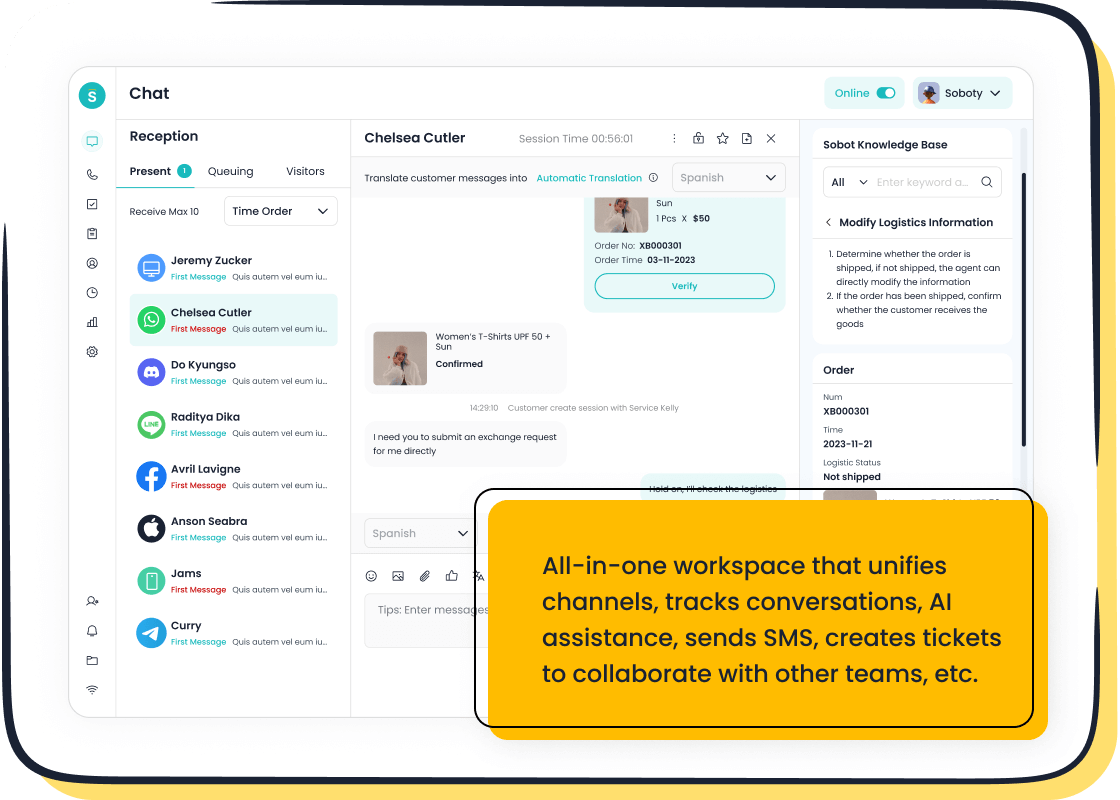
In one case study, a Shopify store selling specialty pen kits saw a 3.84% boost in conversions and a 6% revenue increase after implementing live chat. Tools like Sobot Live Chat make it easy to track these metrics with built-in analytics. You can evaluate over 150 indicators, helping you fine-tune your approach and deliver better customer experiences.
Use chat data to refine marketing strategies
Your live chat data isn’t just for customer service—it’s a treasure trove for marketing. By studying chat transcripts and customer feedback, you can craft campaigns that truly resonate with your audience. Here are some best practices to get started:
- Active Listening: Pay attention to what customers are saying during chats. Their questions and concerns reveal what they value most.
- Consistent Messaging: Align your live chat tone with your overall brand voice to create a cohesive experience.
- Customer-Centric Content: Use common customer inquiries to inspire blog posts, FAQs, or social media content.
- Feedback Loop: Regularly review chat data to refine your marketing messages and strategies.
With Sobot Live Chat, you can segment customers based on their interactions and preferences. This allows you to send targeted promotions or personalized follow-ups, boosting engagement and conversions. Plus, Sobot’s built-in analytics help you measure the success of your campaigns, ensuring you’re always improving.
By leveraging these insights, you’re not just meeting customer expectations—you’re exceeding them. And that’s how you turn one-time buyers into loyal fans.
Step-by-Step Guide to Add Live Chat to Shopify
Adding live chat to your Shopify store is easier than you might think. Whether you’re using Shopify’s built-in tools or advanced live chat software like Sobot, here’s how to get started.
Using Shopify Inbox
Install Shopify Inbox from the Shopify App Store.
Shopify Inbox is a free and straightforward way to enable live chat in your store. Follow these steps:
- Log in to your Shopify account.
- Go to Settings and click on Apps and sales channels.
- Search for “Shopify Inbox” in the App Store, select it, and click Add app.
- Once installed, select Add sales channel to activate it.
Configure chat settings and customize the widget.
After installation, you can personalize the chat experience to match your brand:
- Enable the Online store chat feature in the Shopify Inbox settings.
- Customize the chat button’s style and color to align with your store’s theme.
- Add a friendly greeting message to make customers feel welcome.
Shopify Inbox is perfect for small businesses. It’s free, integrates seamlessly with Shopify, and even lets you share products or discounts during chats to boost sales.
| Advantage | Description |
|---|---|
| Free and easy setup | Ideal for new or small stores with no extra cost. |
| Personalized conversations | Access customer profiles for tailored responses. |
| Sales-oriented features | Share products and discounts directly in chats. |
Integrating Sobot Live Chat
Sign up for a Sobot account and select a plan.
Visit Sobot’s website and create an account. Choose a plan that fits your business needs. Sobot offers flexible pricing and a free trial to explore its features.
Install the Sobot Live Chat app or embed the widget code.
You can install the Sobot Live Chat app directly from the Shopify App Store or embed the widget code into your Shopify theme. Both methods are quick and require no technical expertise.
Customize the chat interface to align with your brand.
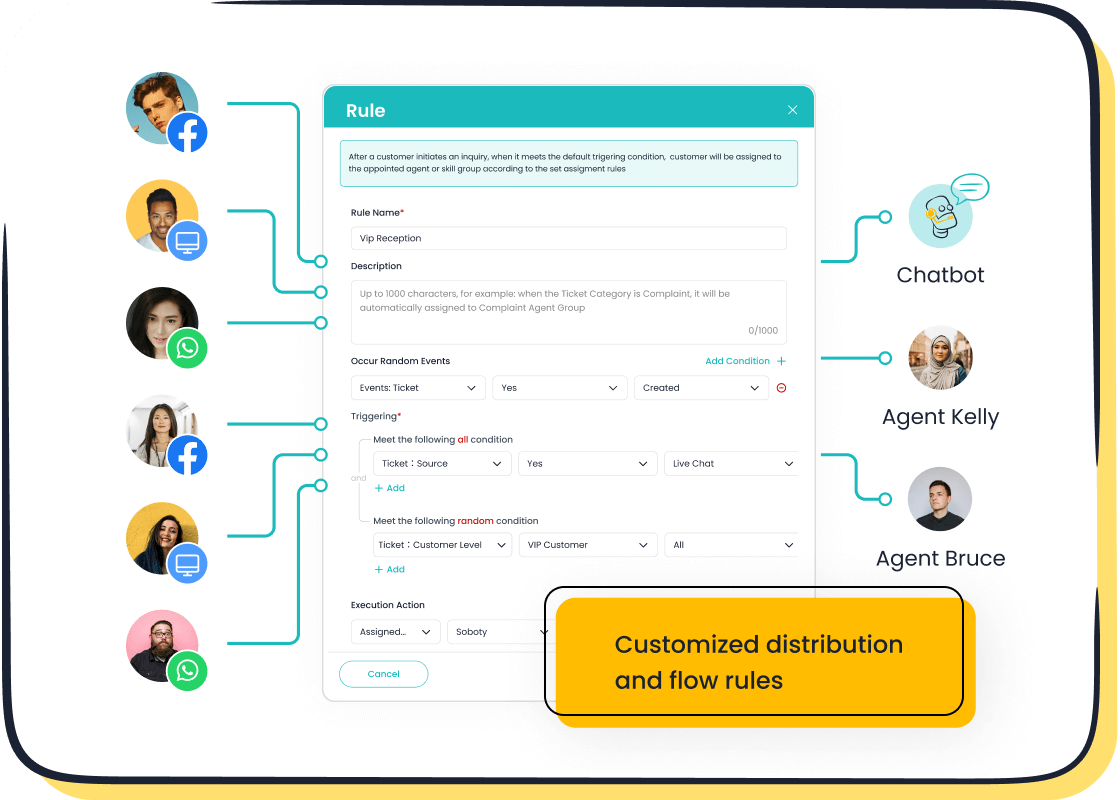
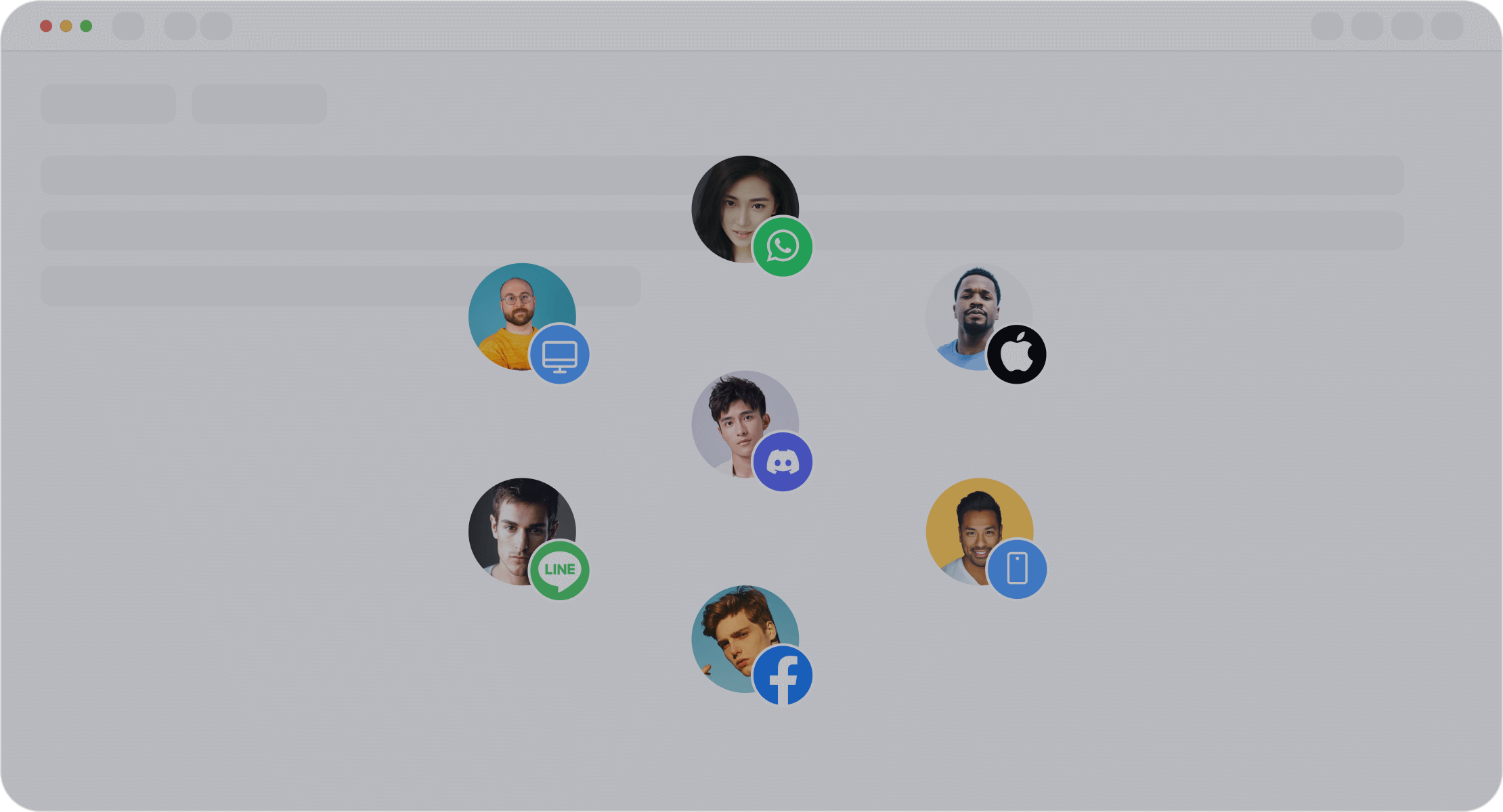
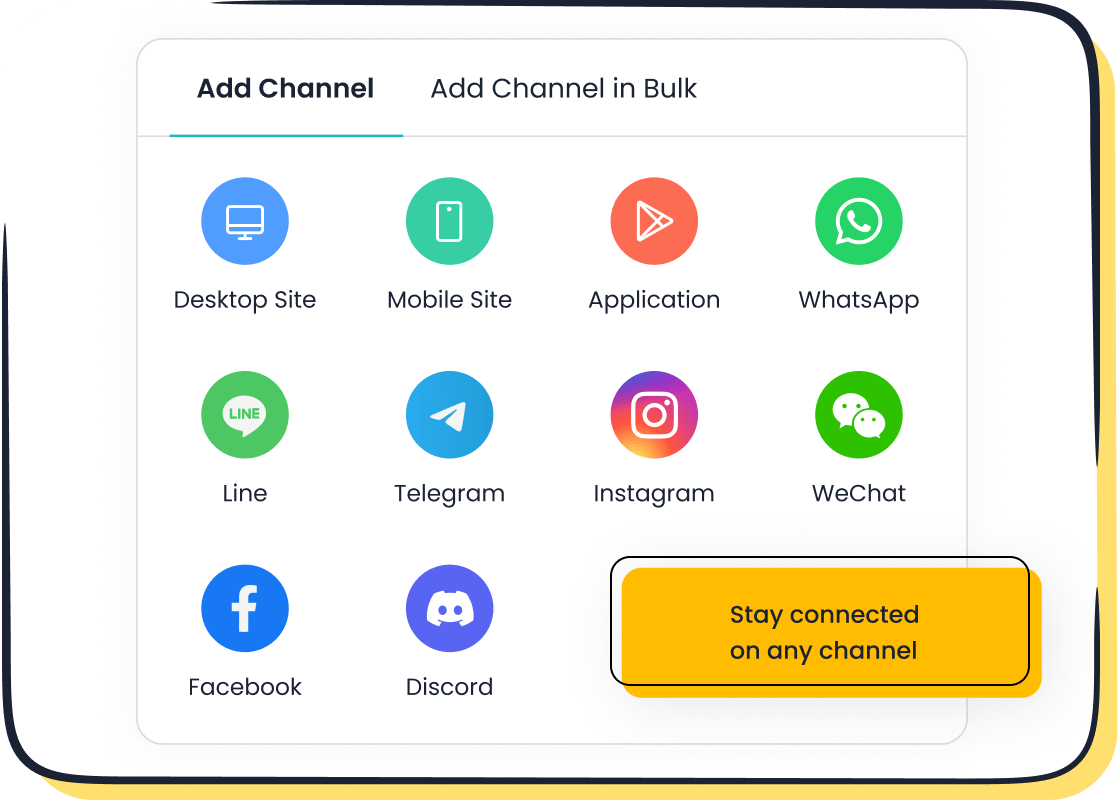
Sobot Live Chat allows you to personalize the widget with your brand’s colors, logo, and messaging. Its omnichannel support ensures you can connect with customers across platforms like WhatsApp, Facebook, and Instagram. Plus, Sobot’s AI-powered tools help you engage proactively and boost conversions by 38%.
| Feature | Sobot Live Chat | Other Third-Party Apps |
|---|---|---|
| AI-Powered Chatbot Technology | Yes | Varies |
| Multi-Language Support | Yes | Limited |
| Robust Analytics | Yes | Varies |
Adding Third-Party Live Chat Apps
Explore options like Tidio or LiveChat.
If you prefer third-party live chat software, explore apps like Tidio or LiveChat. These tools offer unique features but may vary in pricing and integration capabilities.
Follow installation and setup instructions.
Most third-party apps provide detailed guides for installation. Typically, you’ll need to:
- Install the app from the Shopify App Store.
- Configure the settings to suit your store’s needs.
- Customize the chat widget to match your branding.
While these apps can be effective, Sobot Live Chat stands out with its advanced features like sentiment analysis, customizable chatbot flows, and built-in analytics.
By following these steps, you’ll enable live chat support in your Shopify store, enhancing customer engagement and driving sales.
Using Custom Scripts
Adding a live chat plugin script to your Shopify store using custom scripts might sound technical, but it’s simpler than you think. This method gives you full control over the chat widget’s appearance and functionality, making it a great option for those who want a tailored solution.
Obtain the live chat script from your provider.
First, you’ll need the live chat script from your provider. If you’re using Sobot, you can access this script through your account dashboard. Sobot’s live chat plugin script supports multiple platforms, including websites, apps, and social media channels like WhatsApp and Instagram. This flexibility ensures you can engage with customers wherever they are.
Once you have the script, review the instructions provided by your live chat provider. These often include details on how to customize the widget to match your brand. For example, Sobot allows you to adjust colors, logos, and even greetings, ensuring the chat interface aligns perfectly with your store’s theme.
Tip: Make sure your live chat is integrated with Shopify and other communication channels. This streamlines customer interactions and improves efficiency.
Add the script to your Shopify theme’s code.
Now it’s time to embed the live chat script into your Shopify store. Follow these steps:
- Log in to your Shopify account and navigate to Settings.
- Select Online Store and click Themes.
- Under your active theme, click Actions and choose Edit code.
- Locate the
theme.liquidfile, usually found under the Layout section. - Paste the live chat plugin script just before the closing
</body>tag. - Save your changes and refresh your store to see the live chat widget in action.
This process ensures the widget loads on every page of your store, providing seamless access for your customers.
Common issues when adding live chat include:
- App installation problems: Clear your browser’s cache or switch browsers.
- Chat widget not displaying: Double-check the script placement and app settings.
- Slow response times: Contact your provider’s support team for assistance.
By embedding the live chat script, you’re not just adding a feature—you’re creating a direct line of communication that can boost conversions and customer satisfaction. Tools like Sobot make this process even easier with their user-friendly scripts and robust support.
Tips to Optimize Live Chat in Shopify for Better Engagement
Personalize the Chat Experience
Use branded colors and logos for the chat widget.
Your live chat widget should feel like an extension of your brand. Customizing it with your store’s colors, logo, and fonts creates a cohesive shopping experience. This small touch reassures customers they’re interacting with your business, not a generic tool. Personalization also builds trust, which is key to keeping customers engaged and moving toward checkout. Did you know 92% of customers feel more satisfied using live chat compared to other communication options? Shoppers who chat with businesses are also 70% more likely to make a purchase.
Tailor greetings based on customer behavior.
A simple “Hi there!” might not always cut it. Tailored greetings based on customer actions can make a big difference. For instance, if a visitor lingers on a product page, your chat could pop up with, “Looking for more details about this item? I’m here to help!” Companies like Userpilot take this further by addressing users by name and highlighting features relevant to their needs. These personalized touches show customers you’re paying attention, making them more likely to engage.
Train Your Support Team
Equip agents with product knowledge and quick response skills.
Your team is the backbone of your live chat success. Equip them with a detailed knowledge base and access to past chat conversations. This helps them answer questions quickly and accurately. Mock chats are another great way to sharpen their problem-solving skills. Walk them through your key products, demonstrate how to use the live chat software, and run through common scenarios. Well-trained agents ensure customers get the help they need without delays.
Ensure professional and friendly communication.
Live chat is fast-paced, but that doesn’t mean professionalism should take a backseat. Encourage your team to keep responses clear, concise, and friendly. Canned responses can save time, but they should always feel human. Pair these with empathy to create a positive experience. Coaching sessions and webinars can help agents refine their tone and approach, ensuring every interaction leaves customers satisfied.
Leverage Automation
Use chatbots for common queries to save time.
Chatbots are a game-changer for handling repetitive questions. They provide 24/7 customer support, ensuring no query goes unanswered—even outside business hours. With natural language processing, chatbots respond instantly and accurately, reducing customer frustration. They also offer multilingual support, making them perfect for global Shopify stores. By automating common queries, you free up your team to focus on complex issues, improving efficiency and satisfaction.
Implement Sobot’s AI-powered tools for smarter automation.
Sobot’s customer support software takes automation to the next level. Its AI-powered tools include a visual bot builder for creating custom workflows, sentiment analysis to gauge customer satisfaction, and proactive engagement features like triggered messages. These tools don’t just save time—they enhance the customer experience. For example, Sobot’s multi-language capabilities and seamless CRM integration ensure smooth interactions across channels. With Sobot, you’re not just automating; you’re optimizing every step of the customer journey.
Monitor and Improve Performance
Track metrics like response time and satisfaction rates.
To make the most of live chat on your Shopify store, you need to keep an eye on key performance metrics. These numbers tell you how well your live chat is working and where you can improve. Start by tracking your conversion rate—how many chats lead to sales. A higher rate means your live chat is doing its job of turning visitors into buyers.
Next, look at your average order value (AOV). Customers who use live chat often spend more because they get personalized recommendations. For example, a store using Sobot Live Chat saw a 38% boost in conversions by guiding customers with tailored suggestions.
Don’t forget about chat resolution time. The faster you solve problems, the happier your customers will be. Aim to resolve issues in minutes, not hours. Finally, measure your customer satisfaction (CSAT) score. This feedback shows how customers feel about their chat experience. High scores mean you’re on the right track.
By monitoring these metrics, you’ll know exactly what’s working and what needs tweaking. Sobot’s built-in analytics make this easy by evaluating over 150 indicators, helping you fine-tune your strategy for better results.
Regularly update chat scripts and FAQs.
Your live chat scripts and FAQs should evolve with your business. Outdated information can frustrate customers and hurt your reputation. To keep things fresh, follow these best practices:
- Write clear and concise responses. Customers want quick answers, so balance speed with accuracy.
- Build a detailed internal knowledge base for your team. This helps agents find answers fast, improving response times.
- Use canned responses for common questions. These pre-written replies save time and ensure consistency.
Additionally, consider intelligent routing to direct chats to the right team. This reduces wait times and improves efficiency. For example, if a customer asks about shipping, the chat can automatically route to your logistics team.
Sobot’s AI-powered tools make updates simple. You can customize workflows, automate responses, and even translate chats in real time. These features ensure your live chat stays relevant and effective, keeping customers happy and engaged.
💡 Pro Tip: Review your chat scripts monthly. Look for patterns in customer questions and update your FAQs to address them. This proactive approach keeps your live chat running smoothly.
Why Sobot Live Chat is the Best Choice for Shopify
Seamless Shopify Integration
Easy setup with no coding required.
Sobot Live Chat makes adding live chat support to your Shopify store a breeze. You don’t need any coding skills to get started. The platform is designed to streamline customer service for Shopify merchants, whether you’re operating on your website or social media. With Sobot, you get a unified inbox where your team can manage messages, tickets, and customer data in one AI-enhanced workspace. This setup saves time and ensures your customers always get quick, accurate responses.
Compatible with all Shopify themes and apps.
No matter which Shopify theme you’re using, Sobot Live Chat integrates seamlessly. It works with the latest themes and supports any Shopify theme integration. Plus, its centralized inbox consolidates communication channels, so you can handle customer queries from multiple platforms in one place.
| Feature | Description |
|---|---|
| Compatibility with Themes | Works with the latest themes |
| Theme Integration | Any Shopify Theme Integration |
| Centralized Inbox | Integrates multiple communication channels |
Advanced Features for Superior Support
AI-powered chatbots for 24/7 assistance.
Sobot’s AI-powered chatbots ensure your Shopify store is always open for business. These bots handle common queries instantly, providing personalized solutions even when your team isn’t available. With features like a visual bot builder and self-learning mechanisms, you can create custom workflows that improve over time.
Omnichannel support to manage all customer queries in one place.
Sobot Live Chat offers omnichannel support, letting you connect with customers across platforms like WhatsApp, Facebook, and Instagram. This seamless integration consolidates tickets, messages, and customer data into one workspace. You’ll also benefit from real-time analytics and sentiment analysis to monitor and improve your support operations.
- Proactive customer engagement features.
- Multi-language capabilities for global support.
- Comprehensive ticketing system for issue management.
Cost-Effective Plans for All Businesses
Flexible pricing options for small and large stores.
Sobot Live Chat offers flexible pricing plans tailored to your business size. Whether you’re running a small Shopify store or a large enterprise, you’ll find a plan that fits your needs. The platform is free to install, with additional charges based on the features you choose.
Free trial to explore features before committing.
Not sure if Sobot Live Chat is right for you? Take advantage of the free trial to explore its features. Many Shopify store owners have found this trial invaluable for understanding how Sobot can enhance their live chat in Shopify.
💡 Tip: Use the free trial to test Sobot’s AI tools and omnichannel support. You’ll see how it can transform your customer service.
In 2025, live chat isn’t just a nice-to-have—it’s a game-changer for your Shopify store. With 73% of users preferring live chat over other channels, it’s clear that customers value instant, personalized support. Adding live chat is simple, whether you use Shopify Inbox, Sobot Live Chat, or another tool. Once set up, you can optimize it with tailored greetings, well-trained agents, and smart automation.
Sobot Live Chat stands out with its AI-powered tools, omnichannel support, and seamless Shopify integration. It’s designed to boost customer satisfaction and drive sales by offering 24/7 assistance and personalized recommendations. Ready to transform your Shopify store? Add live chat today and see the difference it makes!
FAQ
How does live chat improve Shopify store conversions?
Live chat boosts conversions by offering instant support. For example, Sobot Live Chat increases conversion rates by 38% through personalized recommendations and quick responses. Customers who engage via live chat are 2.8 times more likely to complete their purchase.
Can I use Sobot Live Chat on multiple platforms?
Yes! Sobot Live Chat supports websites, apps, and social media platforms like WhatsApp, Instagram, and Facebook. This omnichannel feature ensures you can connect with customers wherever they are, improving engagement and satisfaction.
Is Sobot Live Chat easy to set up on Shopify?
Absolutely. You can install Sobot Live Chat directly from the Shopify App Store or embed its widget code. No coding skills are required. The setup process takes just a few minutes, and you can customize the widget to match your brand.
Does Sobot Live Chat offer analytics?
Yes, it does. Sobot Live Chat evaluates over 150 indicators, providing insights into customer behavior and service performance. You can use these analytics to refine your strategies and improve customer experiences.
Is there a free trial for Sobot Live Chat?
Yes, Sobot offers a free trial. You can explore its features, like AI-powered chatbots and omnichannel support, before committing. Visit Sobot Live Chat to start your free trial today.
💡 Pro Tip: Use the free trial to test Sobot’s analytics and automation tools. You’ll see how they can transform your Shopify store’s customer service.
See Also
Boost Your Shopify Sales Using Live Chat Features
Implementing Shopify Live Chat for Retail Success
Utilizing Live Chat on Shopify for Retail

